SC-F2000 Revision C
DISASSEMBLY & ASSEMBLY Disassembly and Assembly Procedure 176
Confidential
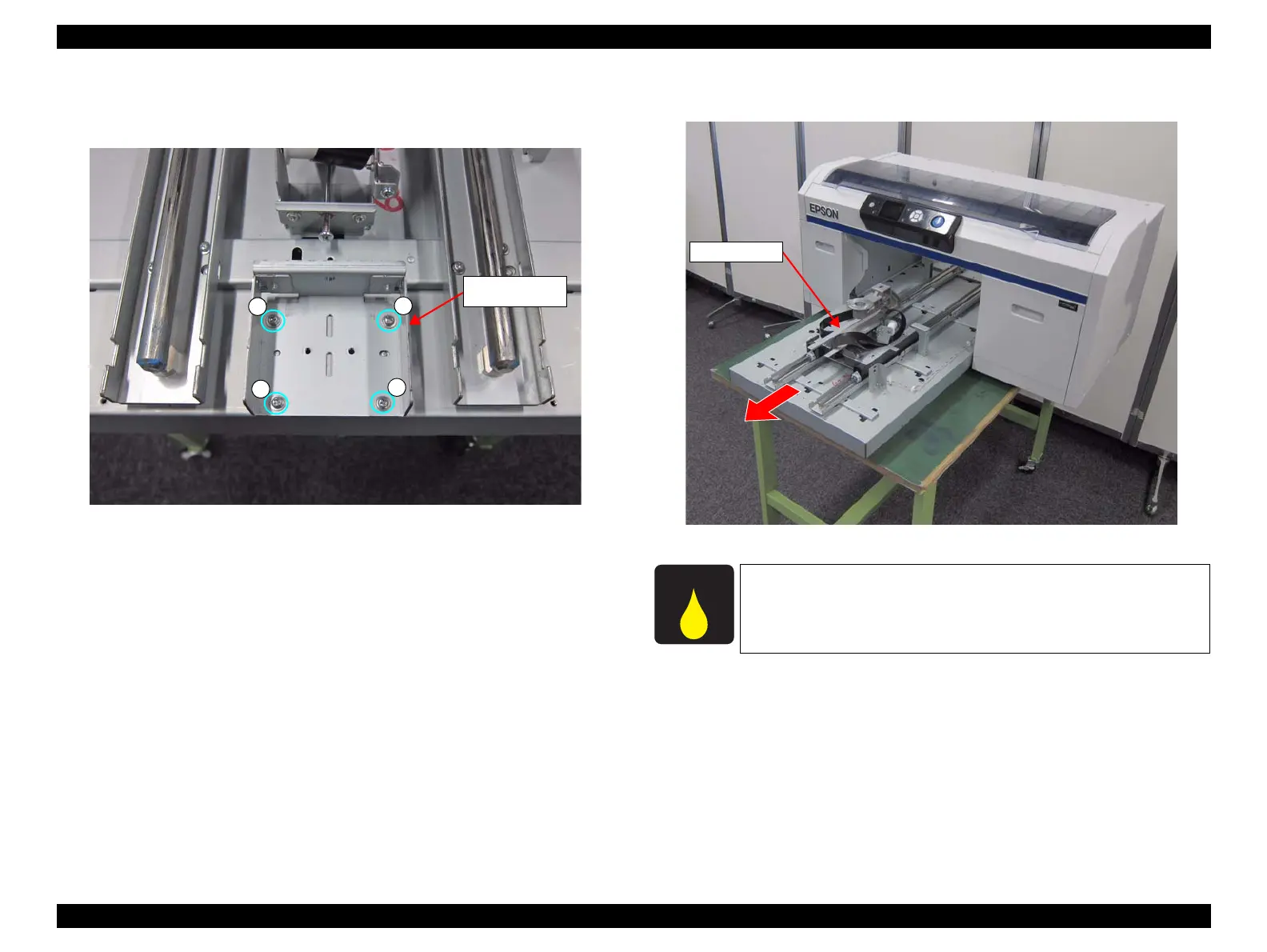
14. Remove the four screws, and remove the TF Driven Pulley Frame.
C) Silver M3x6 S-tite screw: 4 pcs
Figure 3-139. Removing the TF Driven Pulley Frame
15. Remove the TABLE ASSY while sliding it toward you.
Figure 3-140. Removing the TABLE ASSY
C
TF Driven Pulley
Frame
C
C
C
When replaced with a new part, make sure to lubricate the new one
referring to “5.6 Lubrication” (p293).


 To Next Page
 Loading...









