Page 70 of 159
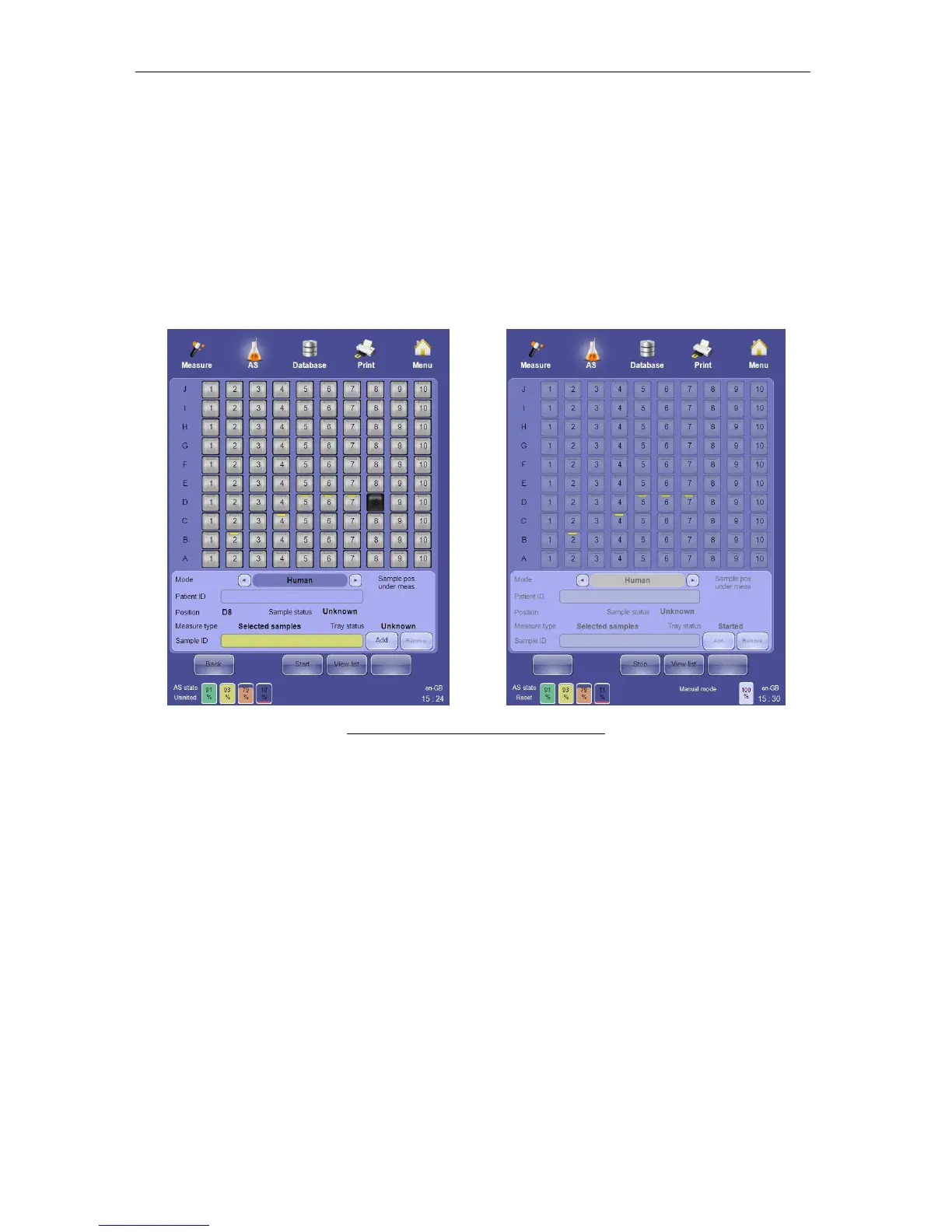
- Click or tap the sample tray position icon where the selected sample is
located.
- Select the appropriate measure mode.
- Define the sample ID.
- Define the patient ID.
- Save the changes by clicking or tapping the ‘Add’ button.
• Remove selected samples by clicking or tapping the “Remove” button.
• Swap between the tray and list views by using the ‘View list’ and View tray’ functions.
• Start the automated measurement by clicking or tapping on the ‘Start’ button on the
GUI or by pressing the physical Start button
Figure 49. Selected Sample Mode Panel
7.4.3.5 Interrupting Automatic Processing for Stat Samples
If one or more stat samples need to be processed, you can interrupt automatic processing to
analyze the stat sample(s) without having to wait until the entire sample tray has been
processed. To interrupt automatic processing for stat specimens, perform the following steps:
• Click or tap the ‘Stop’ button. The ‘ELite 5’ will prompt you to wait until the current
sample is completed.
• Acknowledge the message by clicking or tapping the ‘OK’ button.
• Place the stat sample into the sample rotor.
• As soon as the current measurement completes change to the manual measurement
panel by clicking or tapping the ‘Measure’ quick-link at the upper left corner of the
screen.
• Process the stat sample(s) in manual mode.
• Return to the automated measurement panel by clicking or tapping the ‘AS’ quick link;
• Restart the measurement by clicking or tapping the ‘Start’ button or by pressing the
physical Start button.
• The ‘ELite 5’ will continue automated measurement from where it was interrupted.



 To Next Page