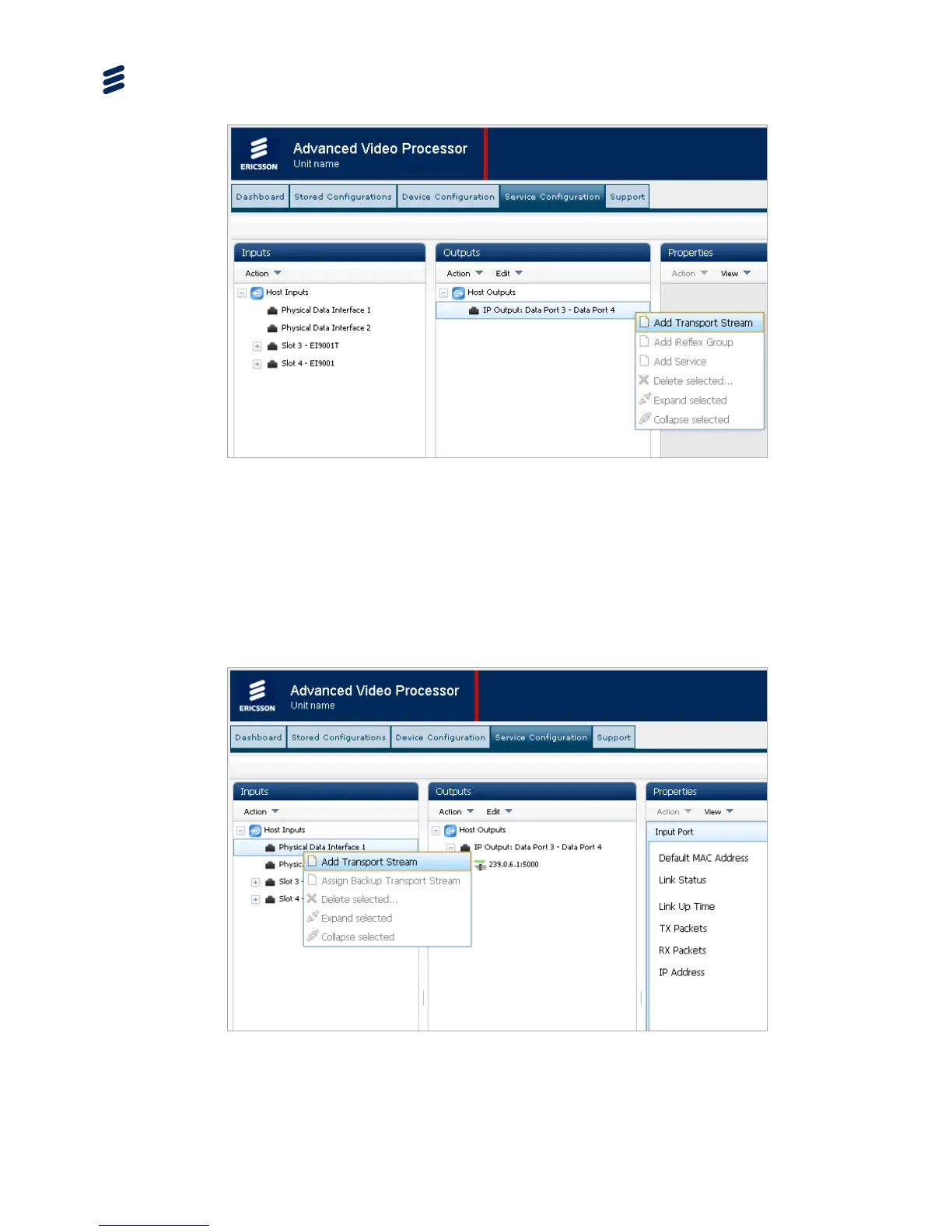
Figure 3.17 Service Configuration Web Page – Adding a Transport Stream
4. Adjust the Transport Stream properties as required.
5. To set up internally generated ATSC tables, see Chapter 5, Web GUI Control.
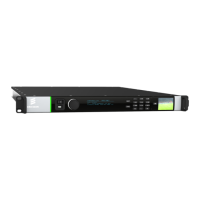
6. Configure the Transport Stream input by right clicking on the required input
(Physical Data Interface 1 or 2) and selecting the Add Transport Stream
command from the context menu, as shown in Figure 3.18. The incoming
Transport Stream content of the newly created Transport Stream appear in the
Properties widget
Figure 3.18 Service Configuration Web Page – Adding a Service
7. Adjust Transport Stream properties as follows:


 To Next Page