52 Special Functions
Beam Filter
Effects Filter
Audio Filter
Video Filter
Range
Sequence Run/Step
View/Edit
The page number or name is shown to the right of the Page - and Page + buttons. Hold the button to
change the page name.
Intensity
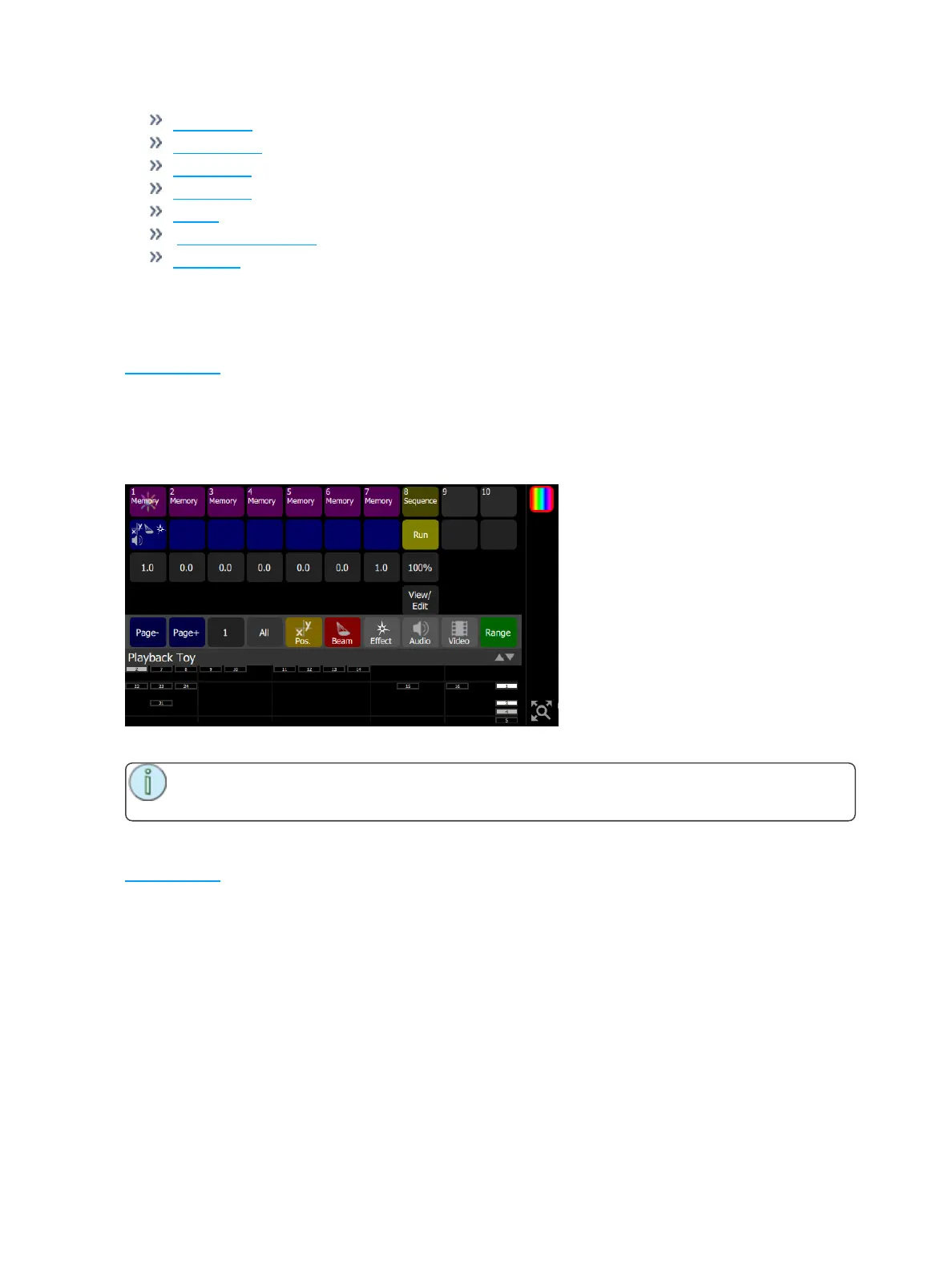
Playback Toy provides a simple way to play one playback or sequence at a time with a single press.
The Intensity button, shown in mauve for playbacks and yellow for sequences, plays only the intensity part
of a recorded look. The parameter part of a look may be played independently, including from a different
look than the one chosen to play the intensity.
When a playback or sequence is chosen, the previous one is faded out and replaced with the newly-chosen
one.
You may mix one intensity look with another parameter look to make a new combination look.
Note: You may enter names for playbacks by holding the Intensity button down until a key-
board appears for name entry.
Parameter GO
Playback Toy provides a simple way to play one playback or sequence at a time with a single press. When
a playback or sequence is chosen, the previous one is faded out and replaced with the newly-chosen one.
The Parameter GO button, shown in blue, plays only the parameter part of the look. The intensity part may
be played independently, including from a different playback or sequence than the one chosen to play the
parameters.
The blue button indicates the types of parameters contained in the playback.



 To Next Page