40 02-2023 6095 00
rEcipEs
The recipes currently used, those available
and those not compatible with the congu-
ration in use (layout), but compatible with
other congurations (layout) appear on the
screen.
You can:
-Create a new recipe .
Once created, the new recipe is saved in
the category “not available”.
Associate the recipe with the drink.
The software makes sure that the recipe is
compatible with the configuration (layout)
of the equipment.
If
appears, it means that incompatibility
has been found out.
-Remove a recipe
-Duplicate and customise a recipe
The icon shows that the recipe is used
in the drinks displayed on the screen.
crEatE a NEw rEcipE
The guided procedure enables the operator
to create a new recipe.
A screen page appears where:
-to assign a univocal name to the recipe.
The univocal name is used as a reference
inside programming screen pages.
-to assign the name of the recipe in the
language in use.
-to set up a wait time (in seconds) for the
message “Serve yourself” from the end of
dispensing.
The wait time enables the tubes to get
empty and to drip in the cup.
-enable the cup and/or stirrer dispensing
cycle; for double-cup models: set up the
type of cup
To add customisations, touch and then
“Add customisation”
You can set the various parameters for
each customisation.
Save the settings and go back to the main
screen page.
moDify a rEcipE
From the screen page of the recipe you
can:
-modify a univocal name for the recipe.
The univocal name is used as a reference
inside programming screen pages.
-modify the name of the recipe in the lan-
guage in use.
-to set up a wait time (in seconds) for the
message “Serve yourself” from the end of
dispensing.
The wait time enables the tubes to get
empty and to drip in the cup.
-enable the cup and/or stirrer dispensing
cycle; for double-cup models: set up the
type of cup
-you can add further ingredients and/or
customisations to the recipe.
To add preparations and/or customisations,
touch and add the preparation and/or
customisation.
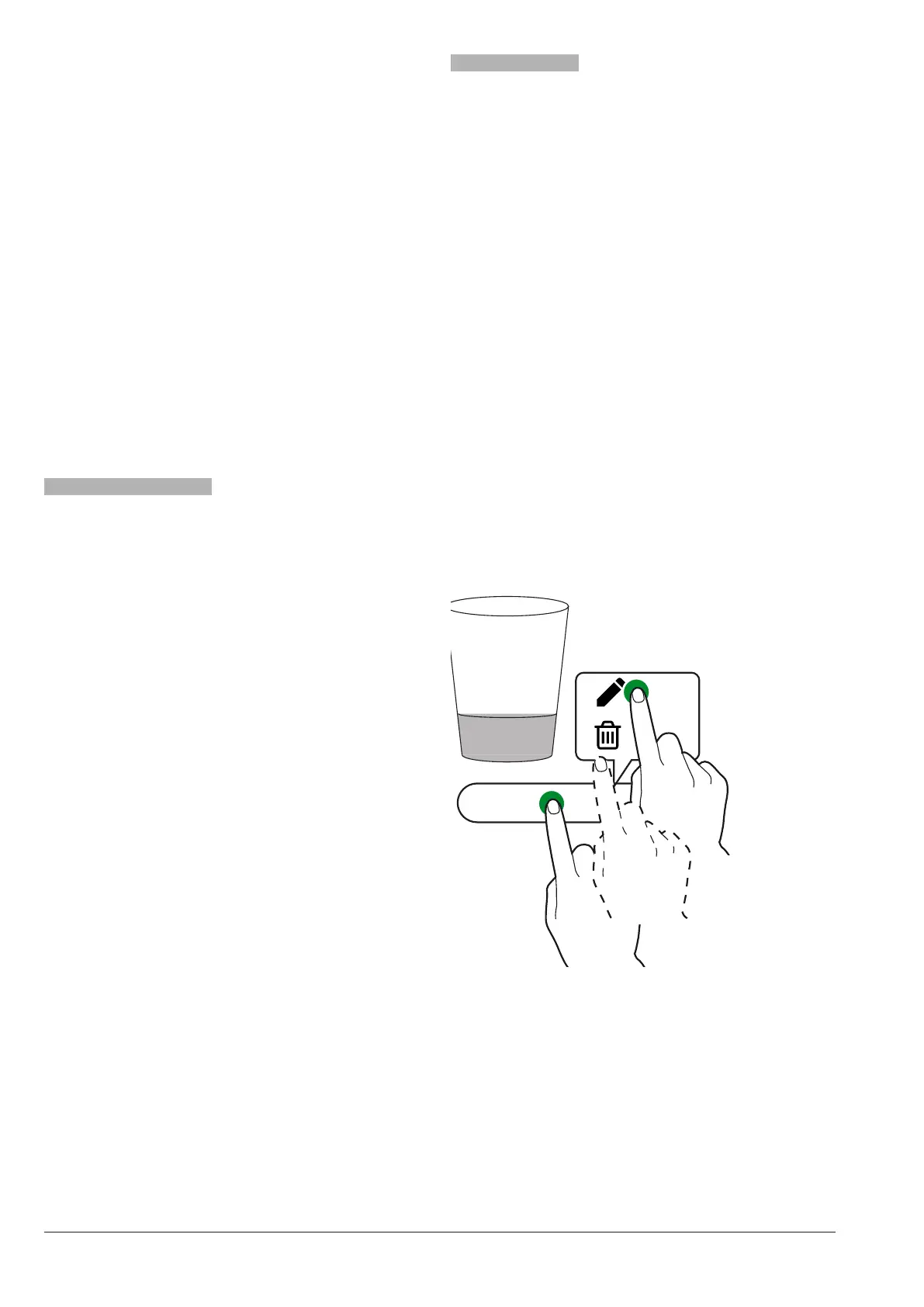
To modify the settings of every single in-
gredient (e.g. water quantity, powder, …),
touch the ingredient bar to open the context
menu
LLLLLL
Fig. 35
- modify the ingredient
- remove the ingredient



 To Next Page