DTP CrossPoint 84 Series Matrix Switchers • Matrix Software 92
Post-matrix signal processor chain (see figure40,
F
on page80)
The post-matrix signal processor chain makes adjustments to program audio material, after
it is tied to a specific output but before it is mixed with microphone or other audio material.
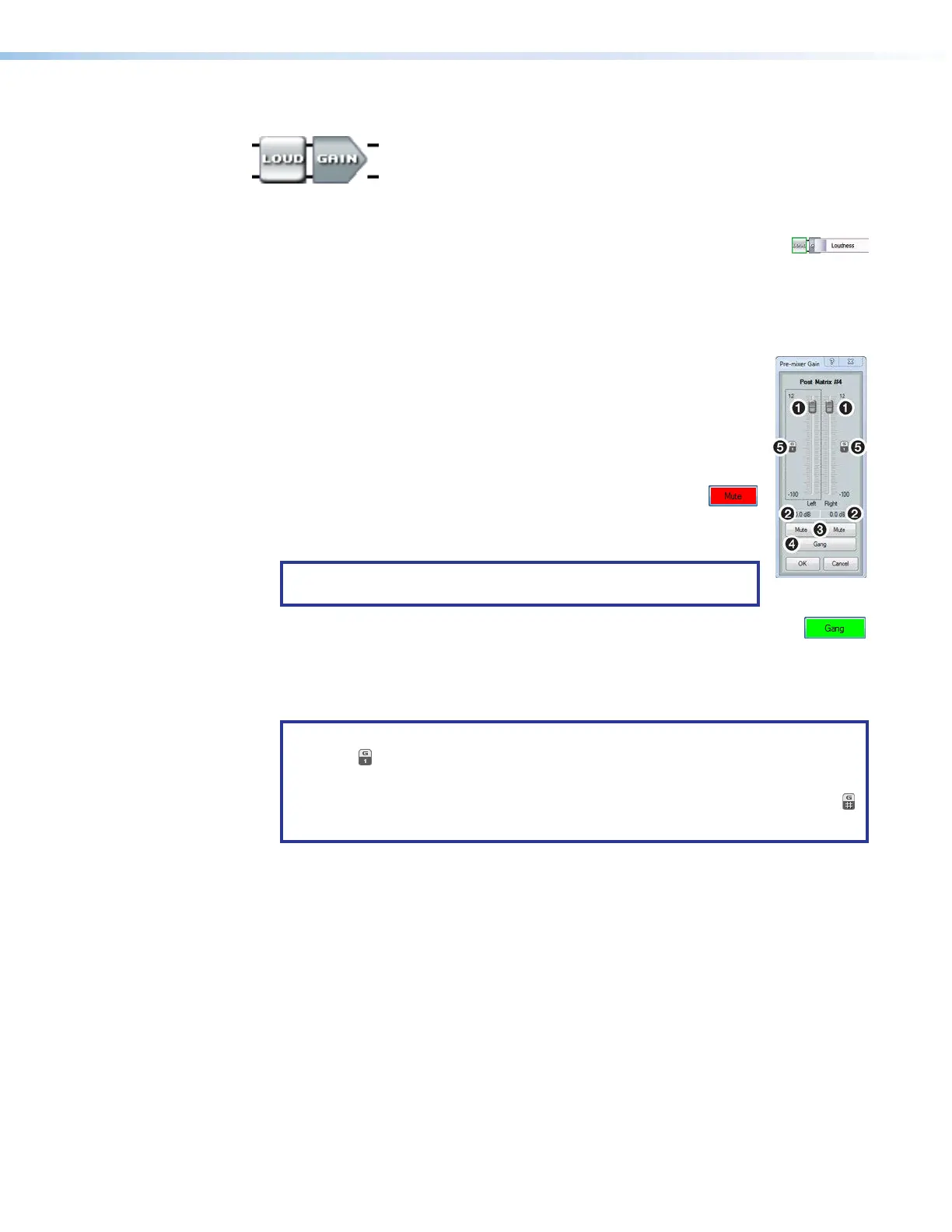
Loudness block — The loudness processor block, when inserted, applies
a filter compensation curve to the signal in an inverse relationship to the post-
gain control setting and output volume control setting; the higher the post-gain or output
volume setting, the less compensation is applied. For the relationship to the post-gain
control, the left and right trims are represented by separate curves in the Loudness dialog.
You can fine-tune the loudness compensation (see Optimizing the Audio on page125).
Gain (pre-mixer) control block — The always-present gain control
provides left and right controls to adjust the audio level of each audio
output from the AV switcher block through a range of -100 dB to +12 dB
to ensure that there is no noticeable volume difference among sources.
Click and drag the desired fader (
1
) or click in the dB field (
2
) and type
a value.
3
Mute buttons — Select to separately silence and unmute the
left and right audio channels. If you mute both channels, audio
is completely silent on that output. When one or both channels
are muted, one or two red indicators in the block turn on.
NOTE: When the left and right channels are ganged, either Mute
button mutes and unmutes both channels.
4
Gang button — Select to tie the left and right fader controls together.
Ganged faders move together at relative levels to the top or bottom of their travel. If
one fader reaches the limit of its travel first, it retains that position while the other fader
continues to travel. When the ganged faders travel in the reverse direction, the fader
that was at its limit reverts to its position relative to the other fader.
NOTES:
• The
indicator (
5
) means that this fader is part of a group master (group 1 in
this example) (see Group masters on page100 to create group masters).
• Multiple masters can be created for a fader, in which case the
5
indicator is .
•
By default, the fr
ont panel Volume knob controls this fader.
Gain control block



 To Next Page