DTP CrossPoint 84 Series Matrix Switchers • Matrix Software 72
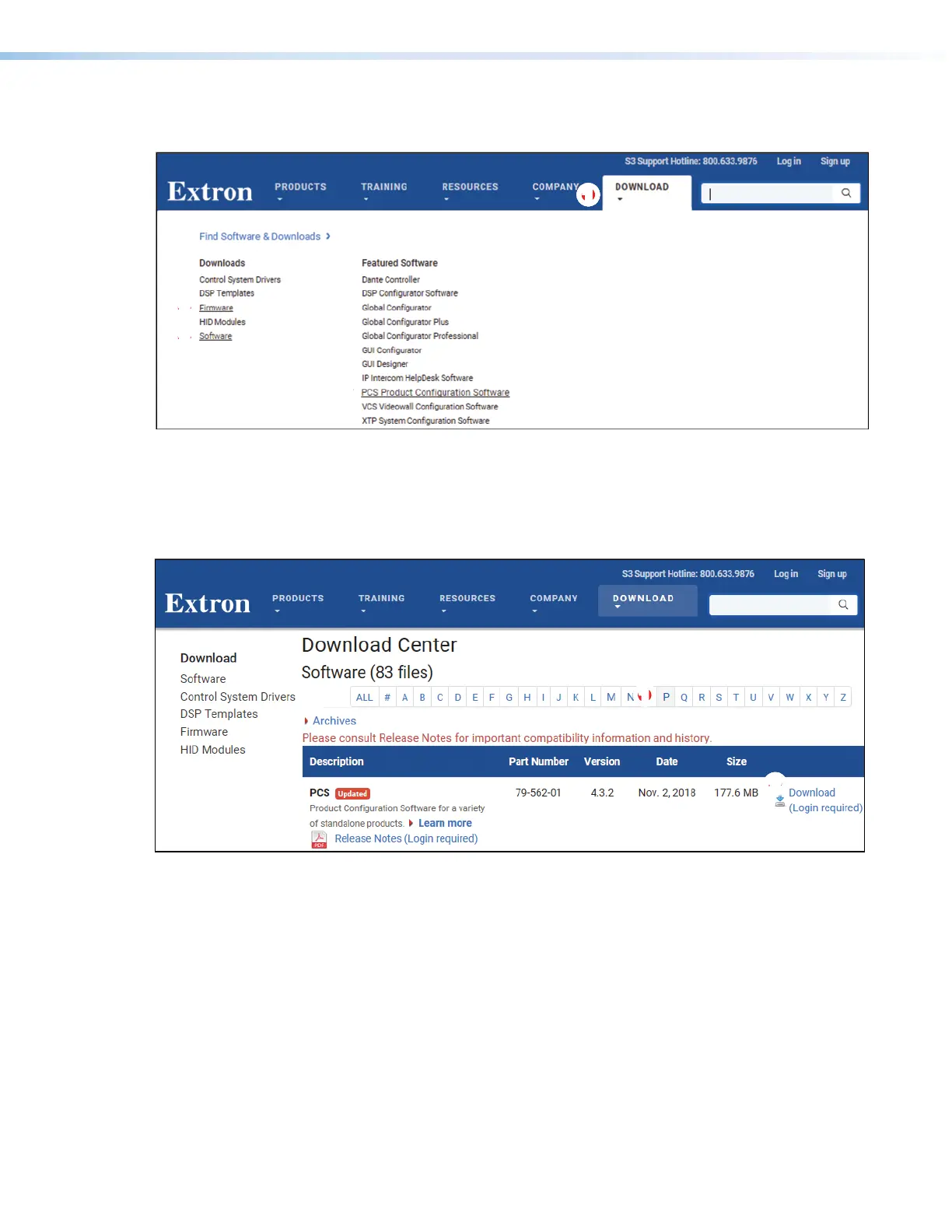
1. Visit the website www.extron.com and momentarily rest the cursor over the
Download tab (see
1
). The Find Software & Downloads links appear.
OR
1111111111
22
22222222
22
22222222
33
33333333
Figure 32. Downloading a Software or Firmware Package (PCS Shown)
2. Click the Software or Firmware link, as appropriate to the operation you are performing
(
2
). The main download page opens (see figure 33).
3. Click the desired filtering letter (see figure 33,
1
) to jump to the nearest page of
downloads.
2222222222
11
11111111
Figure 33. Downloading from the Main Download Page
4. Click Download for the desired software or firmware package to download (
2
). The
Log in dialog box appears (see figure 34 on the next page).



 To Next Page