DTP CrossPoint 84 Series Matrix Switchers • Matrix Software 73
1111111111
55
55555555
33
33333333
44
44444444
22
22222222
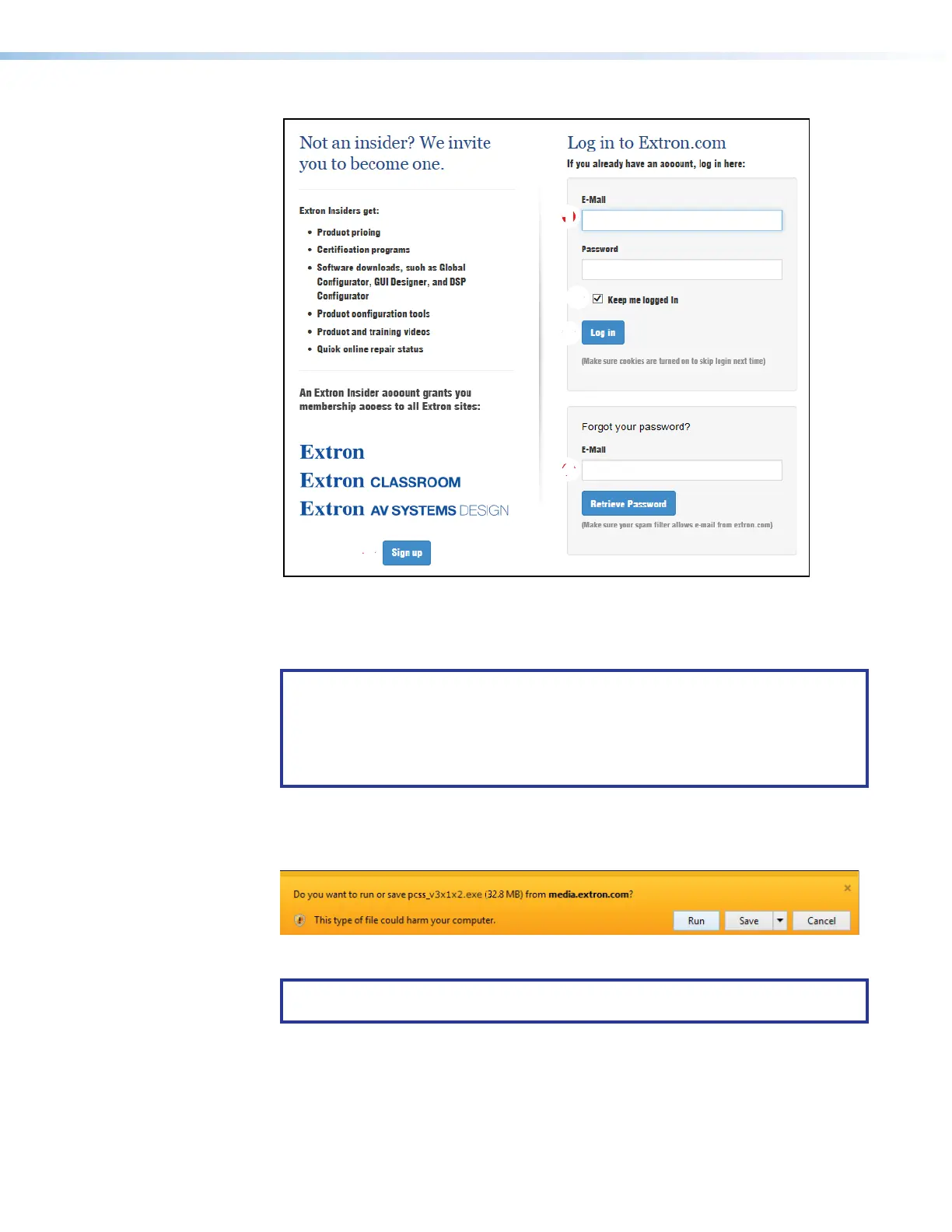
Figure 34. Log in Dialog Box
5.
Enter the
E-Mail address and Password associated with your Extron website account
(see figure 34,
1
).
TIPS:
• Click Sign up (
2
) to obtain website credentials.
•
Click Keep me logged in (
3
) to eliminate step 5 in future downloads.
• Enter your registered email address and click
Retrieve Password (
4
) if you
have forgotten your credentials.
6.
Click
Log in to copy the software or firmware to the computer (
5
).
7.
If your br
owser asks you to confirm that you want to continue, click
Run or make a
similar confirmation (see figure 35,
1
).
Figure 35. Download Warning and Confirmation
NOTE: Figure 35 may appear different or may not appear at all, depending on your
web browser choice and its security settings.
8. For a firmware download, exit this procedure and return to Updating the Firmware
in this Matrix Software section on page 76 or Update the Firmware in the HTML
Pages section on page 135.



 To Next Page