DTP CrossPoint 84 Series Matrix Switchers • Matrix Software 90
4
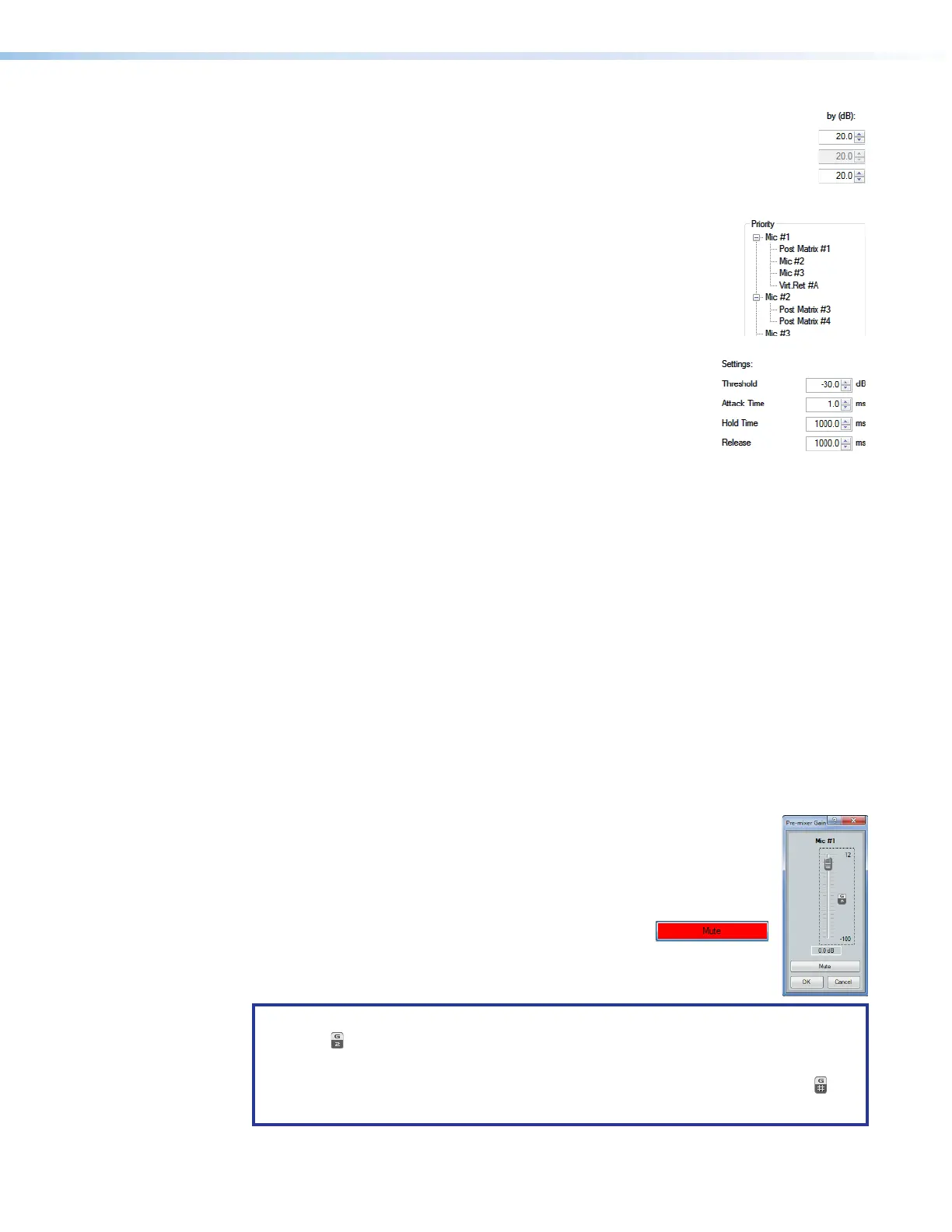
by (dB): (see Ducking block on the previous page) — Individual
attenuation settings for each duck target indB. The default is 20.0dB. If
additional attenuation of a target is required, increase this value. The current
source setting is not available.
The attenuation range is 80.0 to 0.0dB in 0.1dB increments.
5
Priority — Displays the hierarchy of ducking source to duck
targets. Priority levels are displayed in tree fashion. Input channels
that are targets being ducked by a source are shown as indented
below the source. Any input channel displayed in the tree is an
active link. Click an input channel to select that channel as the
current source. The Current source indicator (
1
) reflects the
selected input channel.
6
Settings: — Used to configure the parameter settings for the
ducker source. When a ducker block is copied, these settings
are transferred.
Threshold — Sets the input signal level, indB, the ducking
source must exceed before ducking begins. If ducking does
not occur quickly enough to avoid loss of speech or program material from the ducking
source, decrease this setting. If ducking occurs too soon, allowing background noise to
trigger ducking, increase the setting.
The range is -60 to 0dB in 1dB increments. The default is -30dB.
Attack Time — Adjusts the time to duck the targets once the threshold is exceeded.
The range is 0 to 3000 milliseconds in 1 millisecond increments. The default is
1millisecond.
Hold Time — Determines the time, in milliseconds, after a ducking source signal drops
below the threshold before ducking ceases.
The range is 0 to 10000milliseconds in 1 millisecond increments. The default is
1000milliseconds (1second).
Release — Determines how long, in milliseconds, after the ducking source level is
below the threshold and the hold time is met, the ducking targets take to restore signal
levels.
The range is 10 to 10000 milliseconds in 1 millisecond increments. The default is
1000milliseconds (1second).
Gain control — The always-present gain control provides a single
44
4444
4444
11
1111
1111
22
2222
2222
33
3333
3333
long-throw fader with a gain range of 12 dB to -100 dB, adjustable in 0.1 dB
increments, with a level setting readout below the fader.
Click and drag the fader (
1
) or click in the dB field (
2
) and type a value. The
meter value displayed in green shows the signal level in dBFS.
3
Mute button — Select to mute and unmute the mic
audio. If you mute the audio, it is completely silent on
that input. When the audio is muted, a red indicator in
the block turns on.
NOTES:
• The
indicator (
4
) means that this fader is part of a group master (group 2 in this
example) (see Group masters on page100 to create group masters).
• Multiple masters can be created for a fader, in which case the
4
indicator is .
• By default, the front panel Mic Volume knob controls this fader.



 To Next Page