SMP 111 • Front Panel Operation 16
Front Panel Operation
This section of the manual discusses the operation of the SMP111 from the front panel.
Topics covered include:
• Front Panel Features
• SMP111 Power Up Procedure
• Record a File
• Encoder Presets
• Streaming and Recording
• Front Panel Lockout (Executive Mode)
• Alarms
Front Panel Features
SMP 111
STREAMING MEDIA PROCESSOR
INPUT
OUT
HDCP
HDMI
HDMILINE HDMI
CLIP
AUDIO
CONFIG
USB STORAGE
ALARM
MARK
A
C
B
D
G
E
H
F
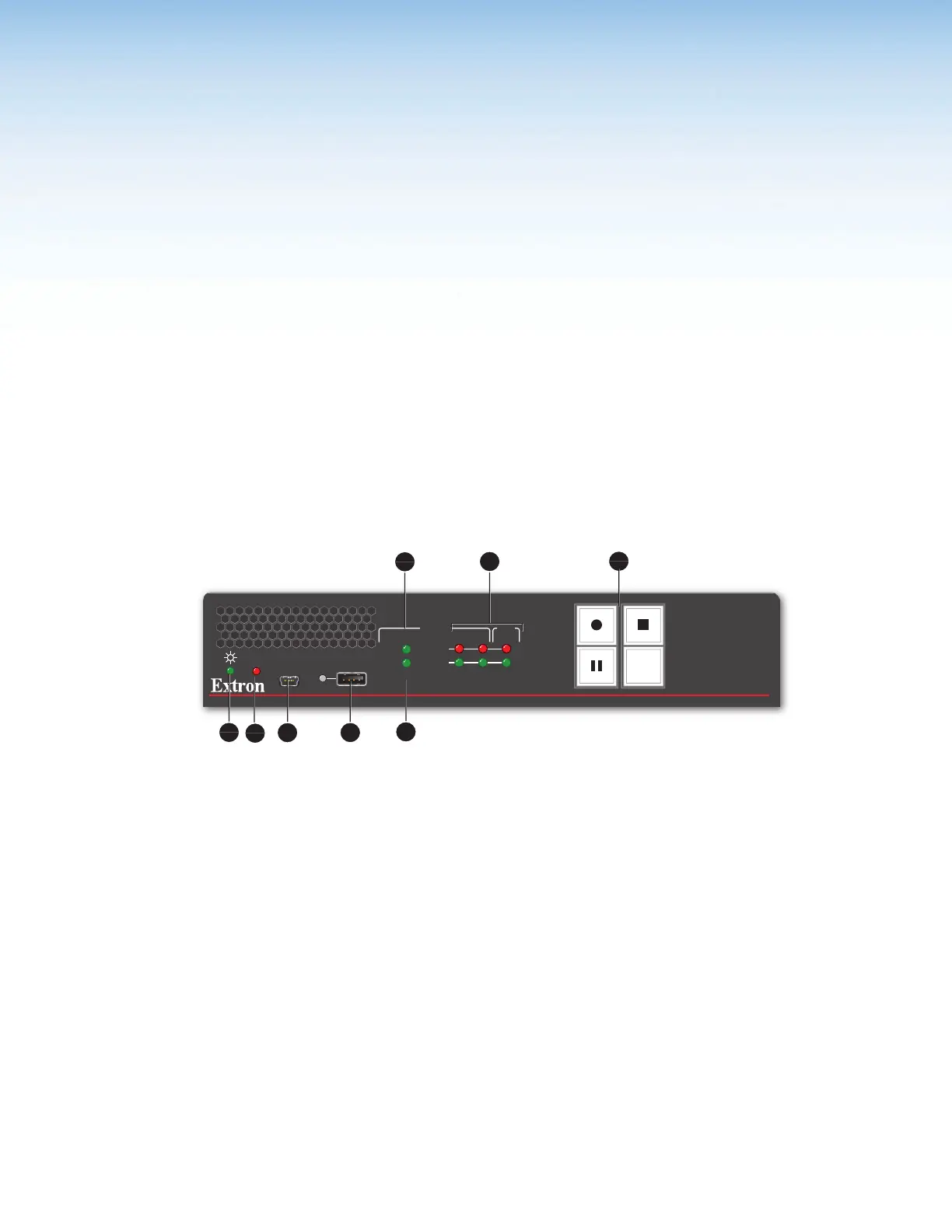
Figure 6. SMP111 Front Panel
A
Power LED
E
HDCP Input LED
B
Alarm LED
F
HDMI LED
C
USB mini-B connector for Configuration
G
Audio Signal and Clip LEDs
D
USB type A connector for external storage
H
Record controls with LED indicators
A
Power LED –
• Green – The power is on and the unit is operational.
• Blinking Green – The power is on but the unit is still booting (not operational).
B
Alarm LED — Lights up red when one or more alarms are triggered.
C
USB mini-B connector for Configuration — Connect a control device to this port
with a USB mini-B cable (not supplied). Use this port to send SIS commands to the
SMP111 for device configuration and control (see Remote Communication and
Control starting on page68).
Configuration and adjustments can be performed using the embedded web pages (see
Overview of the Web-Based User Interface on page28), and the SIS commands
(see Remote Communication and Control starting on page68).
figure 6


 To Next Page