Eyecon 9420 & 9430 Instruction Manual 117
6.4 Remote Auditor
6.4.2 Connect to specific Eyecon
After the Remote Auditor is set up, you can connect to a specific Eyecon remotely and
perform the audit functions from your computer.
1. With the Remote Auditor open, click on Scan.
A list of connected Eyecons appears.
2. Double click on the Eyecon you want to audit.
The serial number and IP address for that Eyecon are displayed.
3. Click on Save / Connect
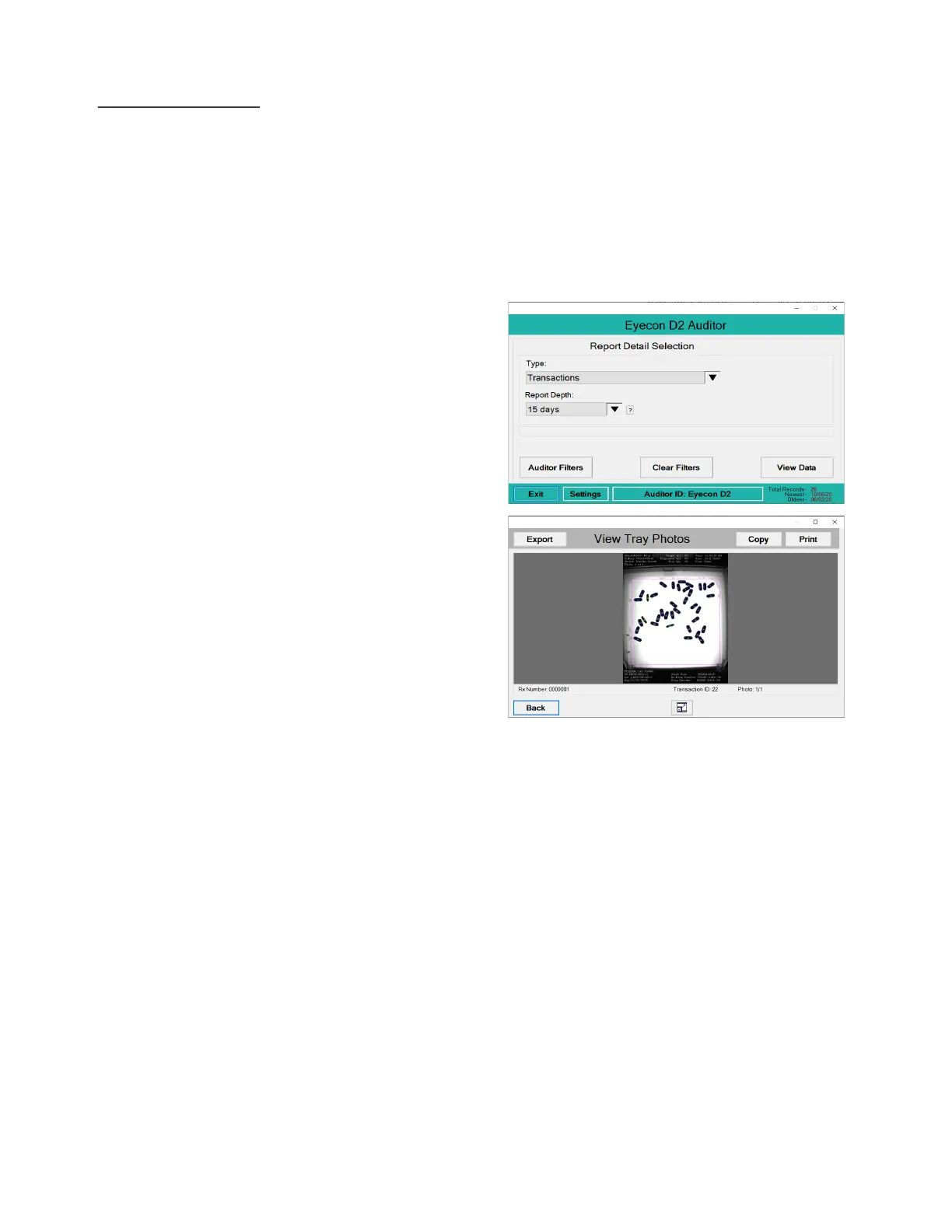
to view the Report Detail
Selection for that
Eyecon.
4. Click on View Data to run
the report. This could take
a while depending on the
size of the report.
5. To view a specific tray
photo, select a specific
record and click the View
Tray Photo button. An
example of the screen is
shown at right. If more
than one image is
available, use the arrows
to scroll to the other
images.
6. Click on the Print button
to print the displayed
photo and the last viewed report to the Eyecon.
7. Click on Export to save a copy of the tray photo on your PC.



 To Next Page