98 Eyecon 9420 & 9430 Instruction Manual
Eyecon operation
4.5.4 Edit drug database
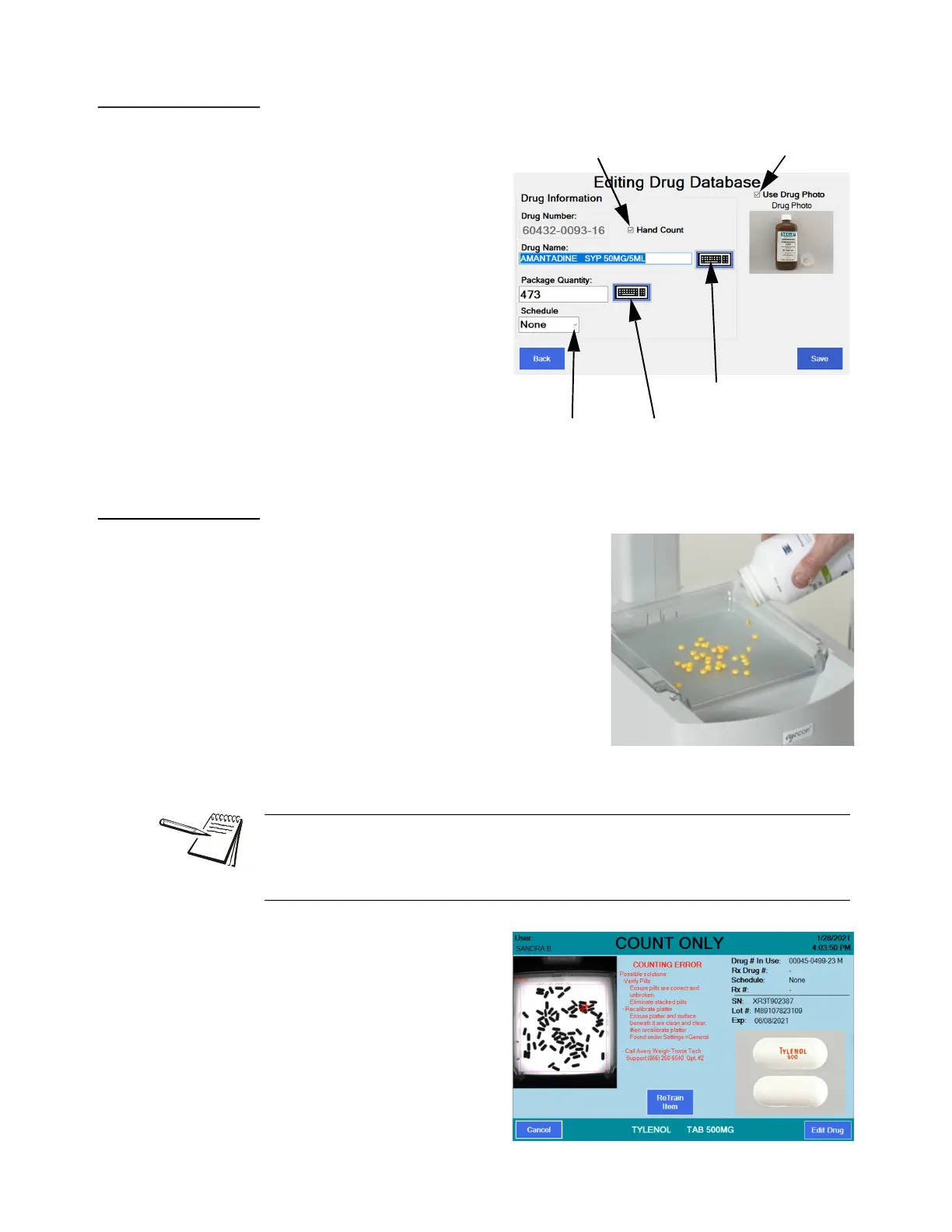
An Edit Drug button appears on
the lower right corner of all the
COUNT screens. Press this button
to access the screen at right. See
the arrows pointing out all the
things you can set or change.
Press Save to save the changes.
4.5.5 Best counting practice
Pour pills onto the counting platter in a scattering
motion to minimize stacking. This means moving
the bottle around the platter as you pour and
being sure to over pour the quantity. It’s faster to
pour excess pills and remove the excess with
the spatula into the funnel than to dribble some
pills on, check the quantity and repeat as
needed until the desired count is achieved.
When removing the excess, don’t count each pill
as you scrape them off but remove a quantity
that may get you close. Let the Eyecon do the
counting until you get very close to the final
quantity. Then scrape off the last few pills to get to the exact required count.
If pills are on top of each other,
broken or other objects are present
(such as a wrong shape/size pill or
a desiccant) on the tray, the
unidentified object is marked with a
red cross-hair on the live photo of
the tray that is shown on the
screen.
Enable or disable
the drug photo
Enable or disable Hand
Count designation
Tap here to edit
the Drug Name
Tap here to
change Schedule
Tap here to edit
Pkg. Qty.
When counting large quantities of pills, don’t fill the tray more than 70-80% full. See
Dispensing large quantities on page 104 for more information. Also, refer to this video
for more information: https://www.youtube.com/
watch?v=ysdKd1Q1iME&index=1&list=PLl-hAOdLOPokPO52rWfNTPbP0rK9RG_ap



 To Next Page