96 Eyecon 9420 & 9430 Instruction Manual
Eyecon operation
4.5 Practices common to all modes
The following sections cover procedures which are similar or are useful in Count mode,
Validation mode and Inventory mode. The following procedures are covered:
• Pre-Login on page 96
• Manual NDC entry on page 97
• Edit drug database on page 98
• Best counting practice on page 98
• Best filling practice on page 99
• Unit of Use for pill counting on page 100
• Hand counts on page 102
• Dispensing large quantities on page 104
• Train or Retrain a pill image on page 105
• Double Count (DEA Controlled Substances) on page 107
• Back Count (DEA Controlled Substances) on page 107
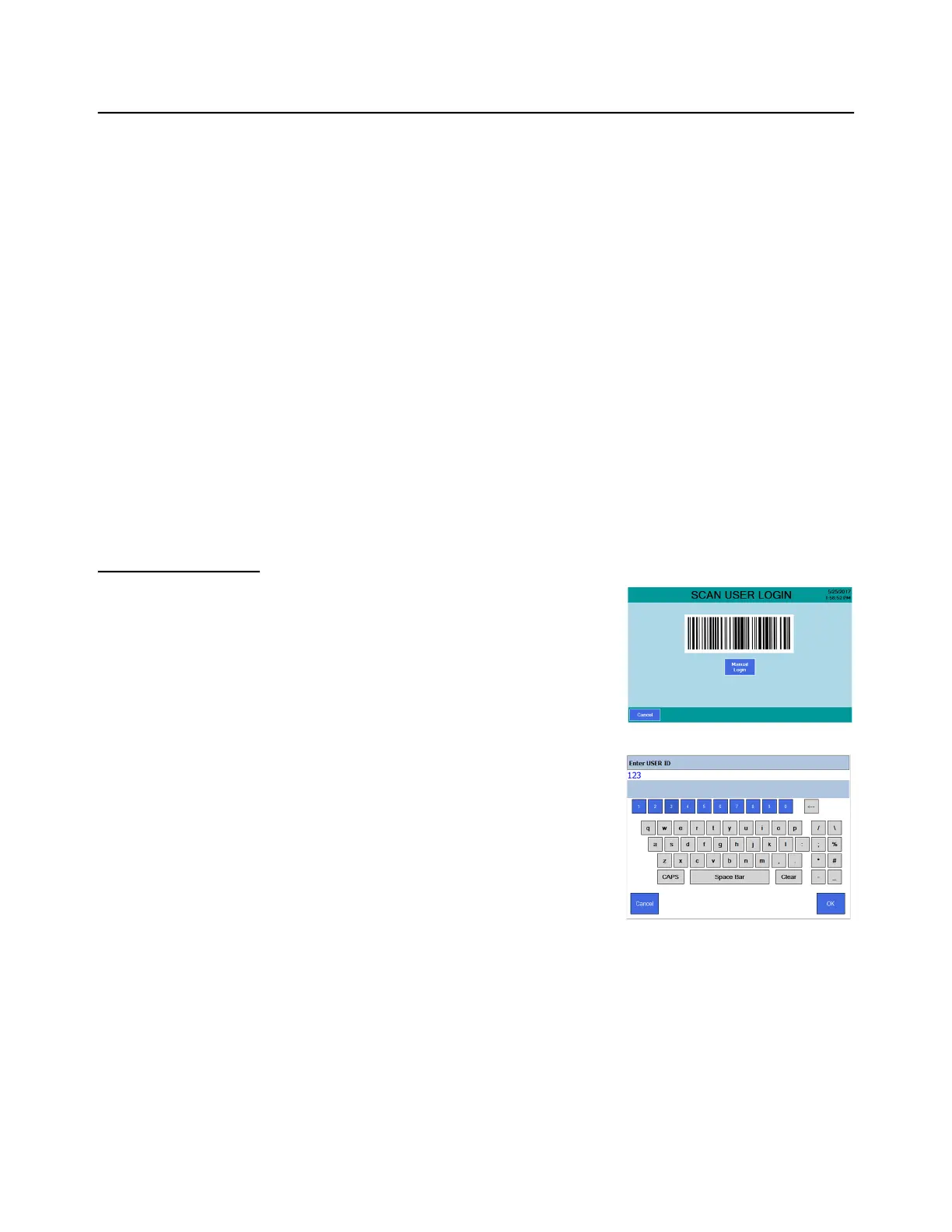
4.5.1 Pre-Login
Simply scan your user barcode to login. If a user
does not have a user barcode or the barcode is
damaged, the number can be entered manually.
1. From the SCAN USER LOGIN screen press
the Manual Login button.
A keypad entry screen appears.
2. Key in the user login number with the
numeric buttons and press OK to accept
the entry.
If the login ID was accepted the
SCAN STOCK ITEM screen is
displayed.
3. Continue with the current process.



 To Next Page