94 Eyecon 9420 & 9430 Instruction Manual
Eyecon operation
4.4.2 Inventory operation with the interface connection
The Eyecon can be set up to make changes to and override the inventory Quantity On
Hand (QOH) in your PMS System. Although many different inventory interface provider
options are supported, the process of performing inventory with an interface connection
is the same.
The process of performing inventory when using an interface connection is almost the
same as described above with the addition of choosing a reason code after step1 in the
previous section.
Reason Codes
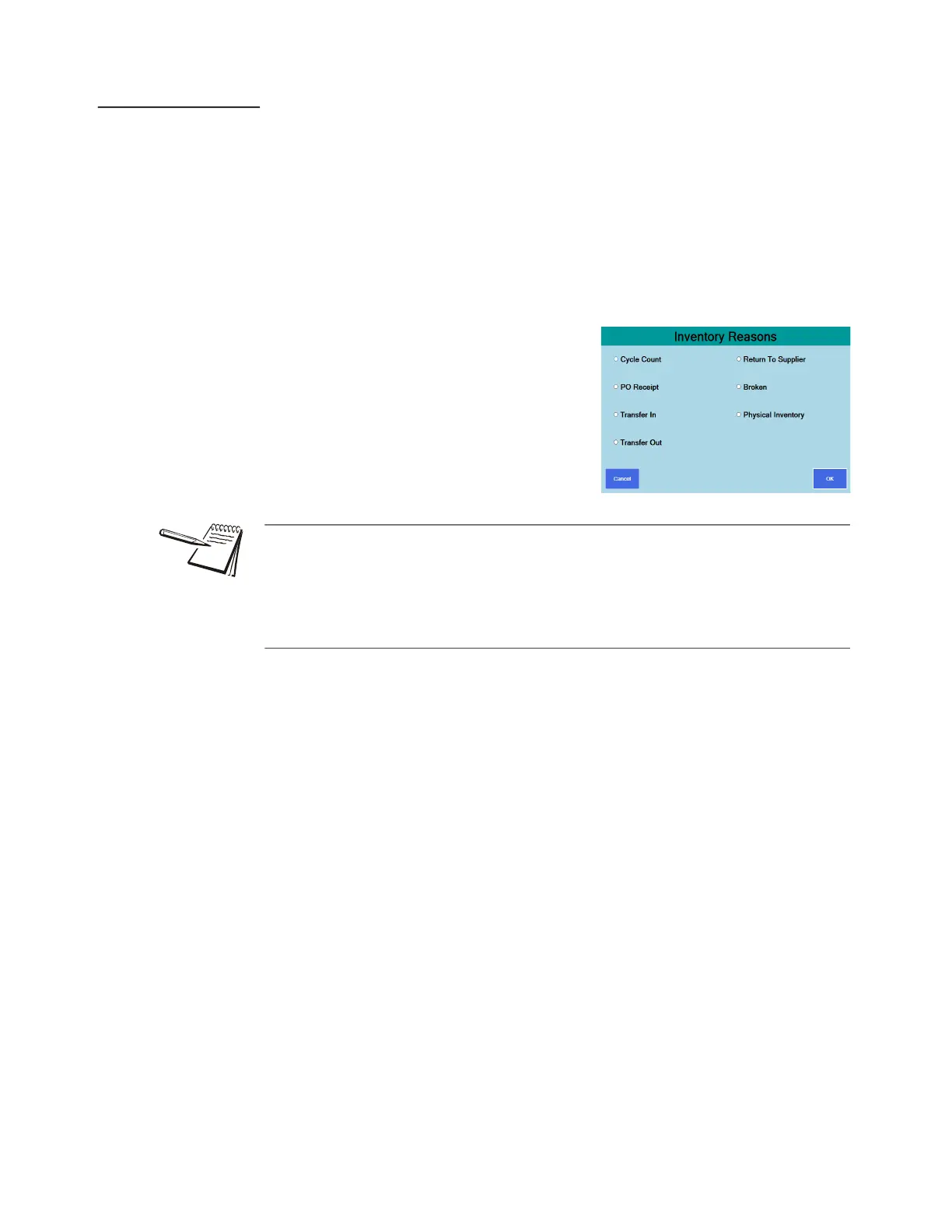
When performing inventory with an interface
connection, the Eyecon will prompt you for a
reason code. This means you will need to
select a reason for performing inventory from a
selection as shown at right.
Inventory reason codes can only have one of three effects.
• Override - update the inventory by either increasing or decreasing the
Quantity On Hand (QOH).
• Add - update the inventory by increasing the QOH.
• Subtract - update the inventory by decreasing the QOH.
Inventory reason codes can be customized in the Settings menu by exporting the
default inventory reason codes and editing as desired. Import the customized reason
codes to have them available for the next inventory count. The export and import
functionality can be found in the Inventory group in the settings menu. The inventory
reason codes file contains detailed instructions on how to edit the file. The default
options are the most common.



 To Next Page