Eyecon 9420 & 9430 Instruction Manual 23
2.11 About Eyecon screen
2.10.2 Shutdown
1. Press the Shutdown button to turn off the Eyecon.
2. Press Cancel to terminate the process.
2.11 About Eyecon screen
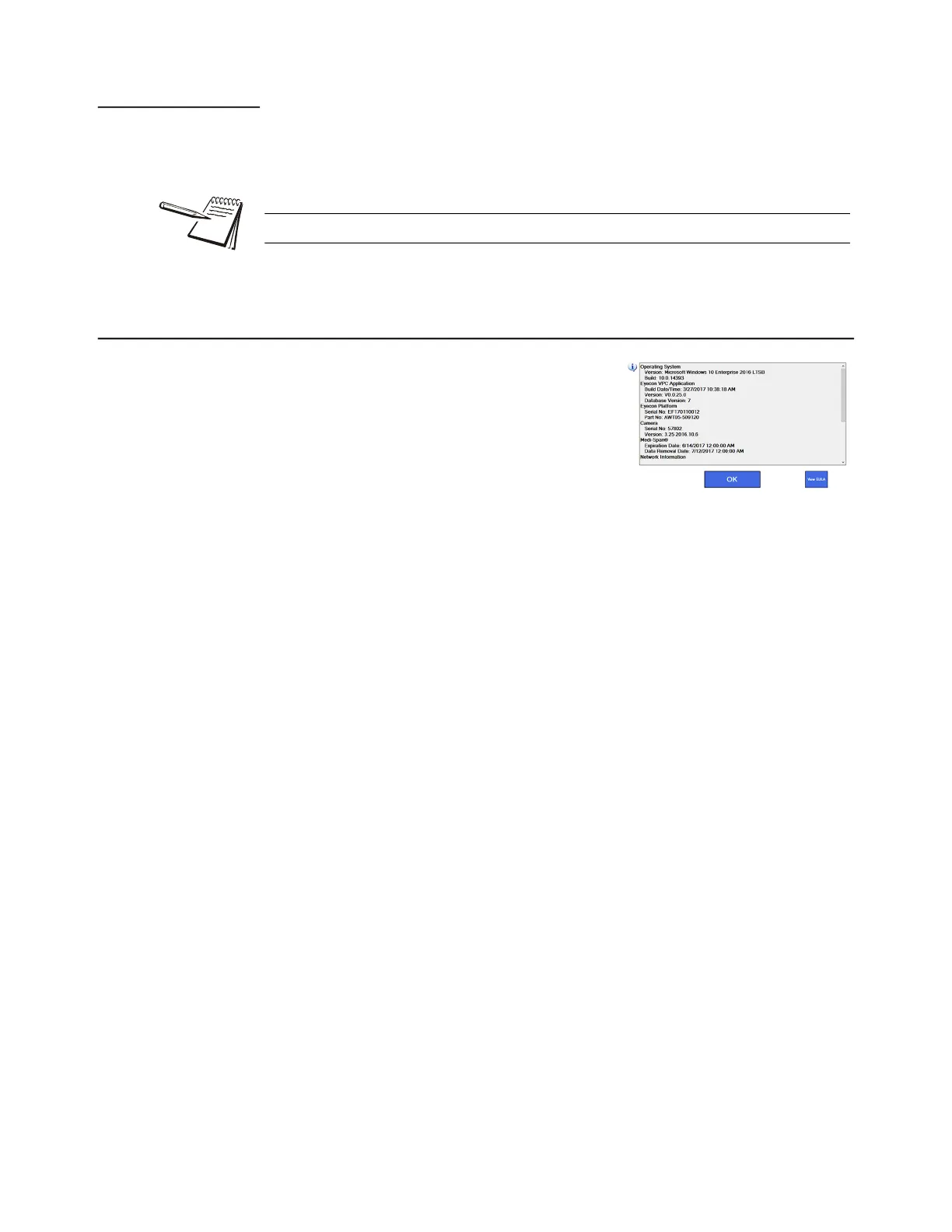
The About Eyecon 9420 screen provides
information specific to the Eyecon including
software release date, serial number, Medi-Span
data and database size information.
1. From the START screen, press Settings.
2. If prompted, login with Admin or
Supervisor user credentials.
3. Press General at the top of the Configuration Manager list at the left of the
screen.
4. Press About EYECON 9420 at the top of the list on the right side of the
screen.
The screen shown in the illustration above is displayed.
Wait a few seconds and then swipe upward on the screen to see
additional details, including the usage status of the various tables in the
SQL database.
5. Press OK to return to the START screen or press View EULA to view the
Software Licensing Agreement.
The barcode scanner may come on when it detects motion even if the Eyecon is off.



 To Next Page