58 Eyecon 9420 & 9430 Instruction Manual
Settings menu
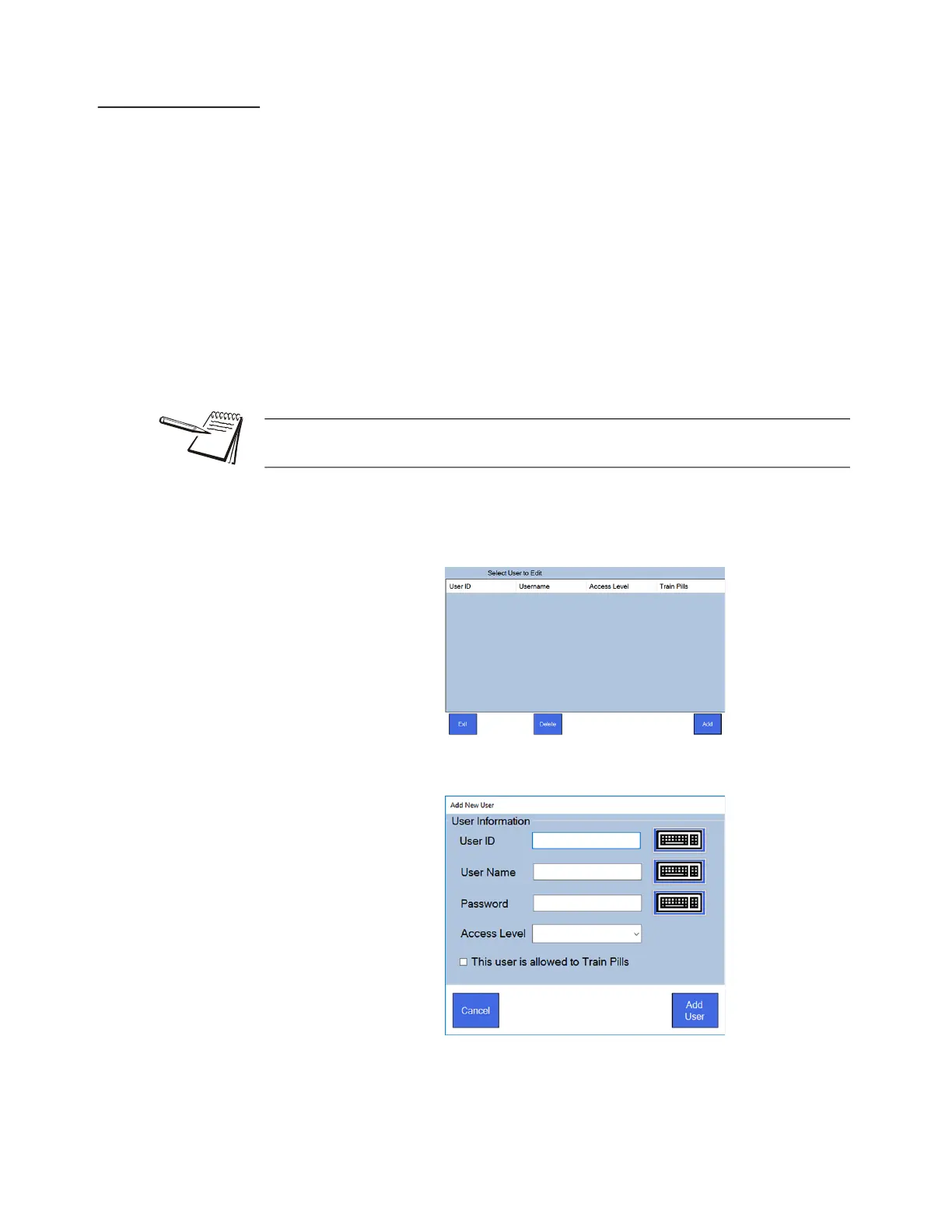
3.9.4 Edit Users
Upon initial power-up, there will be no users entered. To add new users or edit existing
users, you will need the following information.
• User ID
• User Name
• Password
• Access Level
• Whether the user can train pills
If you have existing barcodes for each Eyecon user in your pharmacy, refer to Test
menu on page 61 and select Scanner Test. Record the contents of each user’s
barcode, so that you can enter it manually in this menu.
1. From the Login / Scan Out Menu, tap Edit Users
A table showing any existing users with their access levels appears.
2. Tap the Add button to access Add New User screen, shown below.
User ID barcodes are available in chapter 5, User login barcodes for you to use or you
can create your own.



 To Next Page