48 Eyecon 9420 & 9430 Instruction Manual
Settings menu
McKesson Enterprise Rx specific information
There are two choices for interfacing with Enterprise Rx.
1. Our original interface which is uni-directional and does not receive data back
from your Eyecon.
2. McKesson ADS v3 is a new interface being introduced in early 2021. you will
need to be running E-Rx 10.4 build or a newer release.
• Refer to a separate detailed document that can be provided to you by
your Eyecon Support team to configure the newer McKesson ADS3
interface.
To set up the Eyecon to send the Rx filling results back to the pharmacy system, follow
these steps:
1. In the Remote Server menu on page 53, set Send Count Results (Bidirectional):
to Enabled.
2. Set the Remote Server IP address to the IP address of the computer of the
pharmacy system. Consult your pharmacy software provider for this
information.
3. Set the Remote Server Port Number to the Port that the pharmacy system is
listening to. Consult your pharmacy software provider for this information.
4. Set the Remote Server Connect Timeout. This defaults to 5000 milliseconds
and can be changed if your pharmacy provider requires a different setting.
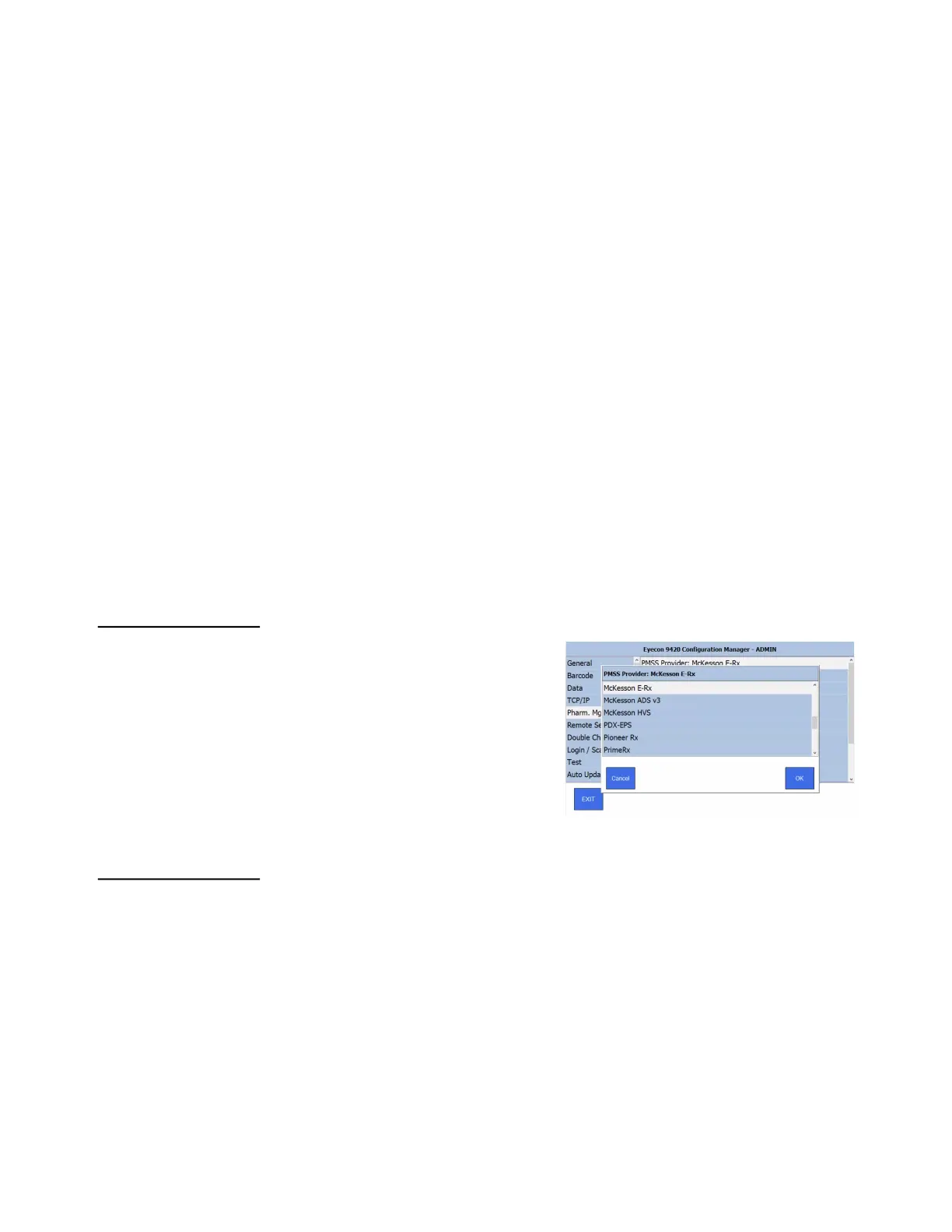
3.6.2 PMSS Provider:
Tap this PMSS Provider to see a scrolling
list of PMSS providers, shown at right.
Swipe up or down to view all of the
available choices. Tap your choice and
press OK to accept the change or Cancel
to abort a change. The screen returns to
the one shown above.
3.6.3 Listening Port
Tap Listening Port to see the numeric keypad. Use this to enter the listening port
number the Eyecon will receive Rx Fill requests from the PMSS provider. If the port
number is not known, contact your network administrator or pharmacy software
provider for further assistance. This number must match the port number to which the
pharmacy provider is sending their Rx fill data. The default is 1024 and is used by many
of the pharmacy software providers.
Key in the listening port number. Press OK to accept the entry.



 To Next Page