Eyecon 9420 & 9430 Instruction Manual 105
4.5 Practices common to all modes
6. Pour more pills onto the counting platter.
7. If the required count (Total QTY) is
exceeded, remove excess pills from the
platter with the spatula into the
dispensing funnel. Place stock bottle
under funnel gate and lift to remove the
excess pills.
8. Repeat the Add to Total process if you
want to add even more pills or press
Finish to complete the operation and the
transaction is recorded.
9. Lift the tray and dispense the pills into the vial with the first group that had
been counted. See Validation mode operation on page 84.
4.5.11 Train or Retrain a pill image
The trained pill image is a shadow image used as a reference for counting.
The process below is used to update existing pill images in the event the pill size/shape
changes or the count is incorrect or unstable.
If you know that a pill needs to be trained before you start counting, go to step 1.
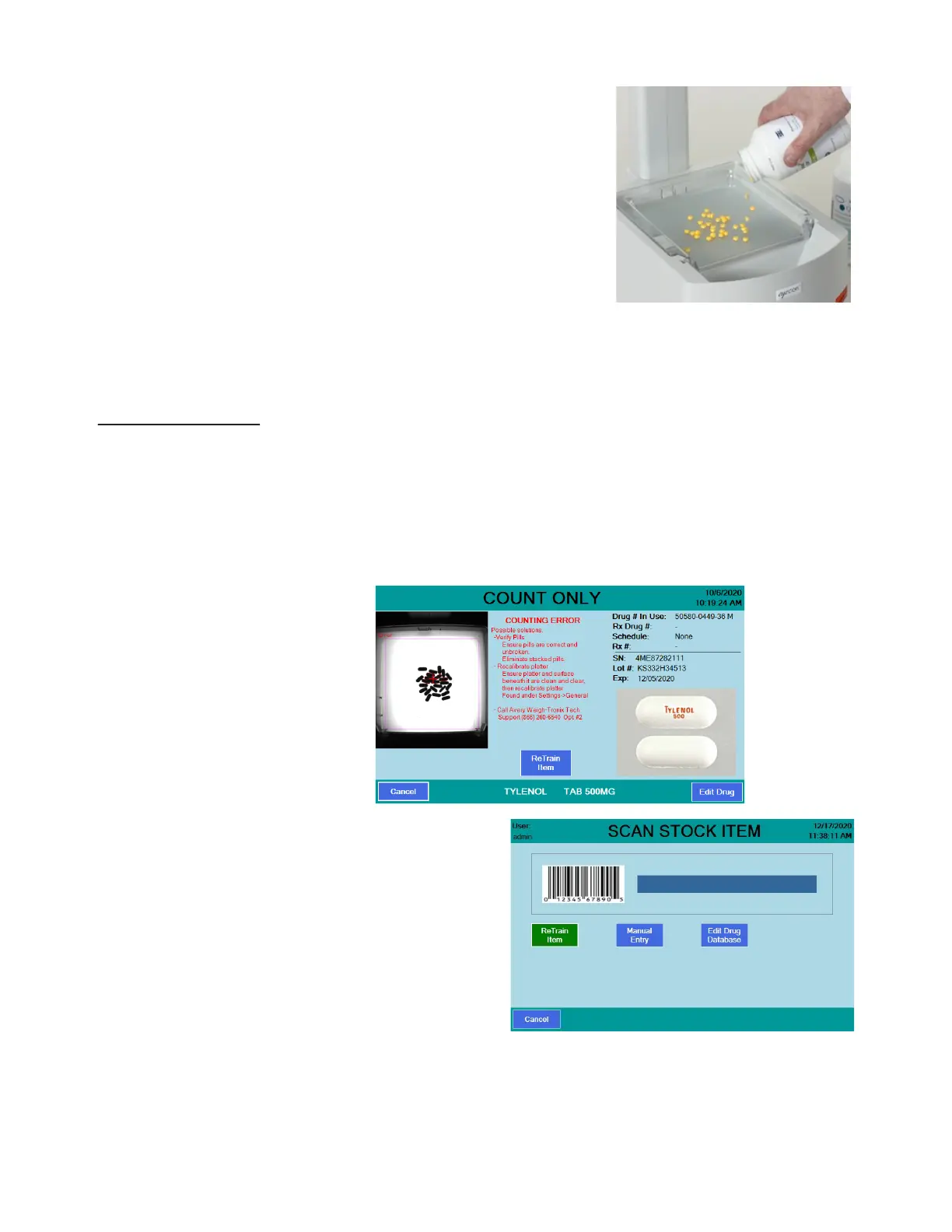
If you see a count error screen (as shown below) you can press the ReTrain Item
button and go to step 3.
1. Press the ReTrain Item
button. The button will be
highlighted in green when
selected.



 To Next Page