Eyecon 9420 & 9430 Instruction Manual 55
3.8 Double Check menu
3.8.4 Require Adjust Reasons:
Enable or disable the requirement to specify an adjust reason when the final back count
does not match the expected back count.
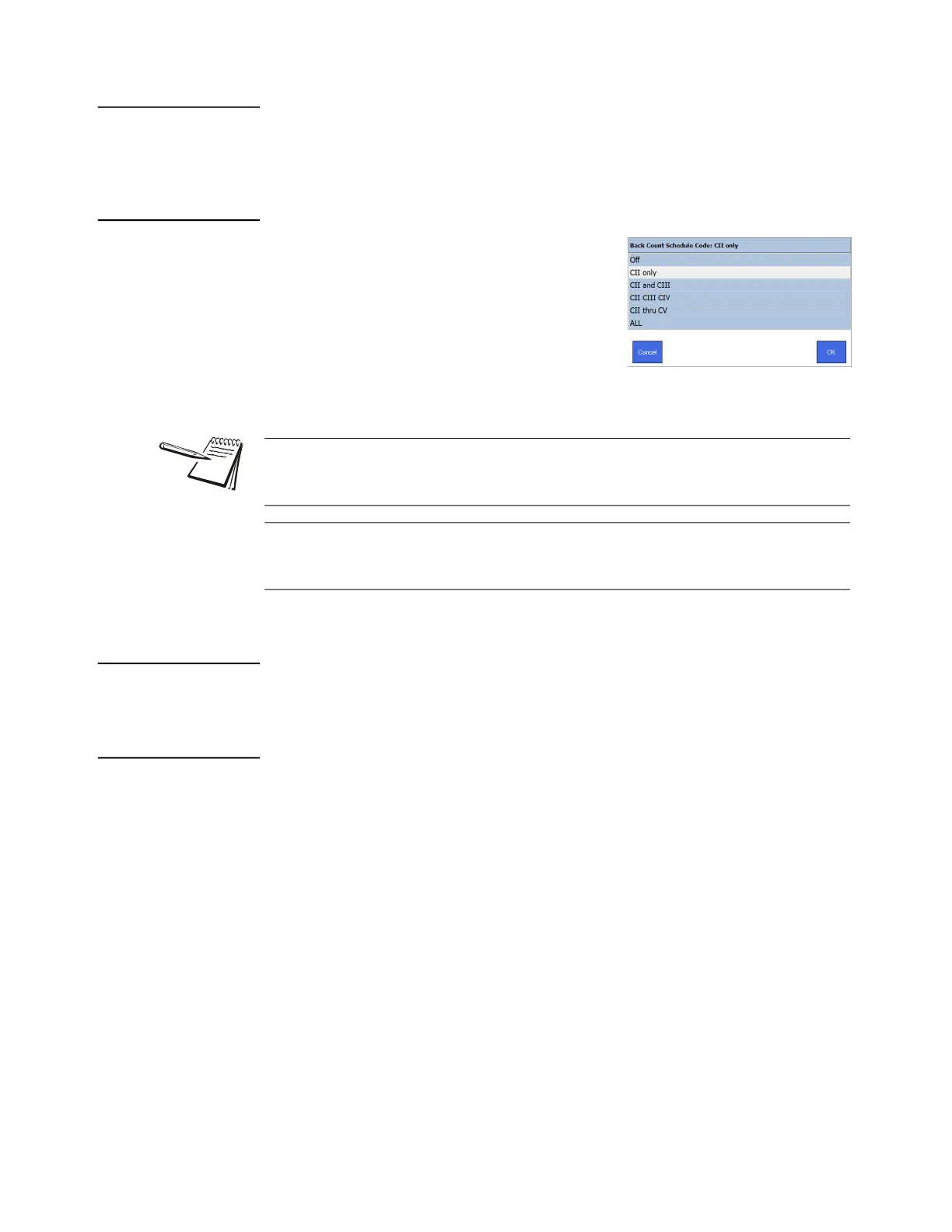
3.8.5 Back Count Schedule Code:
Choose the Back Count Schedule Code from the
list that appears, shown at right. This indicates
the schedule of drugs that back count
functionality will be applied. Tap OK to accept the
change or Cancel to abort a change and return to
the Double Check menu.
3.8.6 Import Back Count Reason:
See note above.
3.8.7 Export Back Count Reason:
See note above.
The following options allow the pharmacy to customize the back count adjust reason
choices that will be displayed on the Eyecon whenever the final back count does not
match the expected back count, if Require Adjust Reason is enabled.
Export the Back Count Adjust Reasons to a USB flash drive. You can then edit the
reasons on your PC by following the instructions within the file and then import the
updated file into the Eyecon when complete.



 To Next Page