16 Eyecon 9420 & 9430 Instruction Manual
Introduction
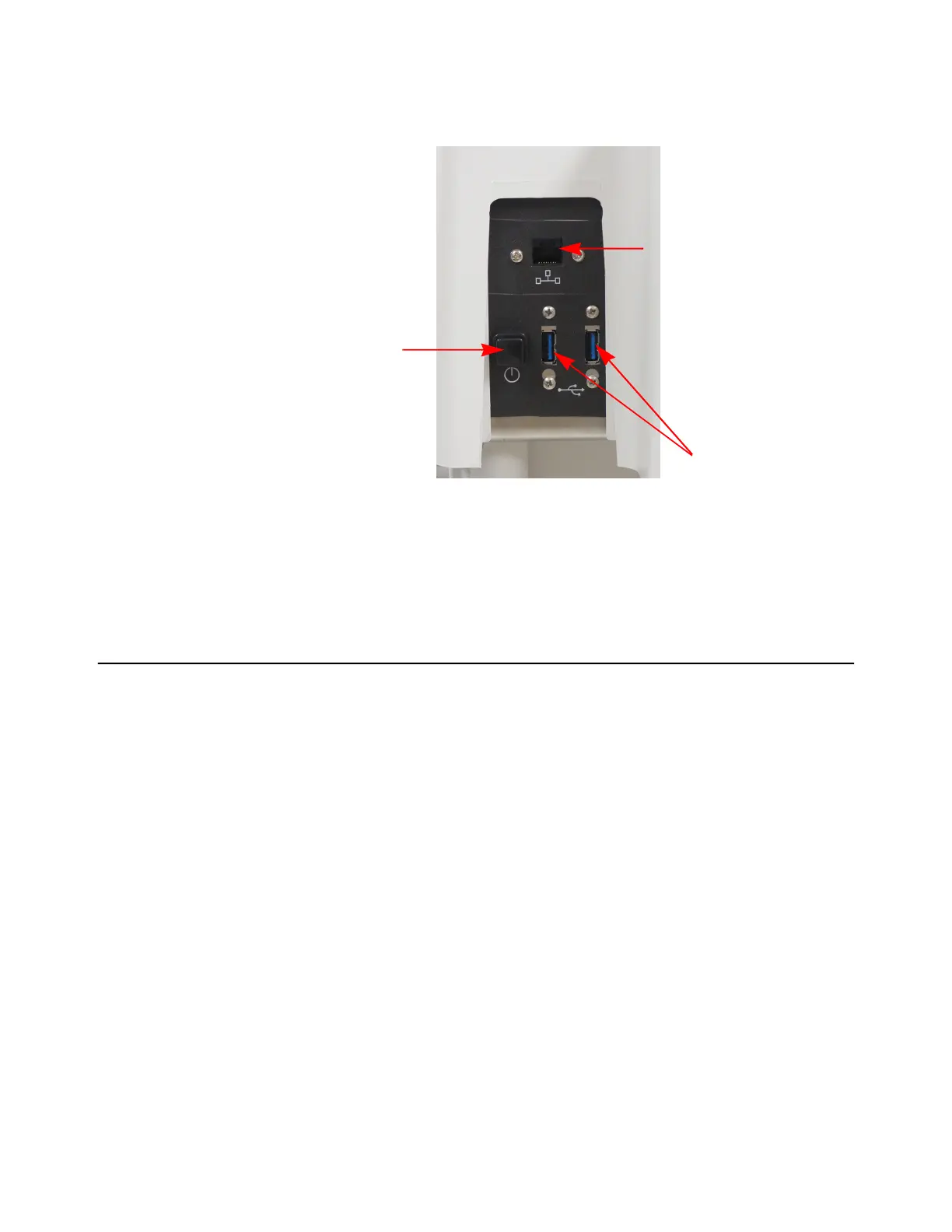
If a network cable is to be connected plug it into the receptacle on the back. Refer to
Figure 2.5.
Figure 2.5 Eyecon Back Panel
For interfaces having a power pin such as external USB ports, ensure that the
connectors and wires are suitably rated for 5VDC 0.5A. All connection from/to the
product shall be with 60950 certified equipment only.
2.6 Routine maintenance
Always turn off the machine and unplug the power cord before starting any routine
maintenance to avoid the possibility of electric shock.
Make sure that it is placed securely on a flat and level surface.
Power
Pushbutton
USB Ports
RJ-45 Network
Connector



 To Next Page