106 Eyecon 9420 & 9430 Instruction Manual
Eyecon operation
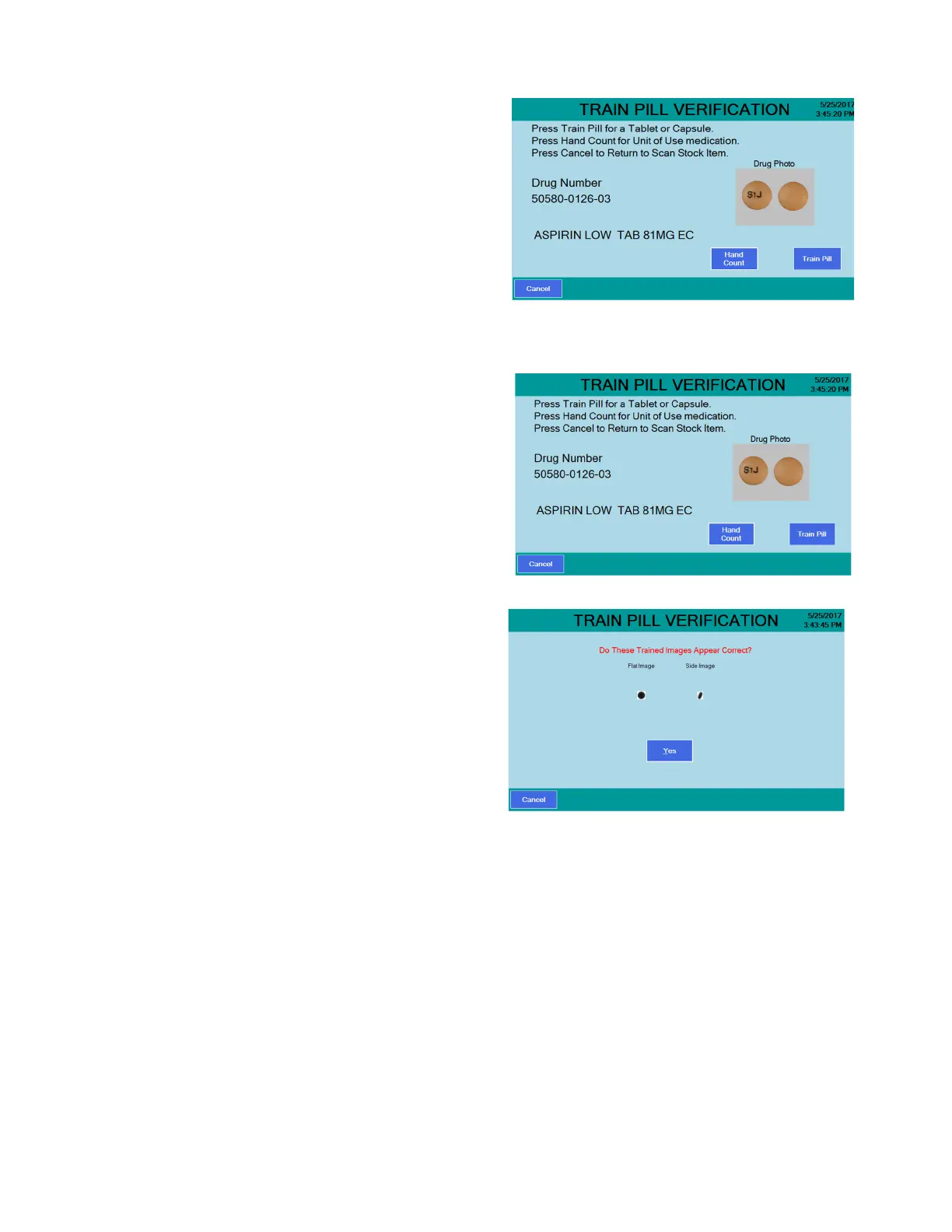
2. Scan the stock bottle label
or manually enter the NDC
number. The screen at right
appears.
3. If the drug scanned is a pill
or capsule, press the Train
Pill button and proceed to
step 4.
If the drug is a unit of use
(such as an ointment,
cream, gelcap or blister
pack), press the Hand Count button. This item is designated as a hand count
item going forward. See Hand counts on page 102 for more information.
4. Place two pills near the
center of the platter and not
touching each other. One
pill should lie flat and the
other pill must be on its
edge.
If there is only one
stable orientation,
such as a capsule,
only one pill or
capsule is required.
5. Press the Train Pill button
and the screen at right
appears.
If the pill images
match the shape of
the pills on the
platter go to the next
step.
6. Press the Yes button. The
Counting screen will be
displayed. Refer to the
Counting section for more details.
If the pill images are not correct, press the Cancel button. Go back to
step 4.
The re-trained pill images will be stored to the internal database
automatically after the images are accepted.



 To Next Page