Eyecon 9420 & 9430 Instruction Manual 93
4.4 Physical Inventory mode
3. Scan the Stock Item barcode …
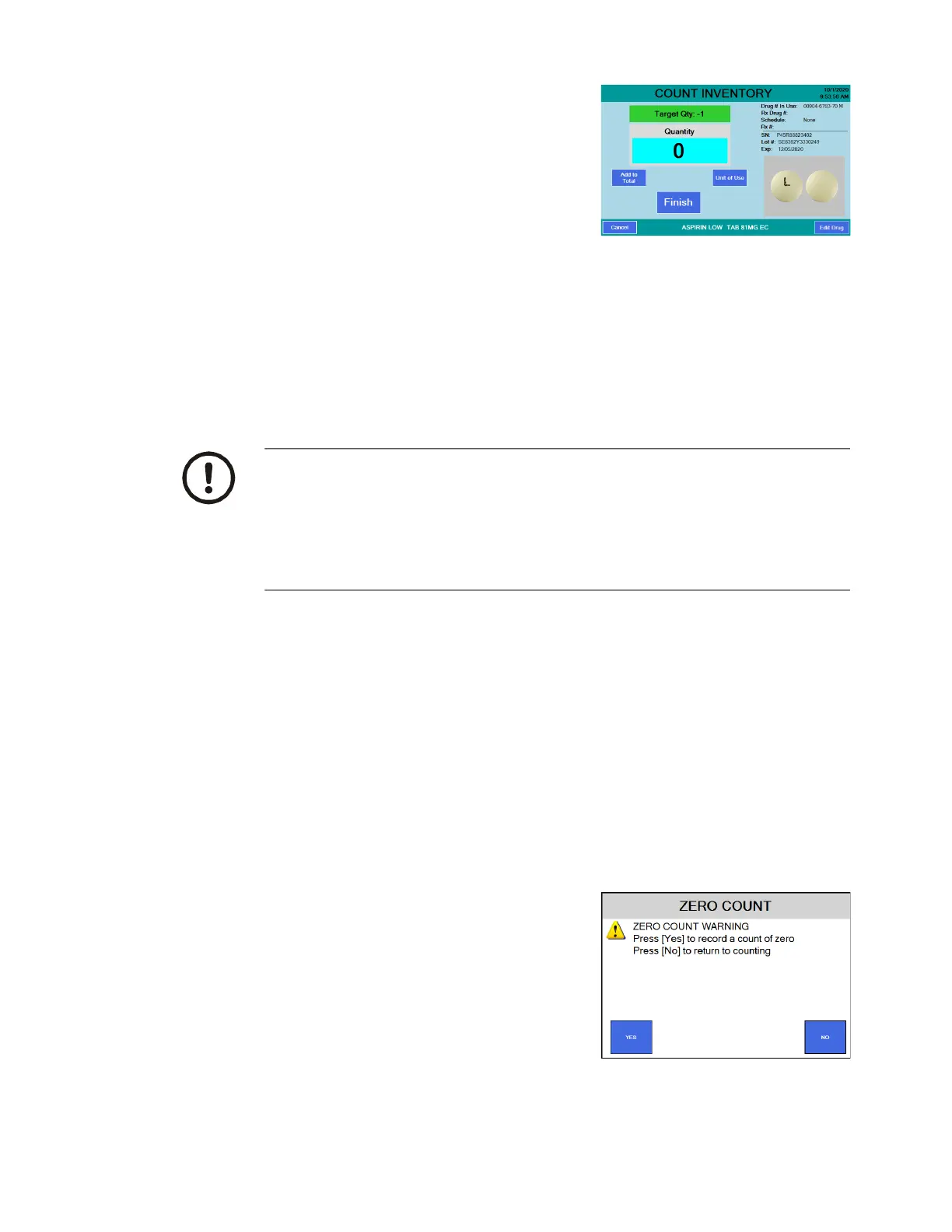
If the item is a pill, the screen at
right is an example of the screen
that appears.
If the item is a hand count item,
the HAND COUNT INVENTORY
screen appears. Press Unit of
Use to record the number of
containers. For liquids you can estimate amounts for a partially full bottle
and type in 3.75, as an example, for three full bottles and one 3/4 full
bottle. See Unit of Use for pill counting on page 100 for more
information.
If the barcode does not scan see Manual NDC entry on page 97.
If drug information is not present in database, Drug Number Not Found
screen will appear. See Drug Number Not Found on page 97.
4. If you have full bottles press the Unit of Use button and type in the quantity of
full bottles and then press OK to total the number of pills in those bottles. See
Unit of Use for pill counting on page 100 for more information.
The screen will return to the COUNT INVENTORY screen.
5. Pour the pills from any open bottles onto the counting platter. See Best
counting practice on page 98. If you have more pills than will easily fit on the
pill platter, see Dispensing large quantities on page 104.
6. Press the Finish button to record the quantity to the Eyecon inventory
database.
A message will be displayed briefly along with an audible sound
indicating the transaction was recorded.
6a. If the Finish button was pressed with a
count of 0, the screen at right is
displayed. Press Yes to record the zero
count or press No to cancel and return
to the Counting screen.
7. Dispense pills into the stock bottle. See
Best filling practice on page 99.
8. Return to step 3 to count more
inventory.
If multiple stock bottles are being used to complete a transaction, after
emptying the first bottle, press the Add-to-Total button to record the number of
pills from the first bottle. Then after transferring those pills into the partial vial,
before pouring any more pills on the tray, scan the 2D barcode on the next
bottle to capture the lot#, SN, and Expiration values for the new bottle. Repeat
as needed for each additional bottle to be dispensed. Your Eyecon will save
multiple sets of these values.



 To Next Page