90 Eyecon 9420 & 9430 Instruction Manual
Eyecon operation
Fill the Remainder of the Rx
3. When the remaining portion of the prescription can be filled, scan the vial
label.
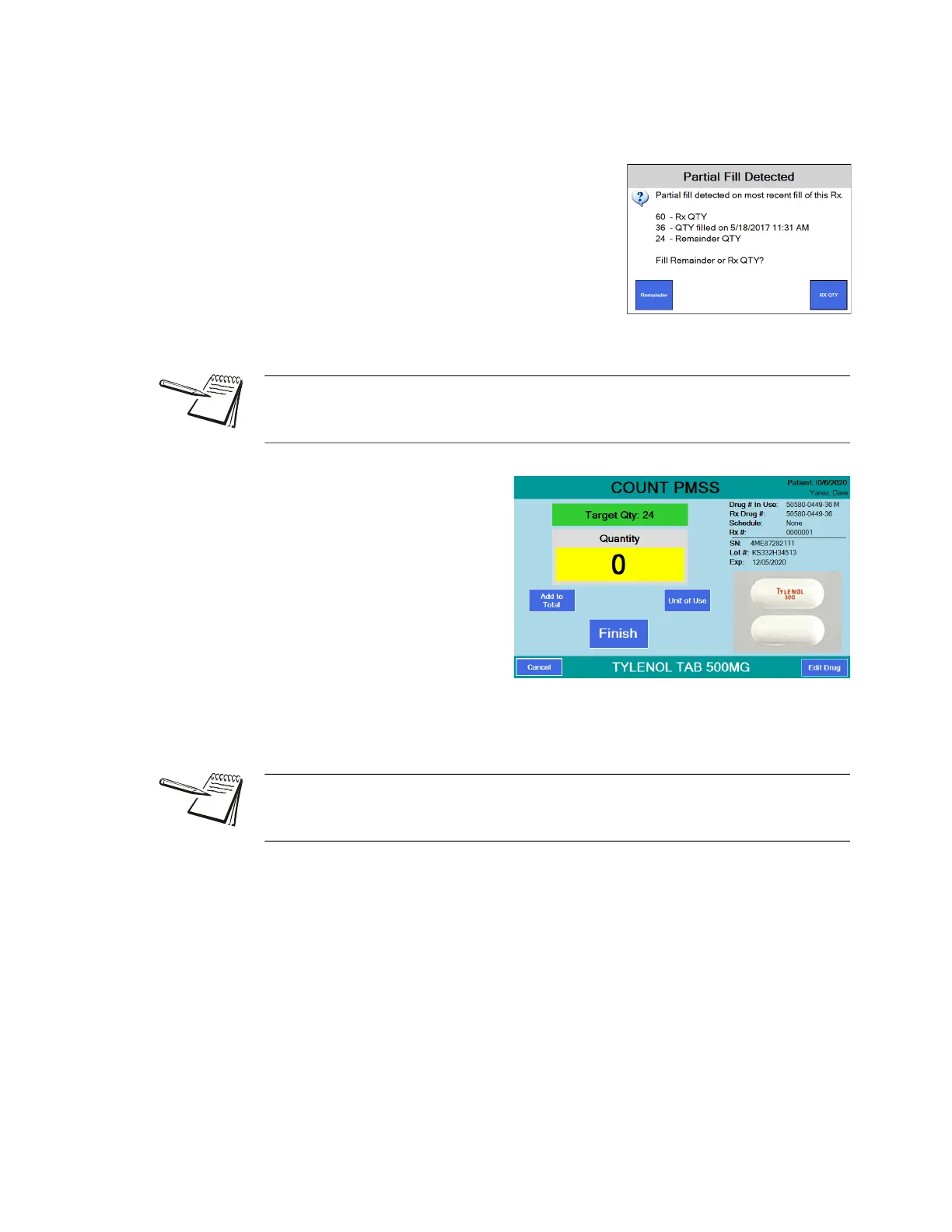
A warning screen will be displayed.
4. Press the Remainder
button to finish filling the
Rx …
The screen will ask
for the stock item to
be scanned. When
you do, you will see
the screen at right
with the Target Qty
showing the number
of pills needed to
complete the Rx and a Quantity of 0. Add the pills until the target
quantity is reached and press the Finish button. The transaction will be
recorded to the database as a completed fill.
If a patient did not pick up their partial quantity and it was returned to stock, you can
press the RX QTY button and complete a normal fill procedure for the complete
quantity of the Rx.
See Double Count (DEA Controlled Substances) on page 107 and Back Count (DEA
Controlled Substances) on page 107 for information on counting controlled
substances.



 To Next Page