RESTRICTED USE ONLY FARGO Electronics, Inc.
DTC500 Series Card Printer/Encoders Troubleshooting Guide (Rev. 3.0)
173
Using the Image Position button (continued)
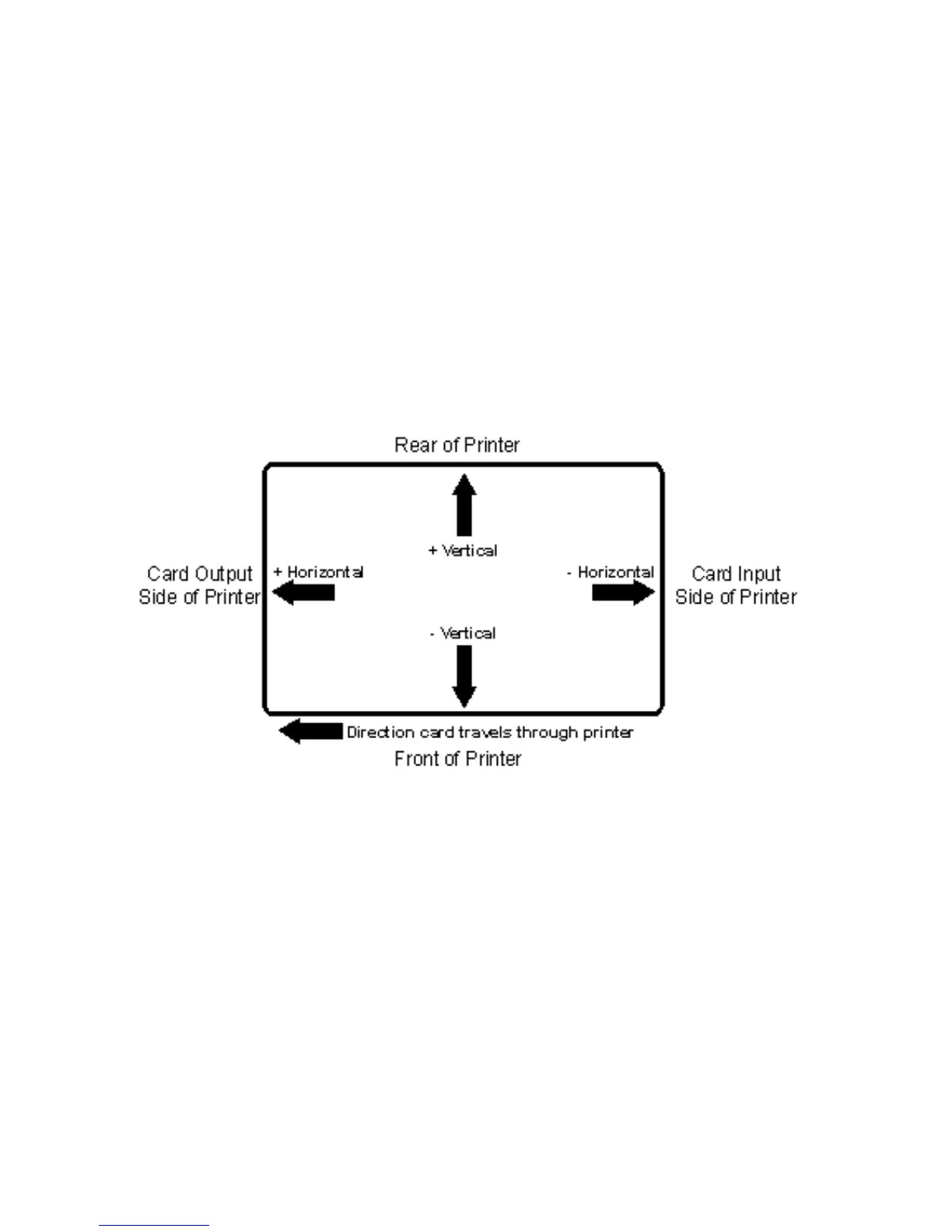
The following diagram represents how the printed image will move in relation to the fixed
card position as positive and negative image placement values are entered.
• Use the Vertical adjustment to move the image more toward the rear of the Printer (if a
positive number is entered) and more toward the front of the Printer (if a negative number
is entered).
• Use the Horizontal adjustment to move the image more toward the card output side of
the Printer (if a positive number is entered) and more toward the card input side of the
Printer (if a negative number is entered).
(Note: The maximum value for the Vertical and Horizontal adjustments is ±100 pixels (10
pixels =.0333"/.847mm).)











 To Next Page