RESTRICTED USE ONLY Fargo Electronics, Inc.
DTC500 Series Card Printer/Encoders User Guide (Rev. 5.0)
295
Installing the new Card Input Hopper in the single Hopper units (DTC510/520)
(continued)
Step Procedure
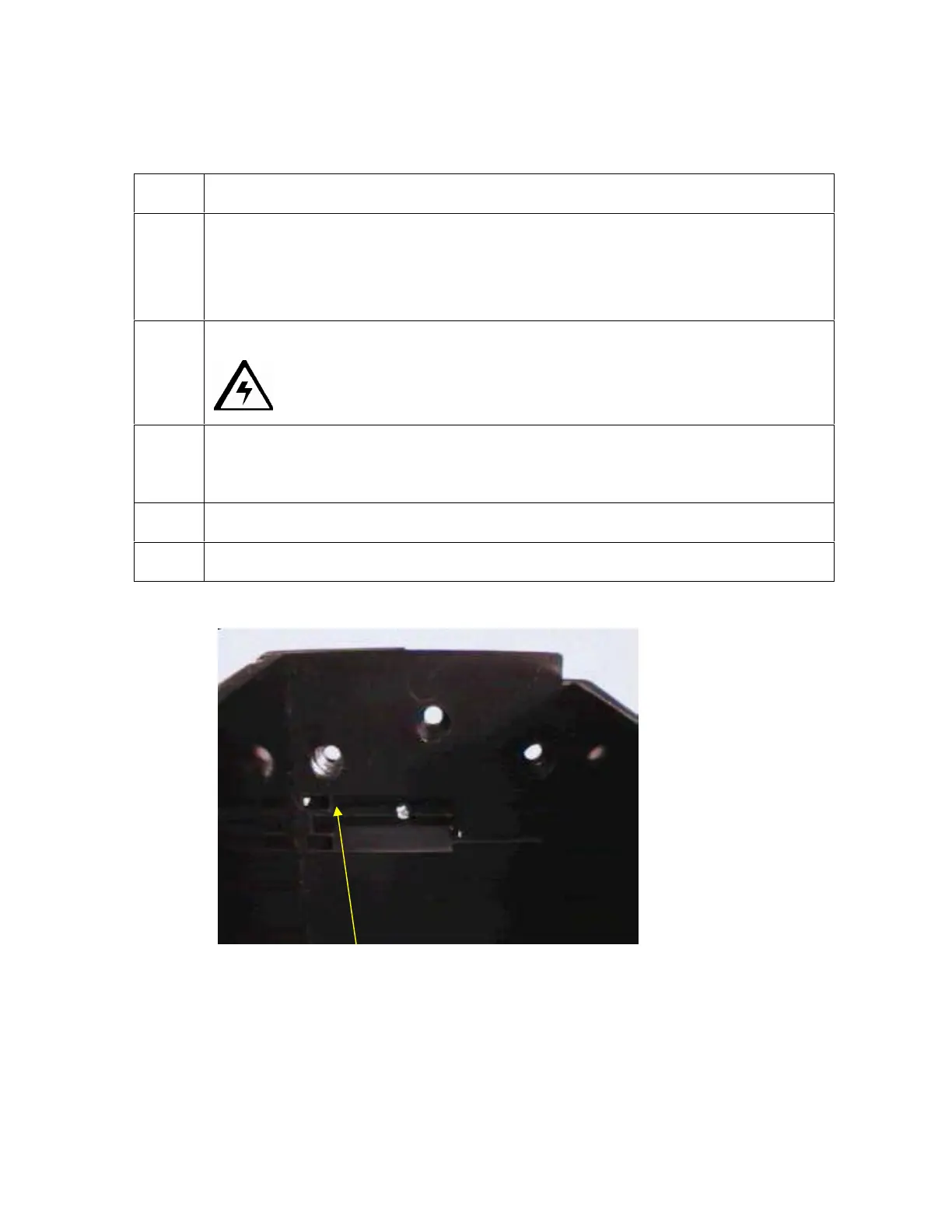
5 a. Confirm that there is a small metal washer in the left hole (toward the front of
the Printer) of the three (3) Card Input Hopper screw holes. See below.
(Note: It should be captured within the plastic molding of the Hopper.)
b. If the washer is missing, use the washer from the old Card Input Hopper.
6 Replace the three (3) screws that hold the Card Input Hopper to the Frame.
Caution: Do not tighten these screws.
7 Press down on the top of the Card Input Hopper to apply a bias toward the
bottom of the Printer. (Note: This ensures that the Card Input Hopper is seated
properly.)
8 While holding the Card Input Hopper down, tighten the three (3) screws.
9 Discard the old Card Input Hopper.
See (above) the hole with the washer.












 To Next Page