RESTRICTED USE ONLY Fargo Electronics, Inc.
Pro-LX Laminating Card Printer/Encoder User Guide (Rev. 5.0) 108
Adjusting the Card Flattener (continued)
Step Procedure
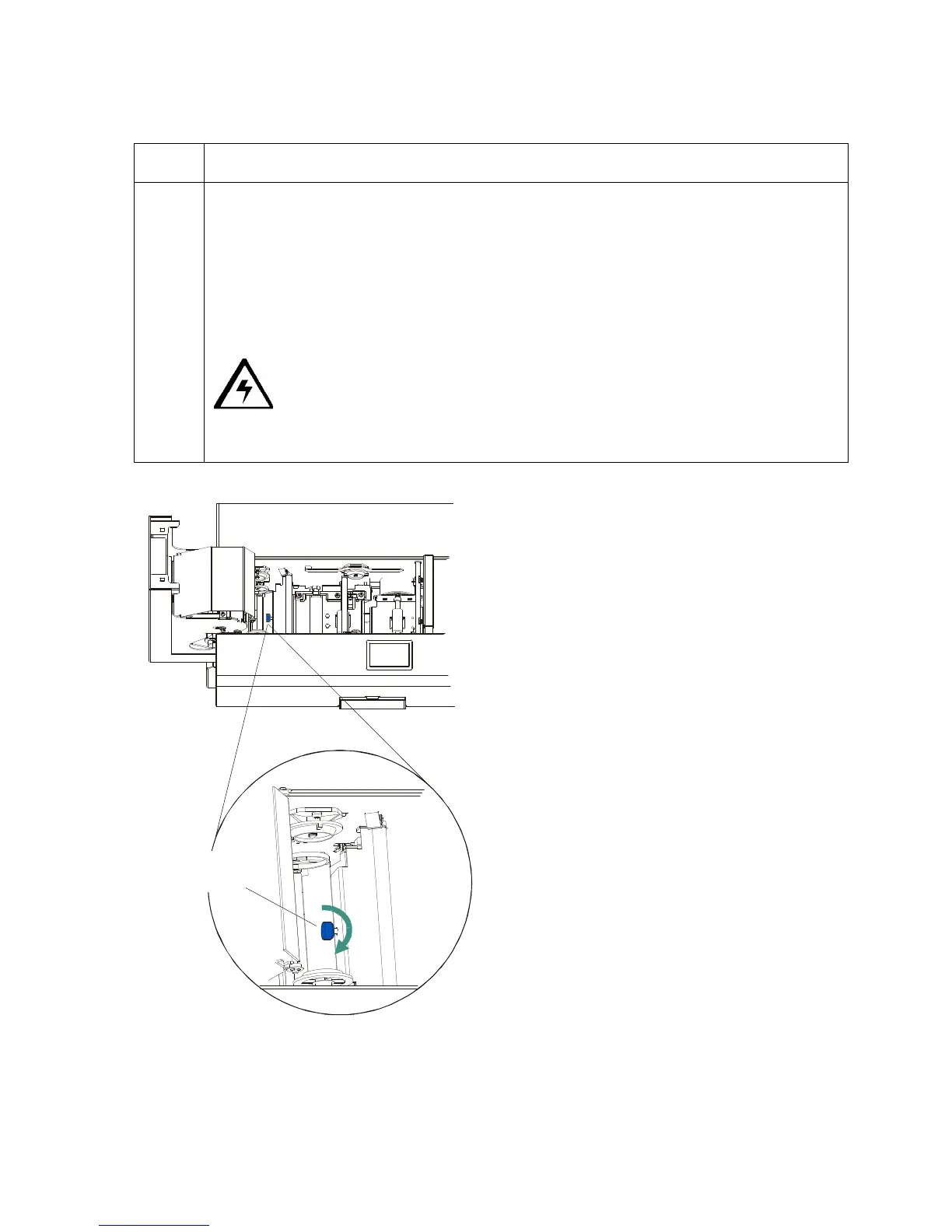
5 If laminated cards are bowing upward, turn the Card Flattener Adjustment Knob
clockwise or one full rotation, then print and laminate a test card. Repeat this
process as necessary. (Note: This pushes the flattener roller down to increase the
reverse bending pressure.)
OR
If the card is bowing downward, the reverse bending pressure may be too great. In
this case, rotate the Adjustment Knob counter-clockwise.
Caution: Some card types have very low heat resistance and may not
be acceptable for laminating. (Note: Contact the authorized reseller with specific
questions about acceptable card stock.)
Knob












 To Next Page