RESTRICTED USE ONLY Fargo Electronics, Inc.
Pro-LX Laminating Card Printer/Encoder User Guide (Rev. 5.0) 99
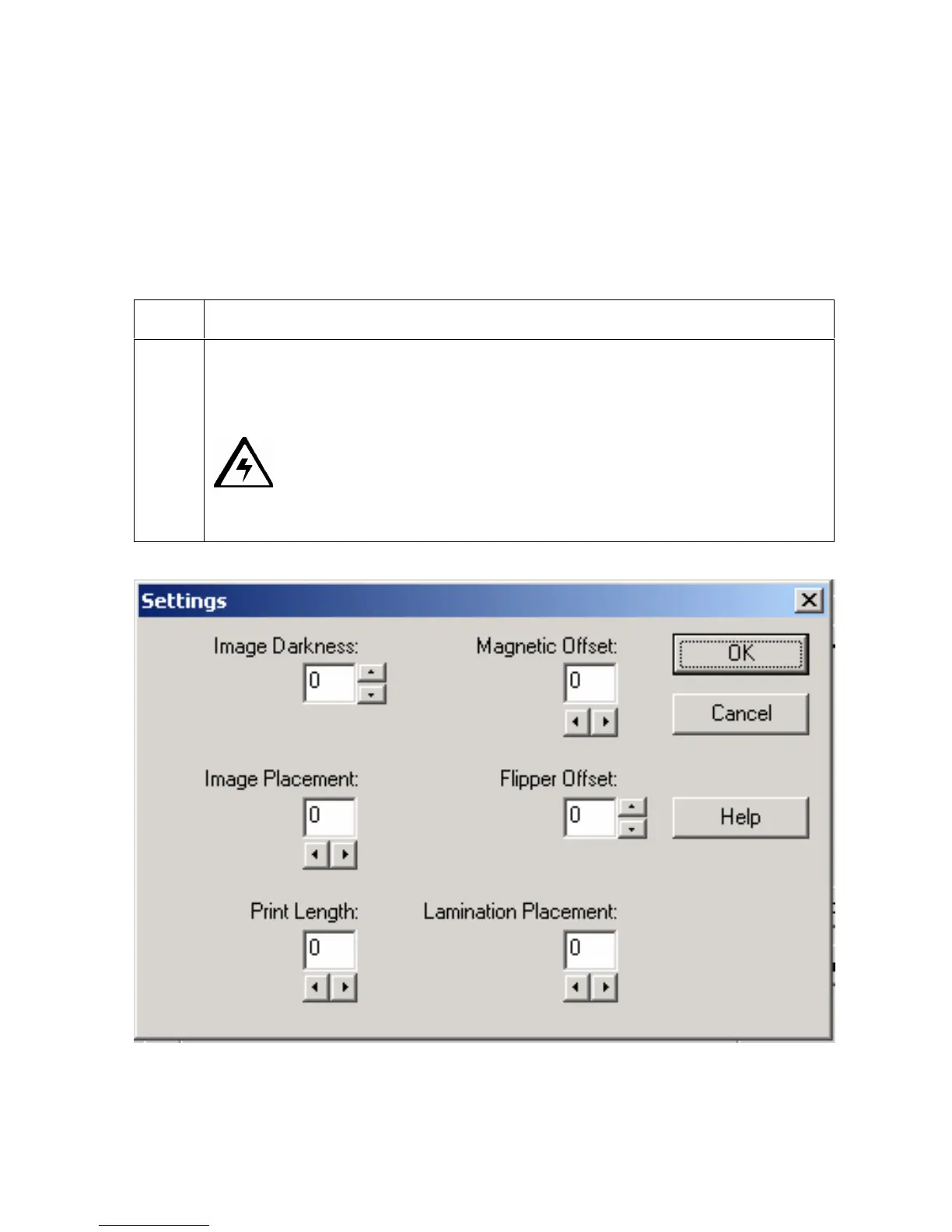
Using the Settings dialog box
Access the Settings dialog box via the Settings button on the Calibrate tab. Use the
adjustment mode to change the Printer's internal settings for overall Image Darkness, Image
Placement, Print Length, Magnetic Offset, Flipper Offset and Lamination Placement. (Note:
The Card Printer is equipped with an internal adjustment mode programmable through the
Settings dialog box. This dialog box is accessible only if the Printer is powered ON, in Ready
Mode and is properly connected to the PC.)
Step Procedure
1 Change these settings according to the original settings recorded on a label
attached to the Printer's base plate or rear panel, then refer to the remainder of
this Section. (Note: These can be helpful to get back to the Printer's original
baseline settings.)
Caution! These settings are optimized at the factory and in most
cases, they will not need to be changed. (Note: Do not alter these settings
unless absolutely necessary.)











 To Next Page