EasyManua.ls Logo

FARGO electronics Pro-LX Pro-LX Laminating Card Printer/Encoder - Selecting the Defined Area(S) Option

FARGO electronics Pro-LX Pro-LX Laminating Card Printer/Encoder
228 pages
Print Icon
To Next Page IconTo Next Page
To Previous Page IconTo Previous Page
Loading...
RESTRICTED USE ONLY Fargo Electronics, Inc.
Pro-LX Laminating Card Printer/Encoder User Guide (Rev. 5.0) 162
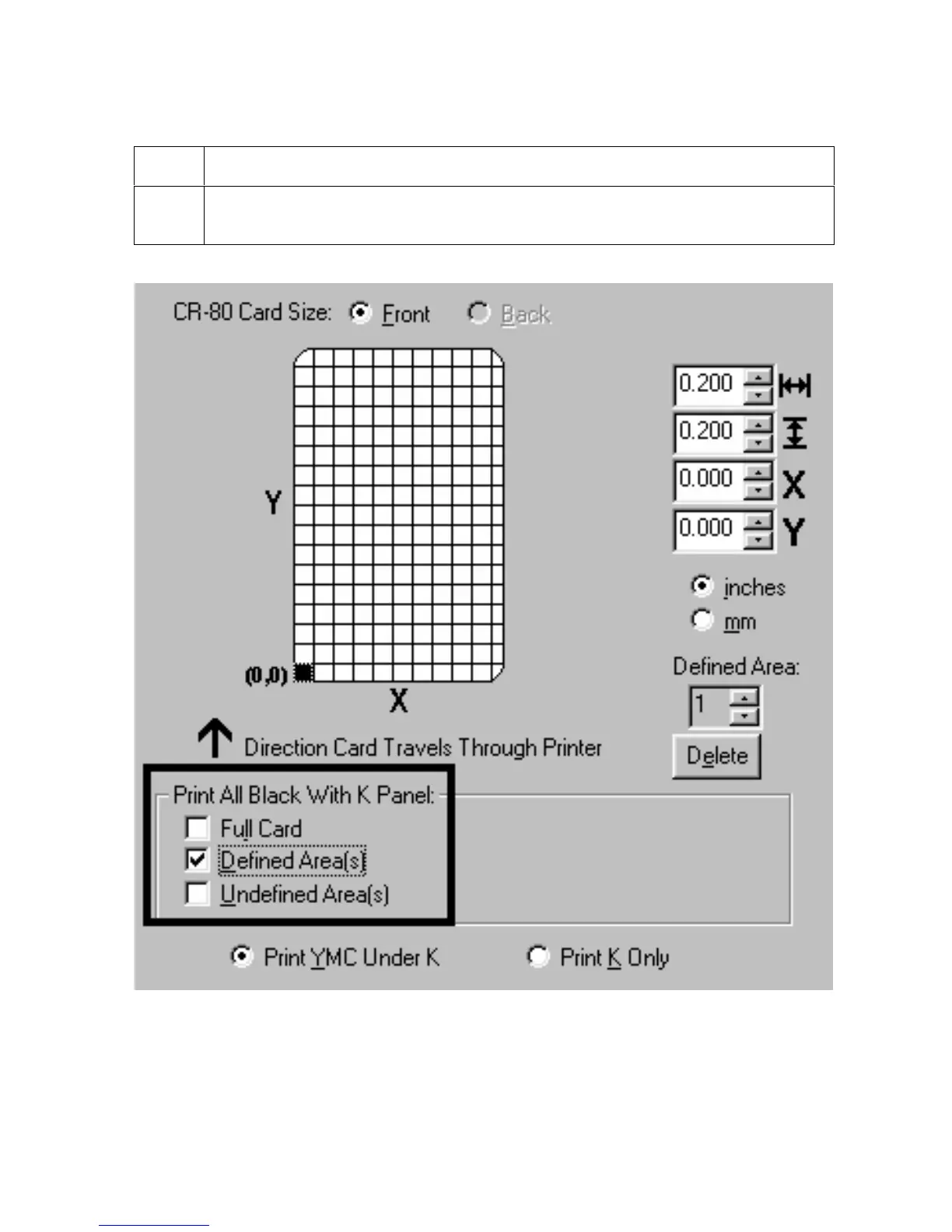
Selecting the Defined Area(s) option
Step Procedure
1
Select the Defined Area(s) option for the Printer Driver to print the resin black
(K) panel for all black found only in a desired and defined area or areas.

Table of Contents

Related product manuals