RESTRICTED USE ONLY Fargo Electronics, Inc.
Pro-LX Laminating Card Printer/Encoder User Guide (Rev. 5.0) 115
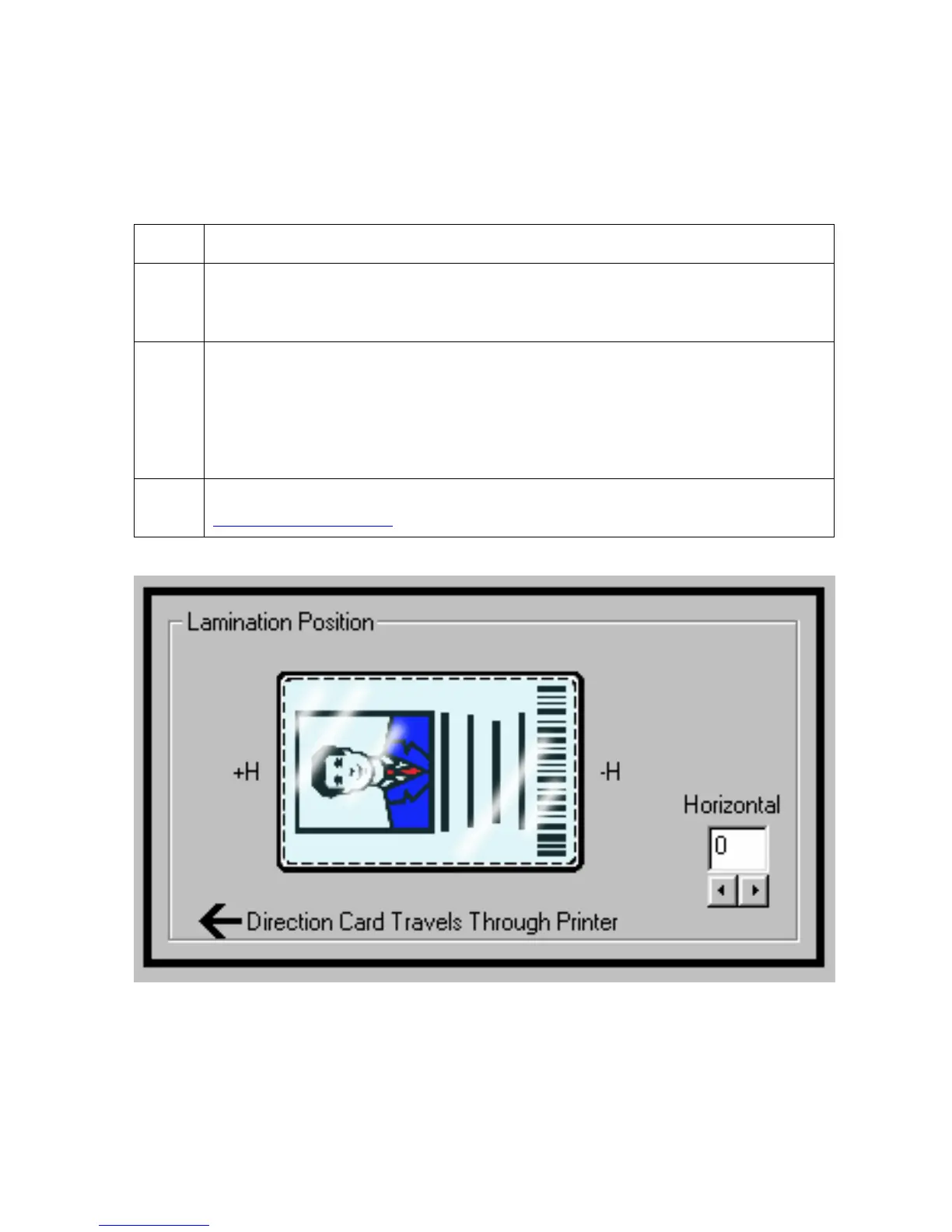
Using the Lamination Position control
Use the Lamination Position control to adjust the horizontal position of the PolyGuard
overlaminate. (Note: This control functions in the exact same fashion as the Image Position
controls, except only the horizontal position of the overlaminate requires an adjustment.)
Step Procedure
1
Click on the Horizontal Adjustment arrows to adjust the Lamination position.
(Maximum Value: The maximum value for the Horizontal adjustment is ±100
pixels (10 pixels = about .03"/. 8mm).)
2
Enter a positive number to move the overlaminate more toward the card output
side of the Printer.
OR
Enter a negative number to move the overlaminate more toward the card input
side of the Printer.
3 To adjust the Vertical placement of the PolyGuard overlaminate, see the
Adjusting the Laminator procedure in Section 3, page 109.











 To Next Page