RESTRICTED USE ONLY Fargo Electronics, Inc.
Pro-LX Laminating Card Printer/Encoder User Guide (Rev. 5.0) 176
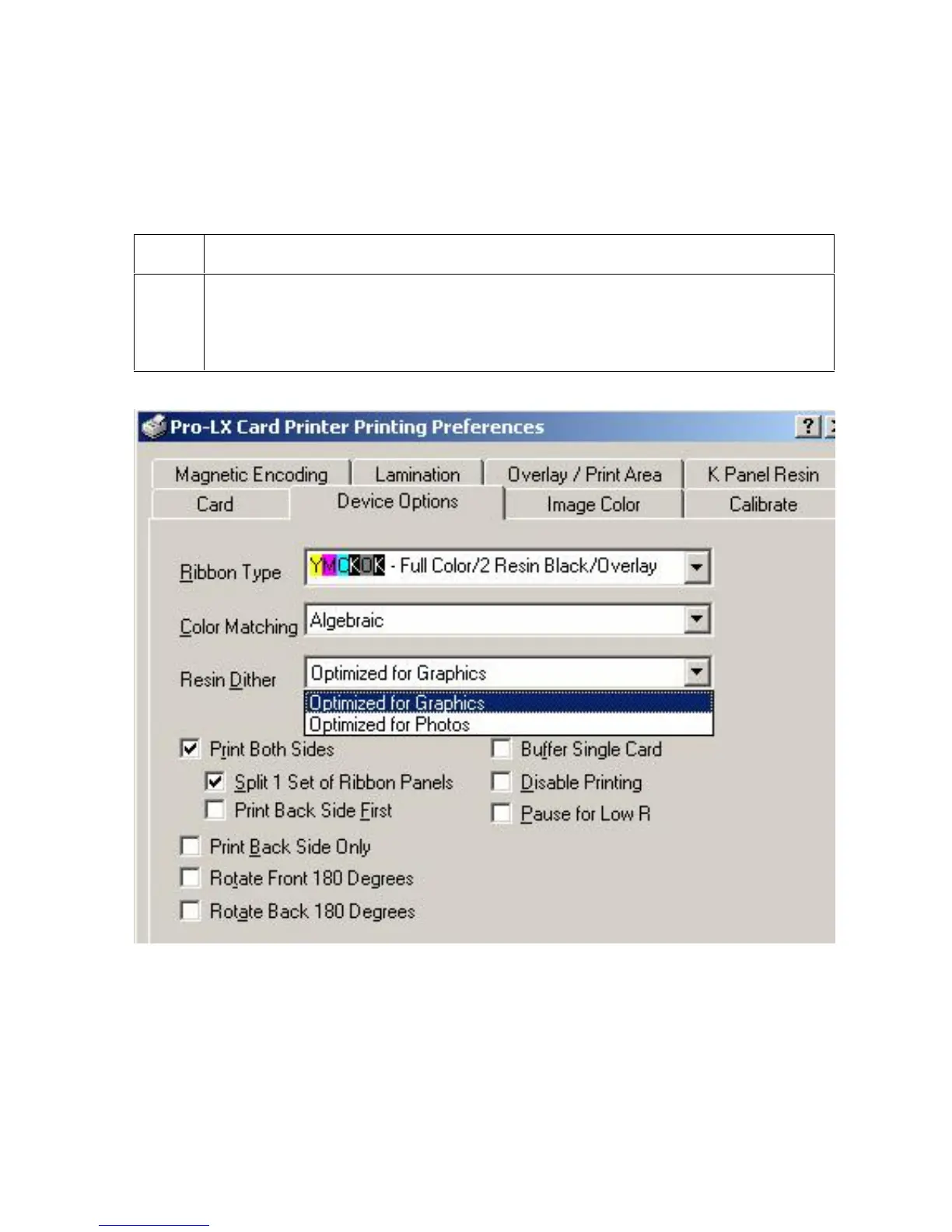
Selecting from the Resin Dither dropdown menu
Use the Resin Dither options according to the type of image being printing. (Note: This
option only effects objects printed with a resin-only Print Ribbon or those objects printed on
the back side of a card with the resin black panel of a YMCKO, YMCKOK or YMCKK Print
Ribbon.)
Step Procedure
1 Select the Optimized for Graphics option.
OR
Select the Optimized for Photos option.











 To Next Page