RESTRICTED USE ONLY Fargo Electronics, Inc.
Pro-LX Laminating Card Printer/Encoder User Guide (Rev. 5.0) 164
Using the Defined Area(s) function
To define an area, refer to the following steps:
Step Procedure
1
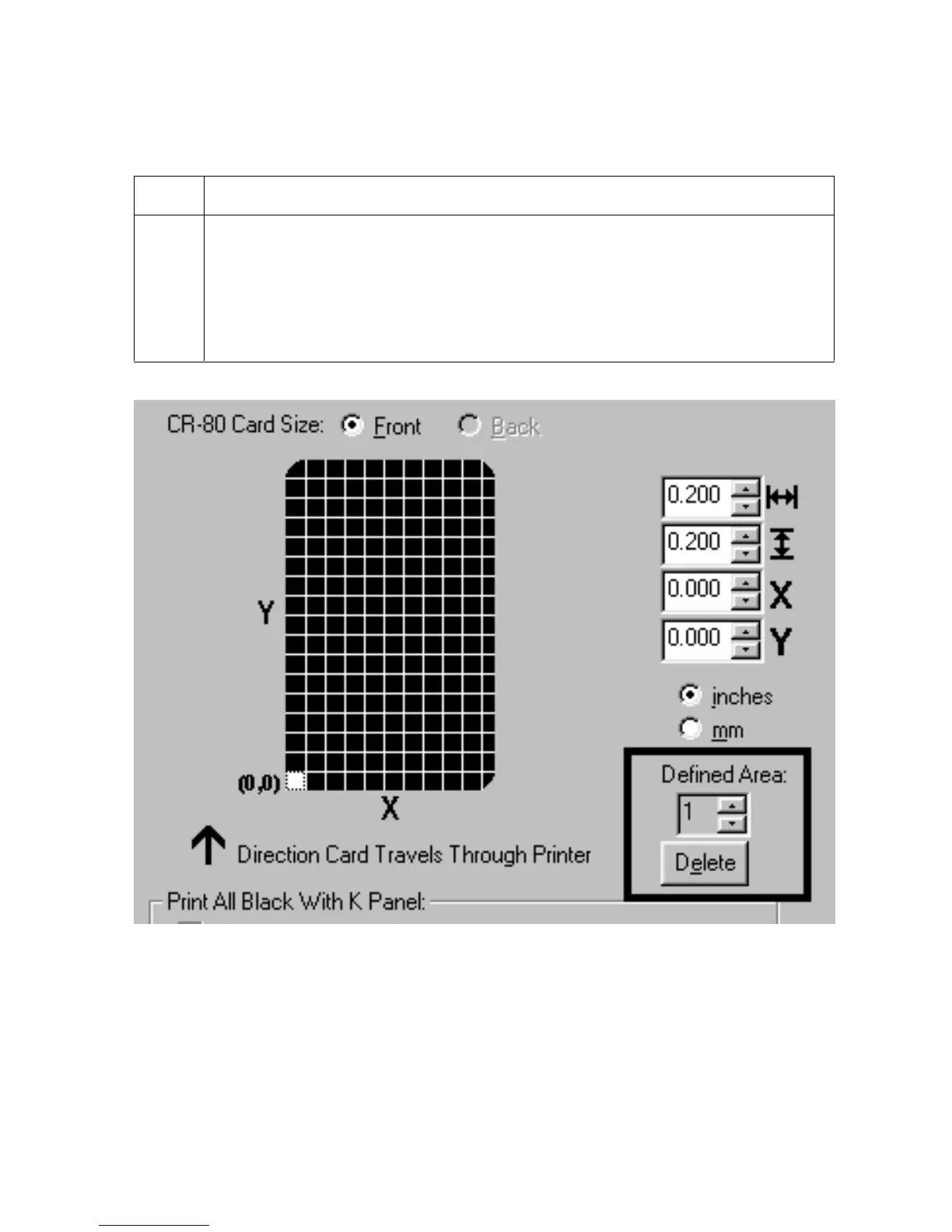
Click on the Defined Area(s) check box. (Note: This will activate the card grid
in the upper half of the window. It is through this card grid that up to five areas
can be defined.)
When the card grid is first activated, a small square will appear at its default size
of .2" x .2" / 5mm x 5mm and at its default location in the lower left-hand corner
(0,0). This square represents the first defined area.
Continued on the next page











 To Next Page