RESTRICTED USE ONLY Fargo Electronics, Inc.
Pro-LX Laminating Card Printer/Encoder User Guide (Rev. 5.0) 89
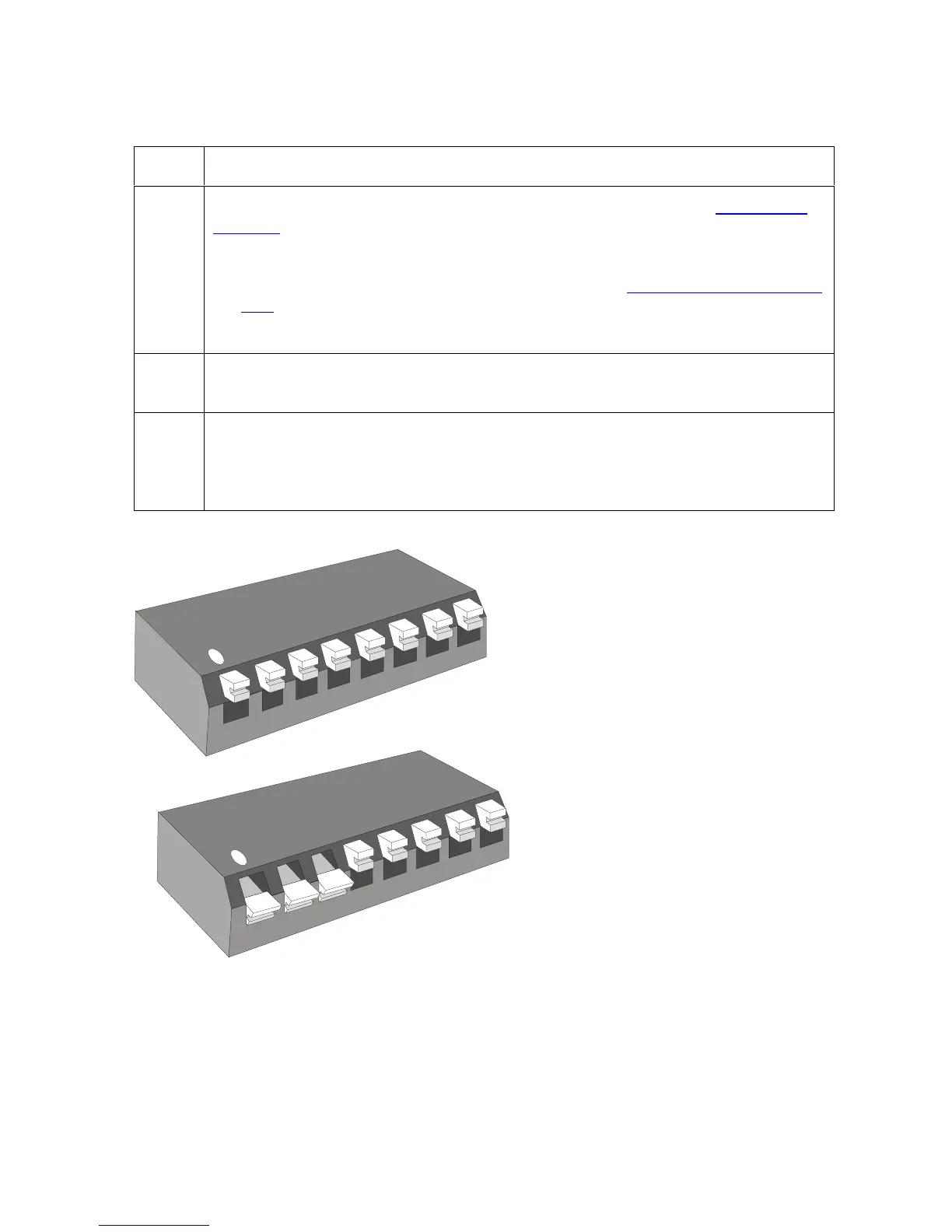
Using the DIP Switch (Self-test)
Step Procedure
1 Activate any of these diagnostic tests and Calibration modes. See Running the
Self Test in Section 2, page 87. During the activation of the Self-test, the Printer
will:
Detect the change to the DIP Switch Settings. See Using the DIP Switch Self
Test in Section 2, page 89.
Operate the Printer in that selected Test or Calibration mode.
2 Return all the DIP switches back to their normal OFF position once the tests are
completed.
3 Leave the associated DIP switches activated to operate the Printer this way or
temporarily use the settings to test a particular Printer operation. (Note: When
altering a particular mode-of-operation (e.g., disabling the laminator or magnetic
verification), it will affect Printer operation while printing from a computer.)
Continued on the next page
1
1
2
2
A
m
p
x
x
x
x
4
3
5
8
0
2
-
9
o
f
f
A
m
p
x
x
x
x
4
3
5
8
0
2
-
9
o
f
f
3
3
4
4
5
5











 To Next Page