RESTRICTED USE ONLY Fargo Electronics, Inc.
Pro-LX Laminating Card Printer/Encoder User Guide (Rev. 5.0) 144
Using the Overlay / Print Area (continued)
Step Procedure
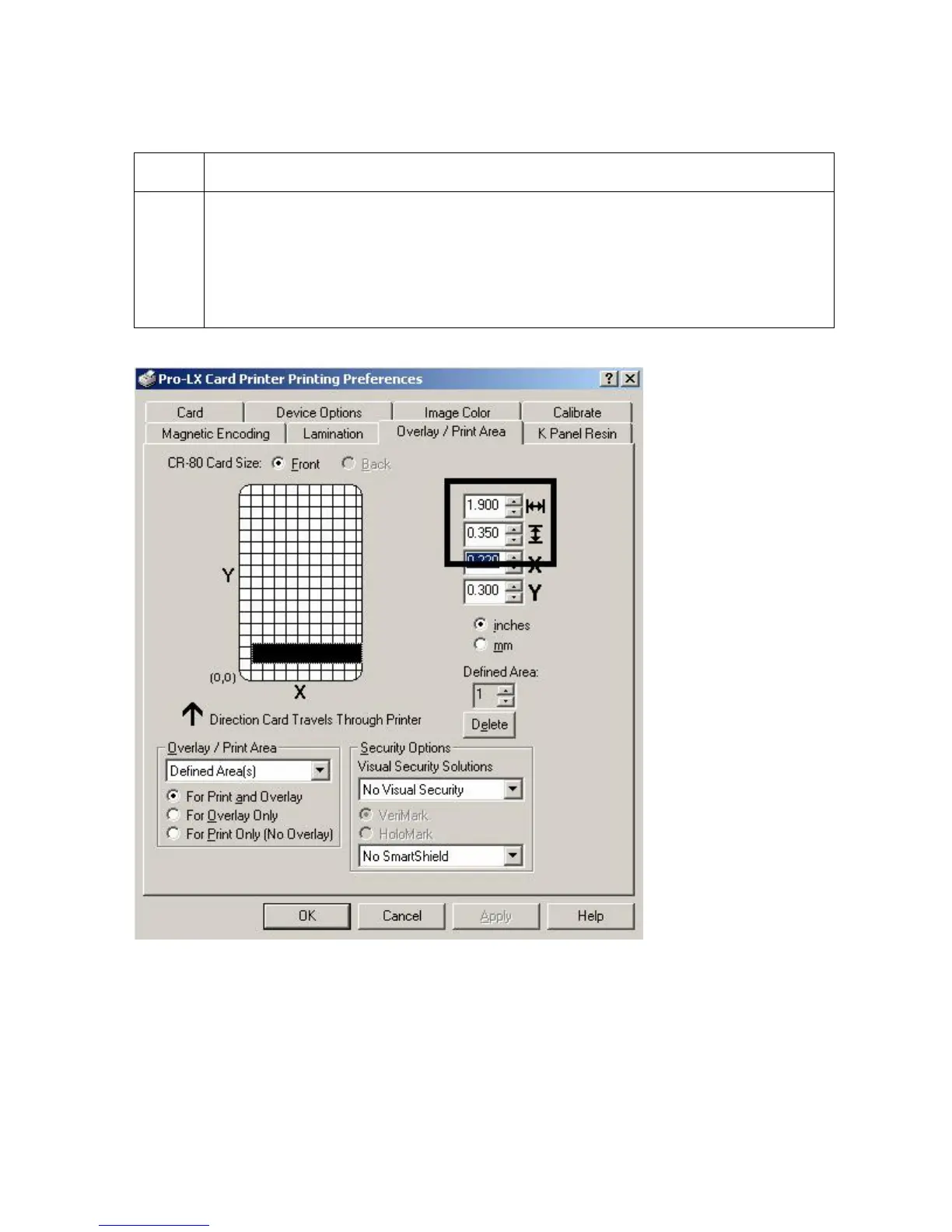
4 Follow this procedure once the area is sized properly.
a. Measure the location this desired area to be positioned on the card.
b. Measure from the lower left corner of the card up and over to the lower left
corner of for the defined area to begin and enter these values into the X and
Y boxes. (Note: The card grid lines are spaced at .2 inch / 5mm intervals.)
Continued on the next page












 To Next Page