3.10.2. Cephalometric Mode
Switch the unit ON and verify that the digital sensor is connected in CEPH
mode.
Release the Nasion and turn the cephalostat with the earplugs to AP position
for maximum opening so as not to interfere with the radiation beam.
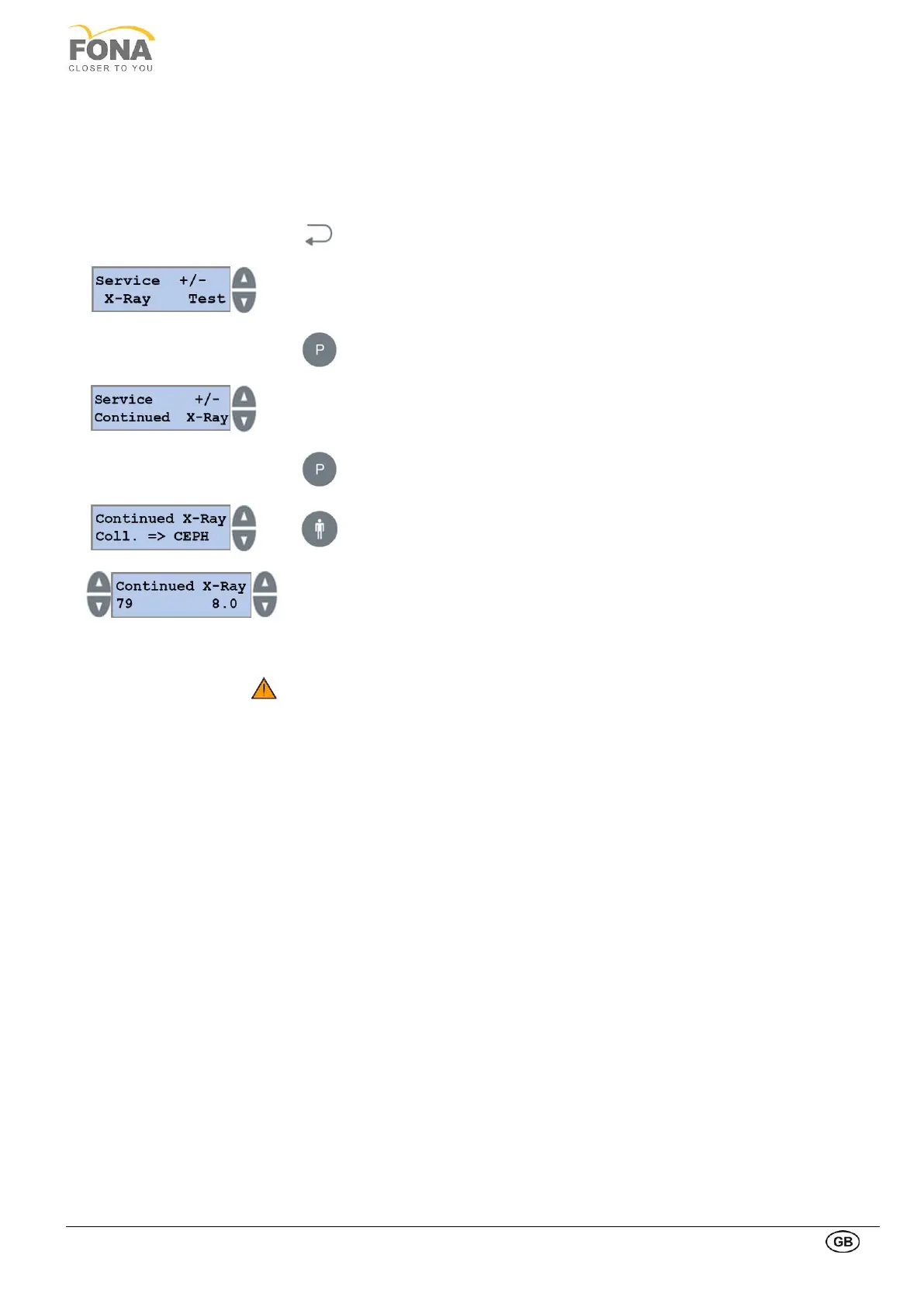
Keep pressed the BACK key for 5 s to enter Service Mode
Select Service function with INCREASE or DECREASE keys on the RIGHT
side of the display.
Scroll the menu until X-Ray Test is displayed
Press the PROGRAM key to enter X-Ray Test
INCREASE or DECREASE keys on the RIGHT side of the display to select
Continued X-Ray.
Confirm Continued X-Ray with PROGRAM key
Press the size button to change the collimator position in CEPH.
If the sensor is connected in CEPH mode, the collimator will move
automatically in CEPH position.
INCREASE /DECREASE keys on the LEFT to change kV
INCREASE /DECREASE keys on the RIGHT to change mA
Set 79 kV and 8 mA.
Start Oriswin DG Suite, select the “Emergency” patient and click on the
acquisition module.
Move to a safe position, expose for a few seconds.
The white area must not be shifted horizontally, but centered in the
acquisition window.
The white area must not be bended or rotated, but vertical.



 To Next Page