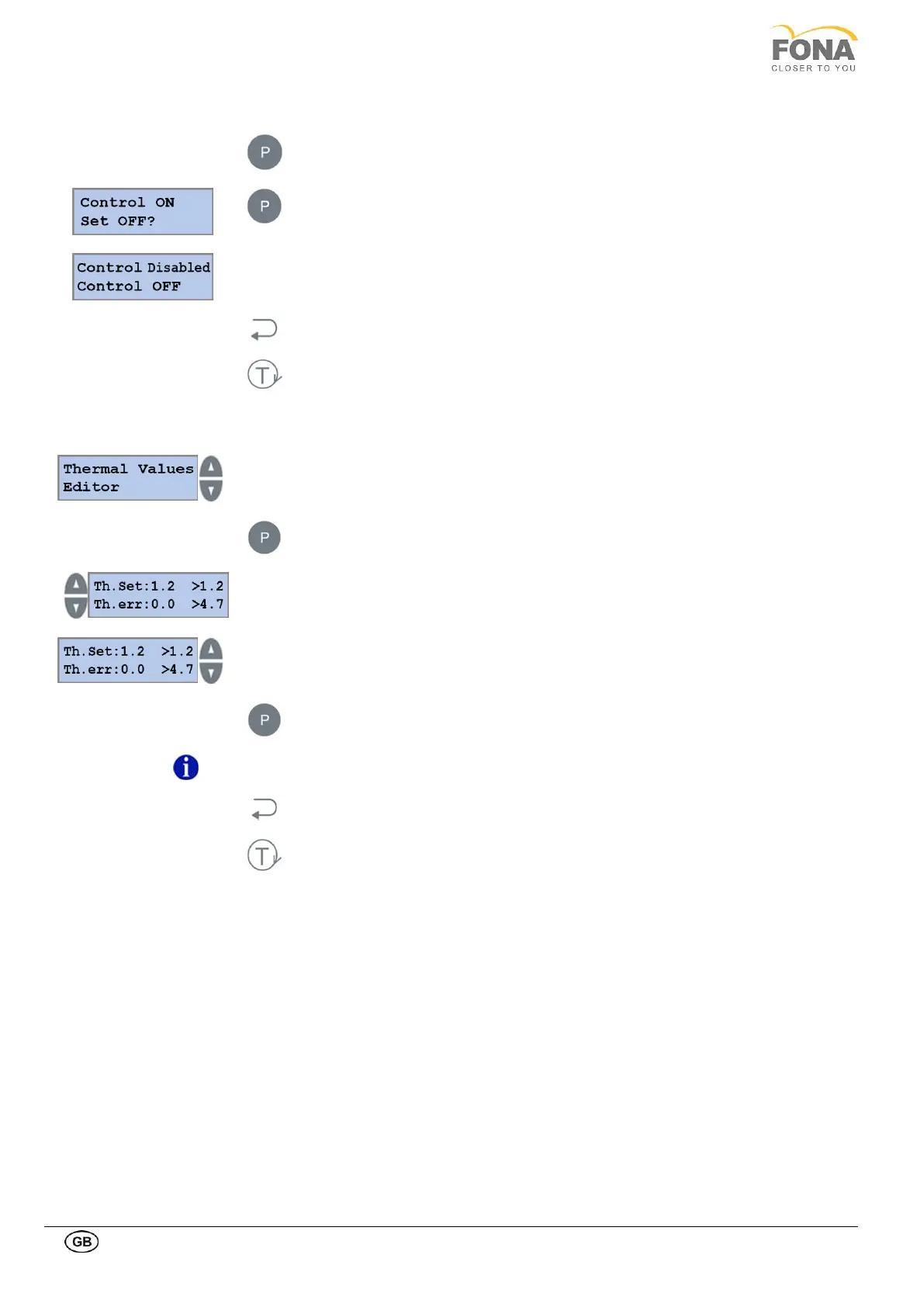
2.2.12.1. Enable/Disable thermal control
Press the PROGRAM key to enter Enable / Disable Thermal Control.
Keep pressed the PROGRAM key enter selection.
Press BACK key to exit Enable/Disable Thermal Control
Press TEST Mode key to exit SERVICE MODE
2.2.12.2. Thermal values editor
Service function can be selected using
the INCREASE or DECREASE keys on the RIGHT side of the display
Scroll the menu until Thermal Setting is displayed
Press the PROGRAM key to enter Thermal Values Editor
INCREASE or DECREASE keys on the RIGHT
to change first parameter Th.set
INCREASE or DECREASE keys on the LEFT
to change second parameter Th.err
Keep pressed the PROGRAM key to store the values
Default values set in manufacturing:
Th.set: 1.2, TH.err: 4.7
Press BACK key to exit Thermal Values Editor
Press TEST Mode key to exit SERVICE MODE



 To Next Page