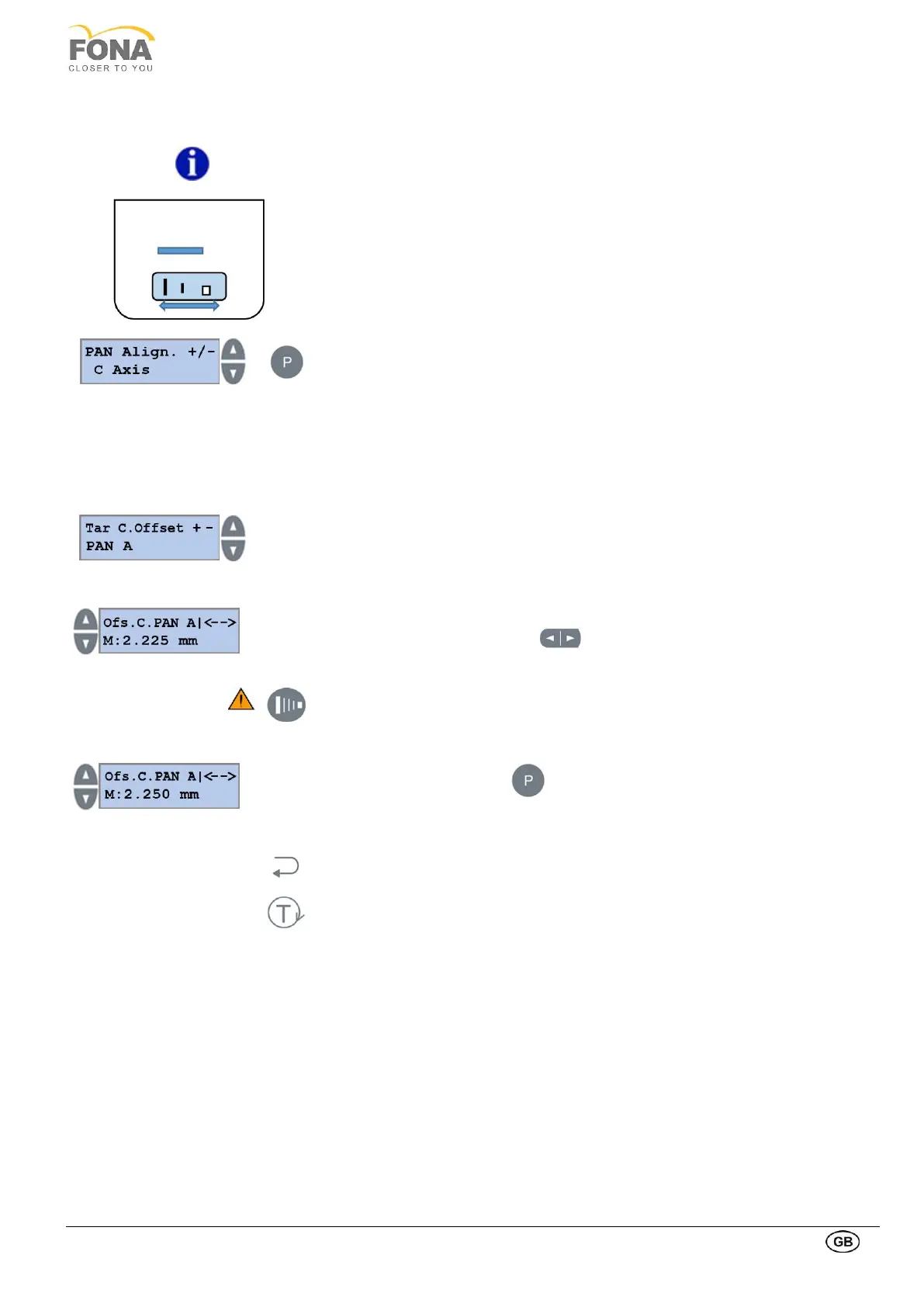
The C Axis is a variable allowing to set the displacement offset of the collimator. The
plate is moved by stepped motor and controlled by three opto-sensors (encoder). Each
collimator slit can be adjusted independently.
The correct displacement of the collimator slit, is achieved when the X-Ray beam
reaches the active area of the sensor (please, see the specific window slit below for
further information).
Press the PROGRAM key to enter PAN Alignment
Possibility to operate on Rotation Axis is offered first
Press INCREASE or DECREASE key to change to C Axis
Press the PROGRAM key to enter setting Tar C. Offset Menu
C Axis - PAN Adult slit Offset
Press INCREASE or DECREASE key to the Right side of the display until PAN A is
shown
Press the PROGRAM key to enter PAN Adult Adjust offset menu. The collimator will
move automatically to reach the Pan Adult slit position
Press INCREASE or DECREASE keys on the LEFT side of the display
(large movements) or the two arrows (small movements) to shift the collimator
right or left till the desired position
In this position is possible to release the exposure with the X-Ray button in order
to acquire the image on OrisWin and verify that the collimator slit is correct
Technical parameters are fixed at values: 67kV, 5mA
Keep pressed the PROGRAM key to store the Offset for Pan Adult slit.
The actual offset value stored in memory is shown
Press BACK key to go back to Tar. C. Offset menu
Press TEST Mode key to exit SERVICE MODE



 To Next Page