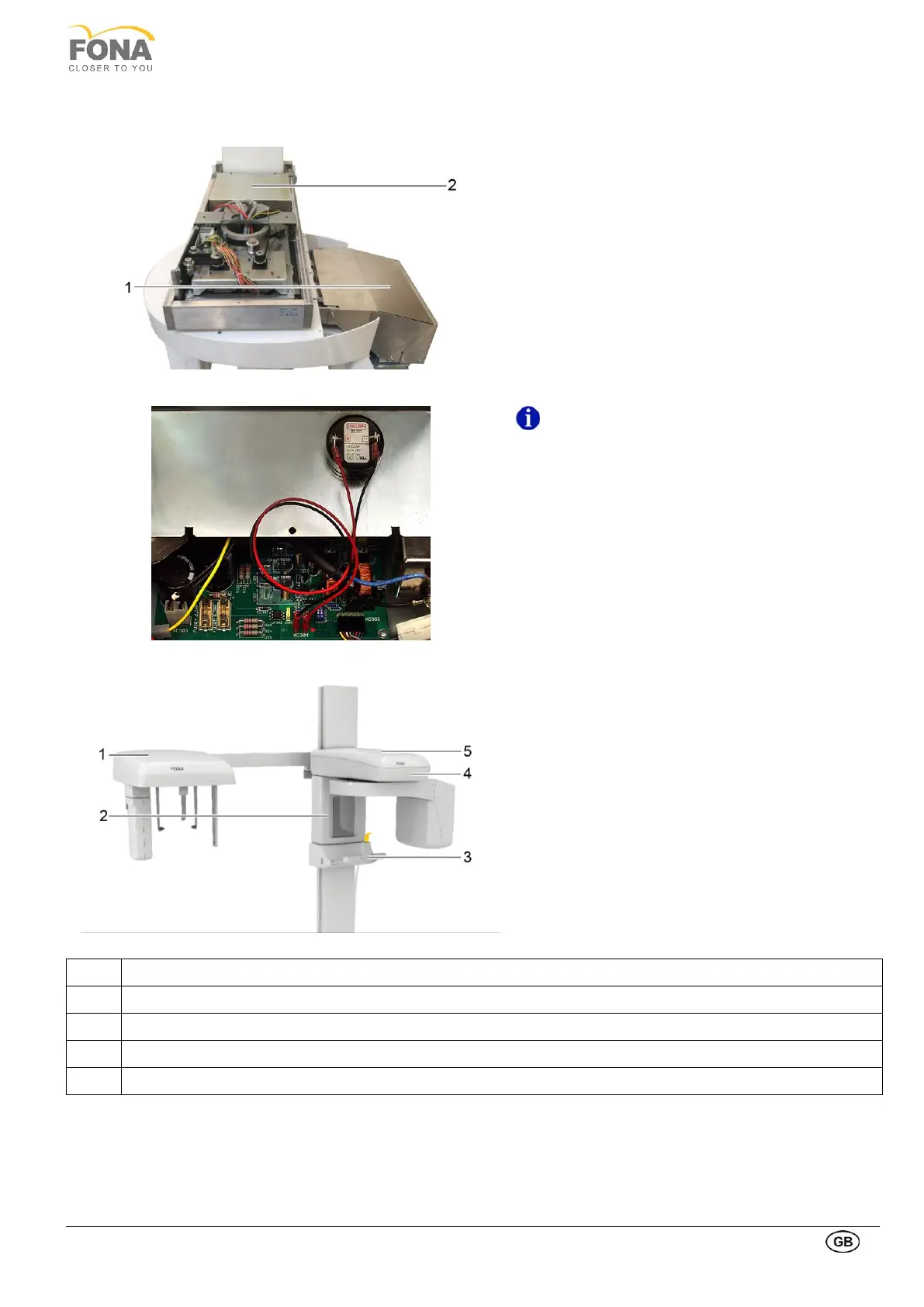
1.13.3. Putting covers back
Put back the metal shields removed:
• Shield on Power Supply Unit (1), paying attention
to connection of the buzzer to the frontal pins of
position XC 304 of the power supply unit (see
details below)
• Shield on Power Switching unit (2)
The buzzer is mounted on the metal cover shield
of the Power Supply Unit.
• The buzzer is connected to the frontal pins of
position XC304 on the Power Supply Unit:
• Black wire (minus polarity) to the left side (same
side of connector XC303)
• Red wire (plus polarity) to the right (close to
connector XC302)
Mount to complete the unit in this order:
• Vertical travel upper bottom cover.
• Vertical travel upper top cover.
• Mirror Cover.
• FONA logo strip on the chin support holder
frontally.
• Ceph Assembly Cover



 To Next Page