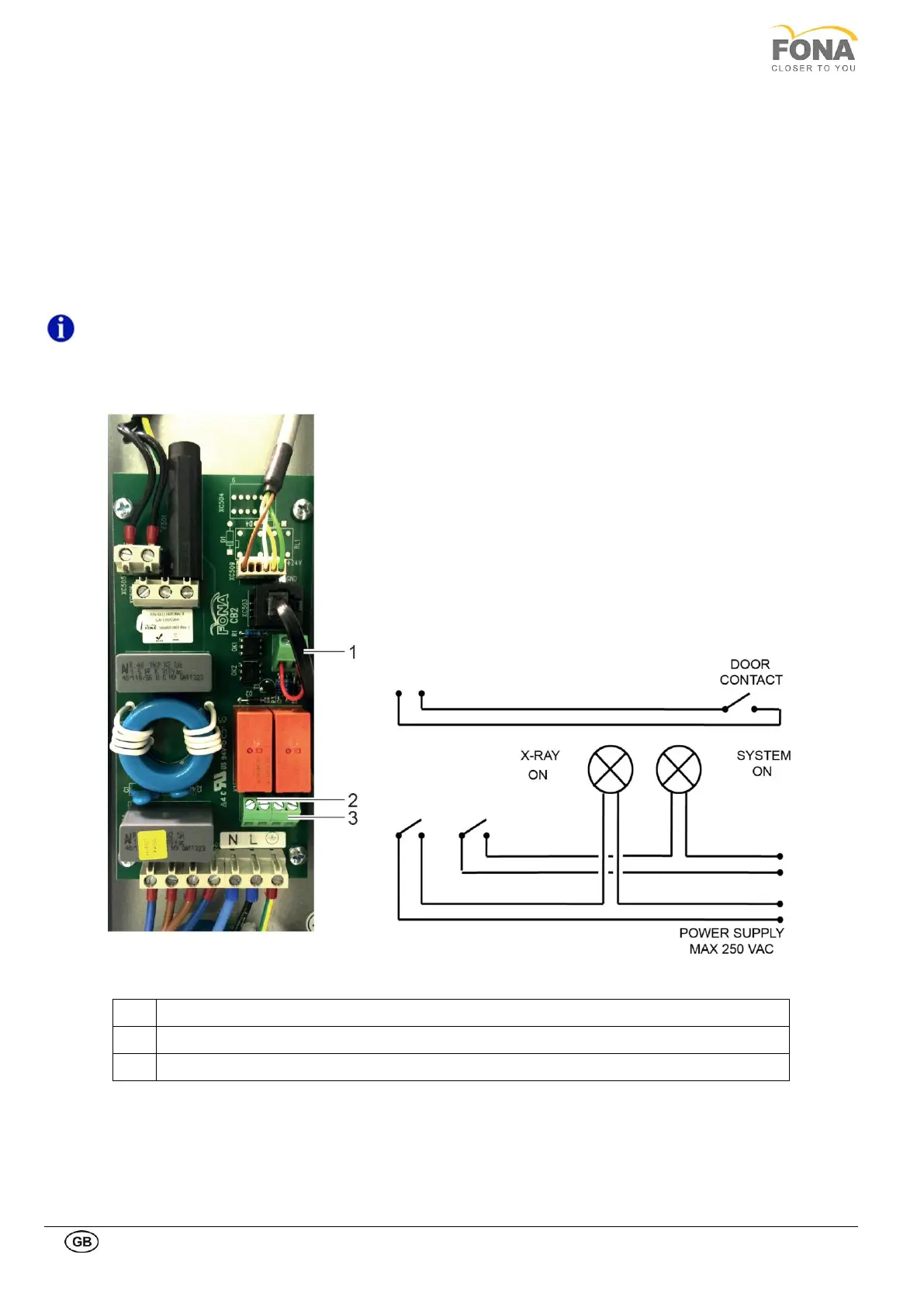
1.9.5. Connecting the external lights and door contact
The mains connection module (behind the mirror cover, right side of the unit) provides the contacts to enable the
following safety conditions:
• The external light turns ON when irradiation is started. The two contacts on the left of the connector X1 are
normally opened and they close when the radiation is enabled.
• The external light turns ON when the system is turned ON. The two contacts on the right of the connector X1 are
normally opened and they close when the device is on.
• The irradiation is enabled if the door is closed. The unit is provided with a cable bridge already mounted on
connector X2, which must stay in place if the door contact is not used, otherwise it must be removed to connect
the door contact.
NOTE: The external safety lights must be powered externally with maximum 250 VAC.
X2: Contacts for Door Switch
X1: External Light X-Ray On
X1: External Light System On



 To Next Page