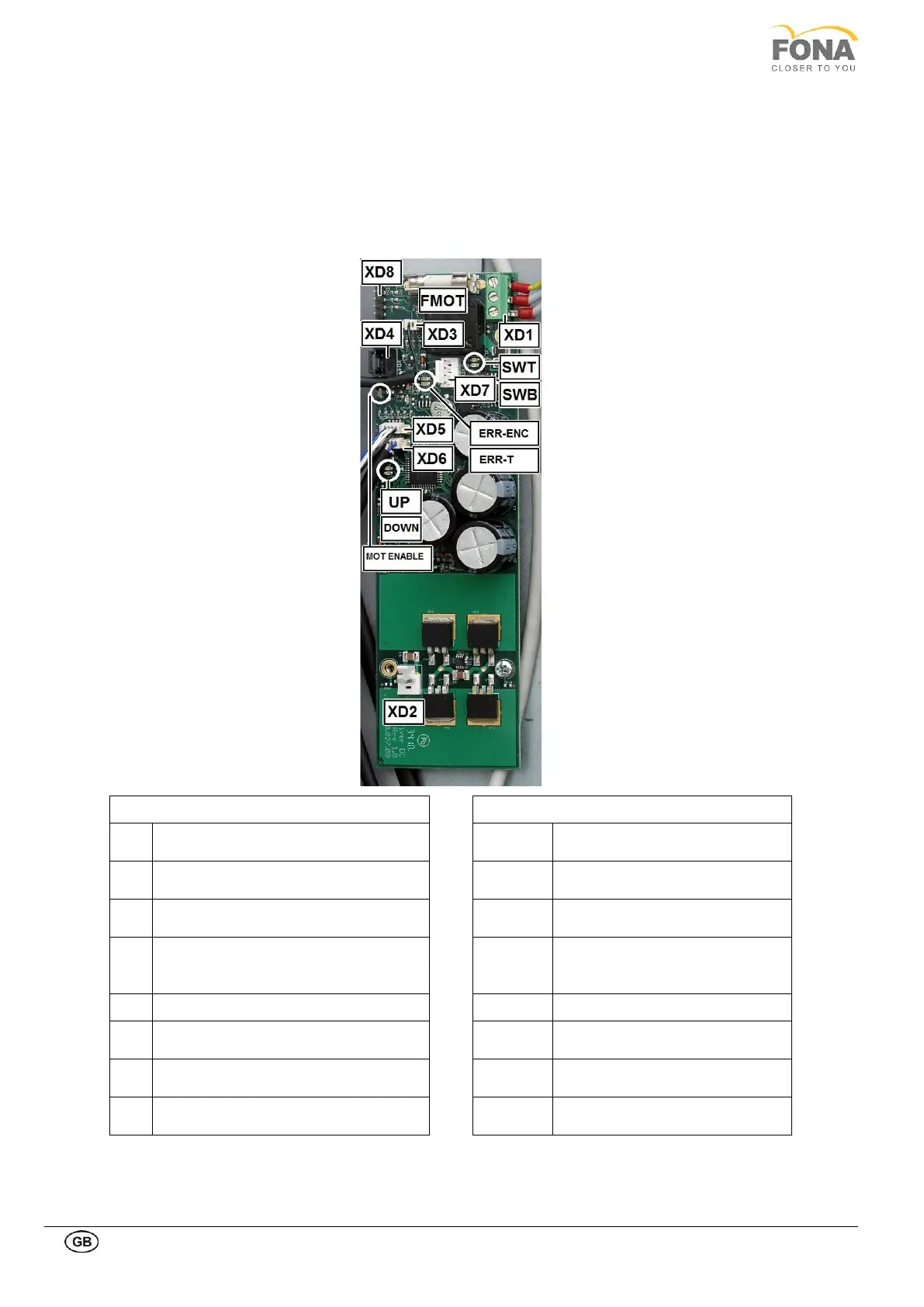
2.1.4. Column motor driver board
The Column Motor Driver board is placed on the left side of the unit, behind the Mirror Cover. It supplies the motor for
vertical movement of the carriage. The speed which is initially low is increased for long travels. Limit switches at top
and at bottom control the displacement.
The board is fed via the transformer on the connector XD1 and the movement of the raising motor is controlled by the
left/right pushbuttons (XD5 and XD6) and limited by the microswitches (XD7).
Supply voltage 25.5 VAC.
Yellow-green ground wire at top.
ON if top micro-switch engaged
ON if bottom micro-switch
engaged
Motor encoder (to be connected at
system assembly)
ON when the rotating arm is in
patient entry or patient exit
position
Top and bottom limit micro-switches (to
be connected at system assembly)
Encoder error ON for 30 s if no
movement is detected
ON if motor temperature exceeds
75°C



 To Next Page