EasyManua.ls Logo

Fona XPan DG Plus - Ceph Axis Calib

Fona XPan DG Plus
148 pages
Print Icon
To Next Page IconTo Next Page
To Previous Page IconTo Previous Page
Loading...
FONA XPan DG Plus
93
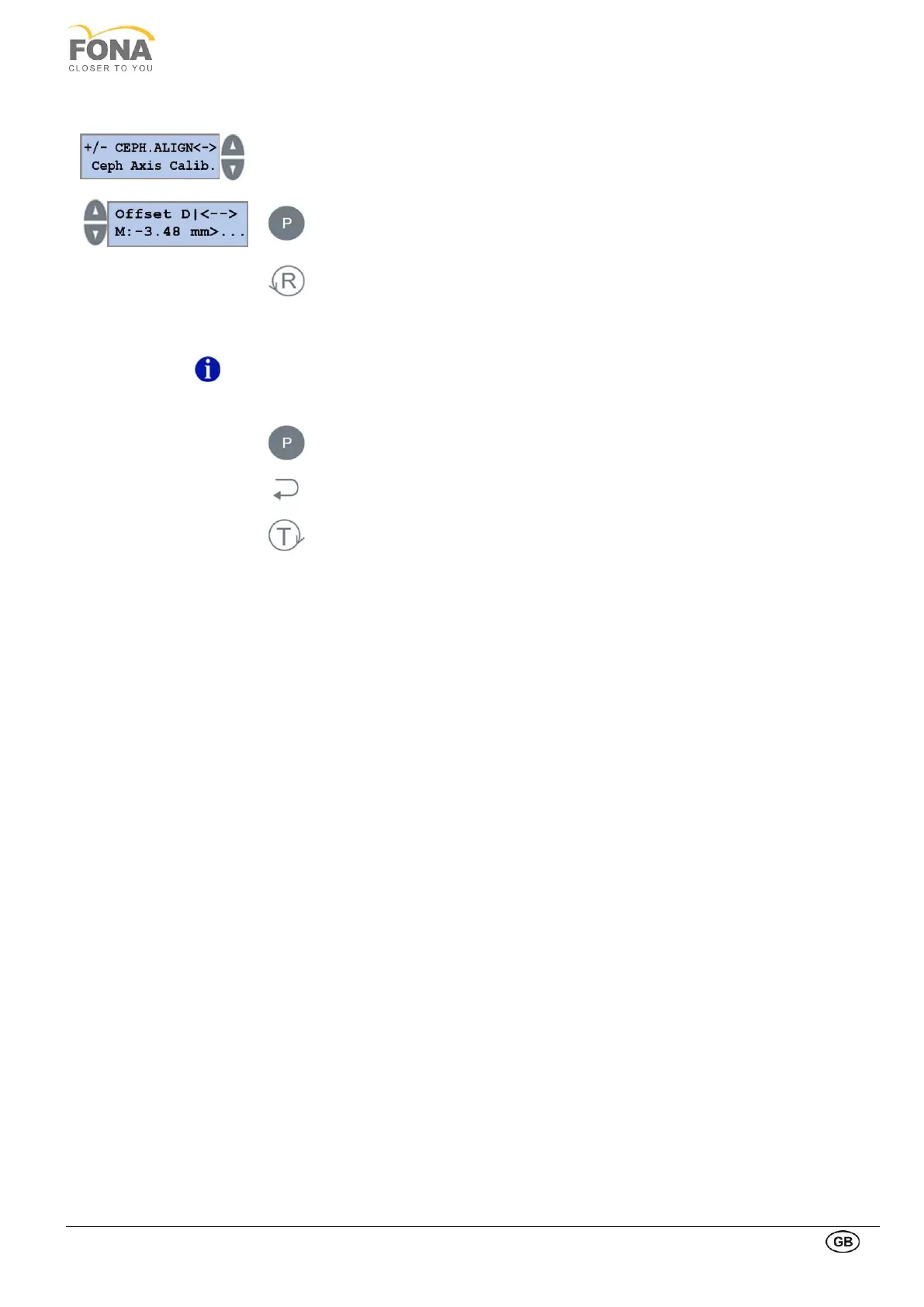
2.2.19.4. Ceph Axis Calib.
Press the INCREASE or DECREASE key on the Right side of the display until Ceph Axis
Calib. is shown.
Press the PROGRAM key to enter Ceph Axis Calib.
Press the RETURN key to enter Ceph Axis Calib edit mode.
INCREASE or DECREASE keys on the LEFT to change Ceph Axis Calib.
NOTE
It is possible to update this value by pressing the switches S1 and S2 on the CEPH
Interconnection board (see paragraph CEPH Interconnection Board).
Keep pressed the PROGRAM key to store the Ceph Axis Calib values.
Press the BACK key to exit Ceph Axis Calib.
Press the TEST Mode key to exit SERVICE MODE.

Table of Contents