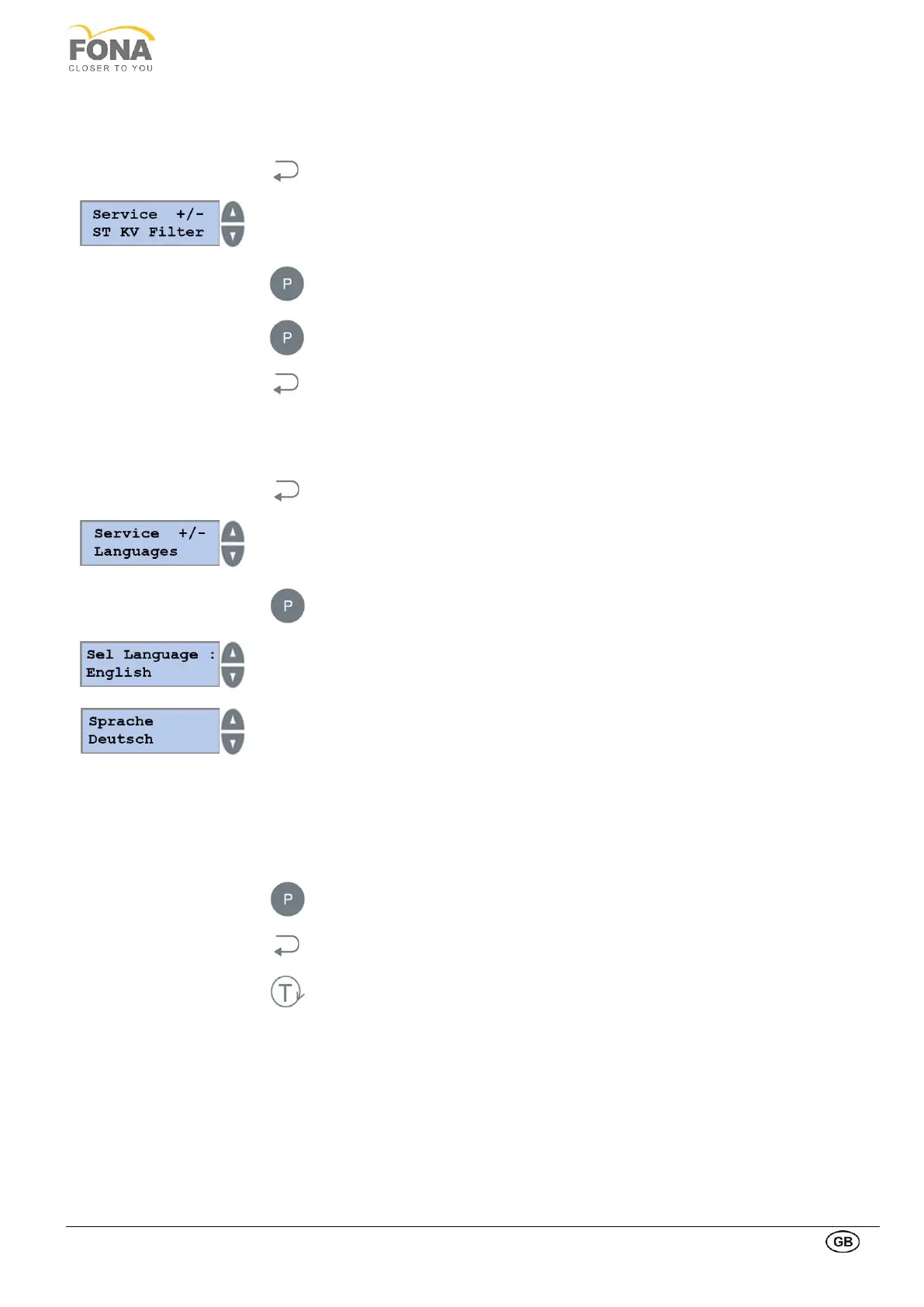
This function allows the user to enable / disable the soft tissue (ST) filter for CEPH program P8.
By keeping pressed the BACK key for 5 s the system enters Service Mode.
Service function can be selected using the INCREASE or DECREASE keys on the
RIGHT side of the display.
Scroll the menu until ST KV Filter is displayed
Press the PROGRAM key to enter ST KV Filter.
Press the PROGRAM key to enable / disable the soft tissue filter.
Press the BACK key to exit ST KV Filter.
This function allows for the selection of the message language.
By keeping pressed the BACK key for 5 s the system enters Service Mode.
Service function can be selected using the INCREASE or DECREASE keys on the
RIGHT side of the display.
Scroll the menu until Languages is displayed.
Press the PROGRAM key to enter Languages.
The actual language currently selected is indicated.
Press the INCREASE or DECREASE key to change language:
• English
• Italian
• French
• Spanish
• German
• Finnish
• AVAILABLE
• AVAILABLE
Keep pressed the PROGRAM key to enter a new language.
Press the BACK key to exit Languages.
Press the TEST Mode key to exit SERVICE MODE.



 To Next Page