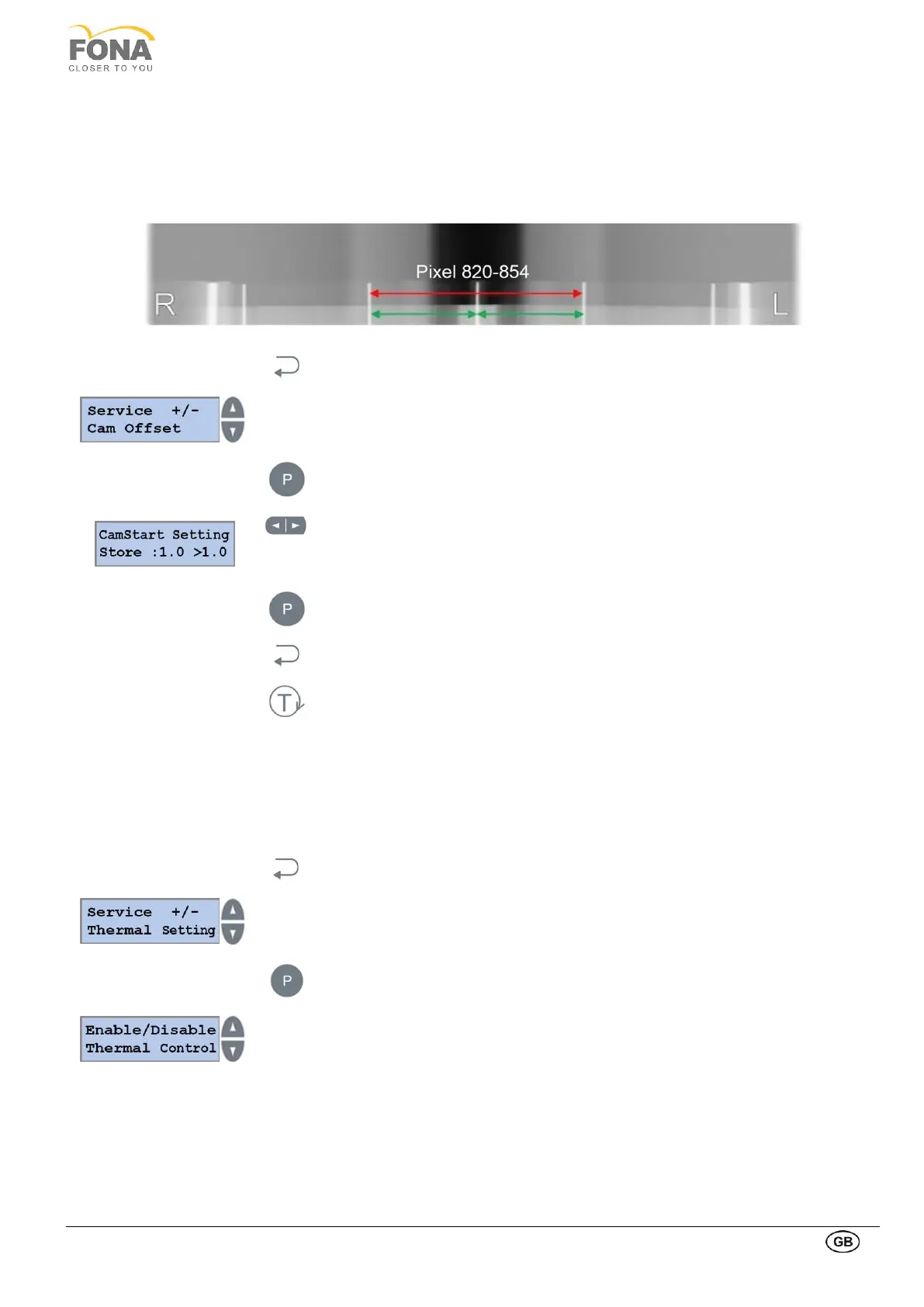
2.2.11. Cam Offset
This function is intended to align the panoramic projection by checking and setting the distance of the two pins of the
test phantom.
The current value of Cam Setting appears on the display when entering this function.
Set up is fine when the pin distance is of 837 +/- 17 pixels (820 to 854 pixels)
By keeping pressed the BACK key for 5 s the system enters Service Mode.
Service function can be selected using the INCREASE or DECREASE keys on the
RIGHT side of the display.
Scroll the menu until Cam Offset is displayed.
Press the PROGRAM key to enter Cam Offset.
Keys on the right bottom part of the keyboard:
• LEFT arrow is DECREASE key to increase the distance between pins.
• RIGHT arrow is INCREASE key to decrease the distance between pins.
Keep pressed the PROGRAM key to store Cam Offset.
Press the BACK key to exit Cam Offset.
Press the TEST Mode key to exit SERVICE MODE.
This function is intended to enable or disable the use of the thermal sensor and set the limit values for temperature
error handling:
• Enable/Disable Thermal Control
• Editor thermal values
By keeping pressed the BACK key for 5 s the system enters Service Mode.
Service function can be selected using the INCREASE or DECREASE keys on the
RIGHT side of the display.
Scroll the menu until Thermal Setting is displayed
Press the PROGRAM key to enter Thermal Setting.
INCREASE or DECREASE keys on the RIGHT to change
• from Enable/Disable Thermal Control
• to Thermal Values Editor



 To Next Page