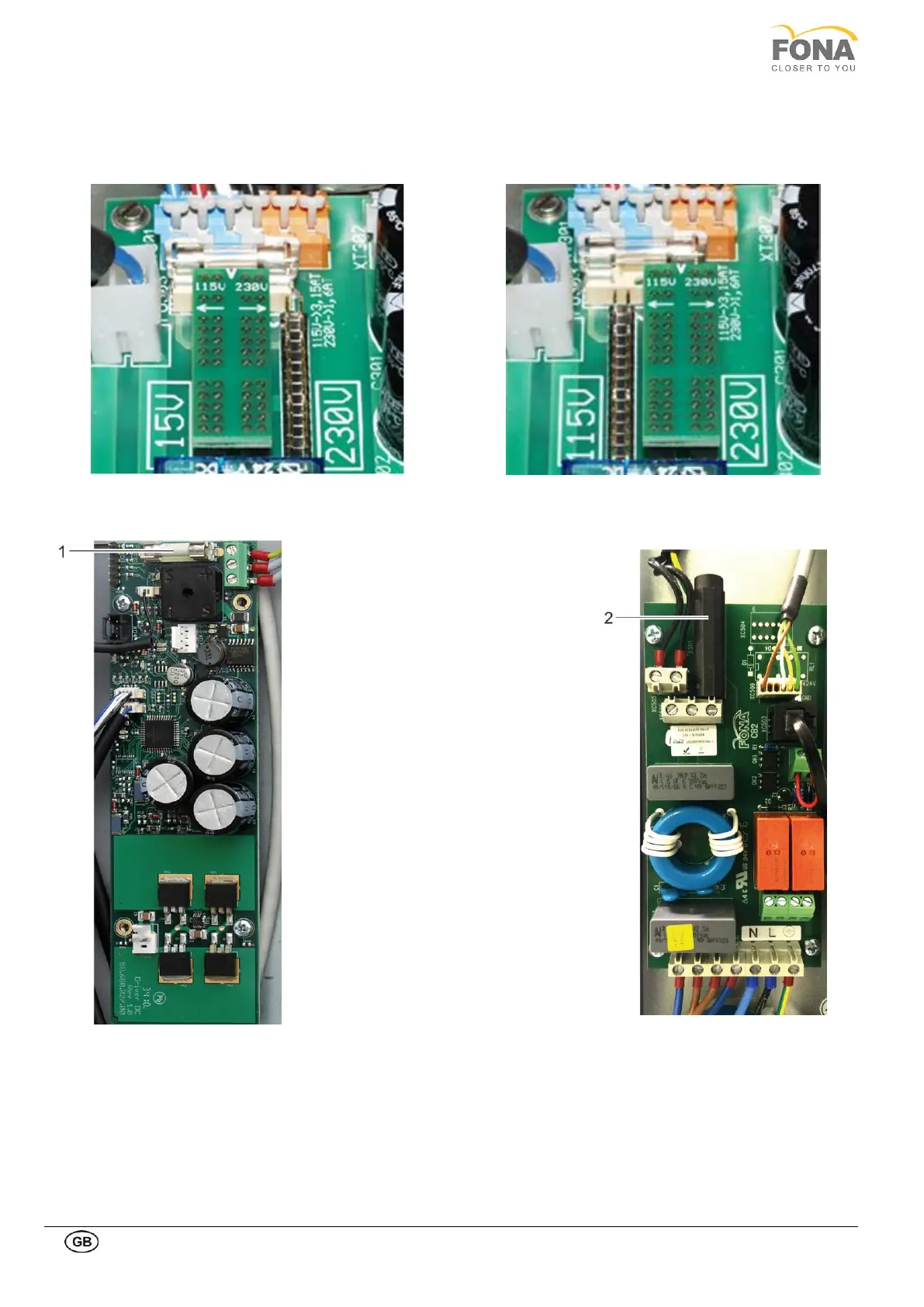
The system is delivered with voltage
selector plug and primary fuses F501 (2)
and FU303 not mounted.
The system must be configured to work
either at 115 V or 230 V.
Remove the metal shield on the Power
Supply Unit paying attention not to
disconnect the cables of the buzzer and
park it on the side.
115 V setting:
• Set voltage selector plug on left side
• Mount 3.15 AT fuse on fuse holder
FU303
• Mount 16 AT fuse on fuse holder F501
230 V setting:
• Set voltage selector plug on right side
• Mount 1.6 AT fuse on fuse holder
FU303
• Mount 8 AT fuse on fuse holder F501
Verify presence of fuses common fuses
• FU304 rated 6.3 AF
• FU305 rated 6.3 AF
• FMOT 4 A fuse (1)



 To Next Page