1.13. FINAL WORK
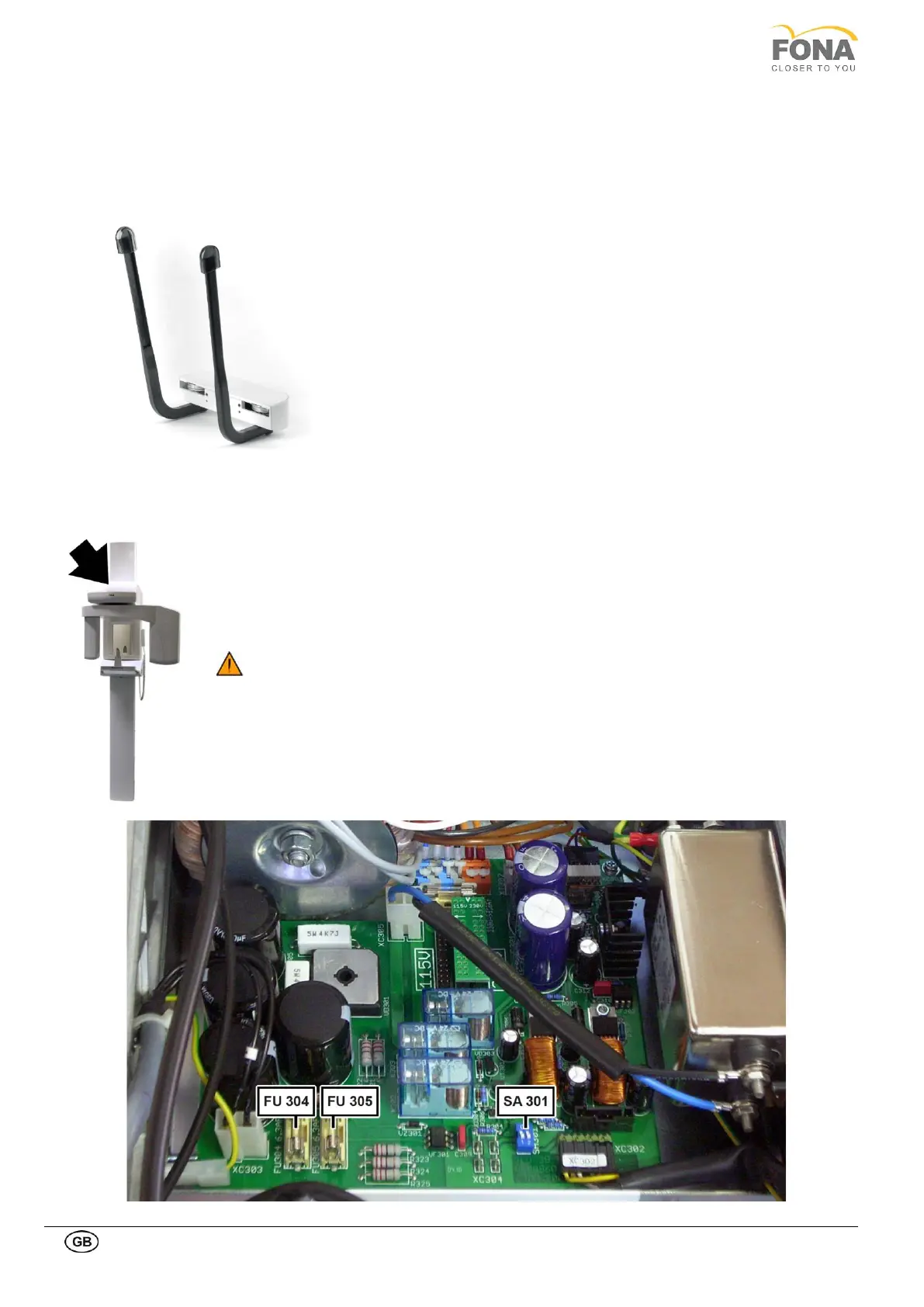
1.13.1. Mounting the optional temple supports
The support of temporal resting bars for patient positioning is an optional item.
Item code 93 600 03060.
The temple supports with temporal resting bars is mounted with two
screws to the body of the carriage between the two handles for the
patient.
When finished, attach the FONA logo strip.
1.13.2. Setting the unit for demostrations (when applicable)
In order to prevent accidental X-ray radiation on demo unit use the switch SA301 on the Power
Supply board at top of the unit or remove power fuses.
• SA301 Set Demo Mode: both contacts 1 and 2 to position OFF
• Fuses FU304 and FU305 can alternatively be removed to prevent accidental irradiation.
Do test the demo set-up, starting a panoramic exposure which has to terminate with
Error 21, no tube current.
For normal use SA301 has to be set to normal position:
SA301 Set Normal Use: both contacts 1 and 2 to position ON for normal use.



 To Next Page