2.2. SERVICE FUNCTIONS
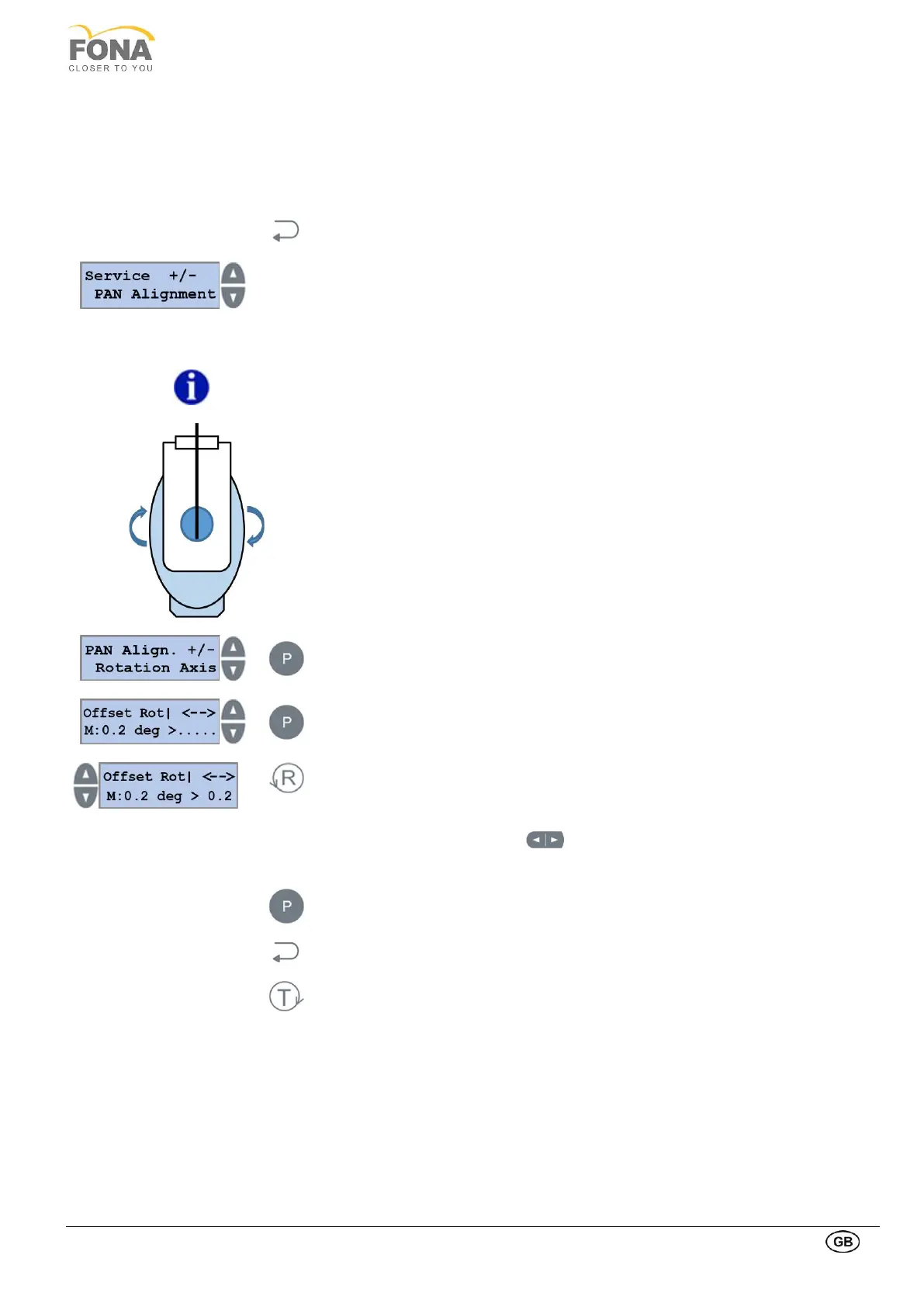
2.2.1. PAN Alignment
This function is intended to store reference positions of the rotating arm and the collimator offsets after mechanical
alignment.
By keeping pressed the BACK key for 5 s the system enters Service Mode.
Service function can be selected using the INCREASE or DECREASE keys on the
RIGHT side of the display.
Scroll the menu until PAN Alignment is displayed.
The rotation axis, to be done first, is a variable allowing to set the angle offset of the
rotating arm. The rotation disk is moved by stepped motor and controlled by the three
opto-sensors (encoder).
The right position of the rotating arm is reached when it is parallel to the top part of the
vertical carriage, with the generator aiming to the bite block /chin rest.
Press the PROGRAM key to enter PAN Alignment.
Possibility to operate on Rotation Axis is offered first
Press the PROGRAM key to enter setting Offset for Rotation Axis
The actual offset value stored in memory is shown
Press RETURN key to enter Rotation Axis edit mode
Press INCREASE or DECREASE keys on the LEFT side of the display
(large movements) or the two arrows (small movements) to rotate the arm step by
step till the desired angle.
Keep pressed the PROGRAM key to store new Offset Rot value
Press BACK key to exit Rotation Axis
Press TEST Mode key to exit SERVICE MODE



 To Next Page