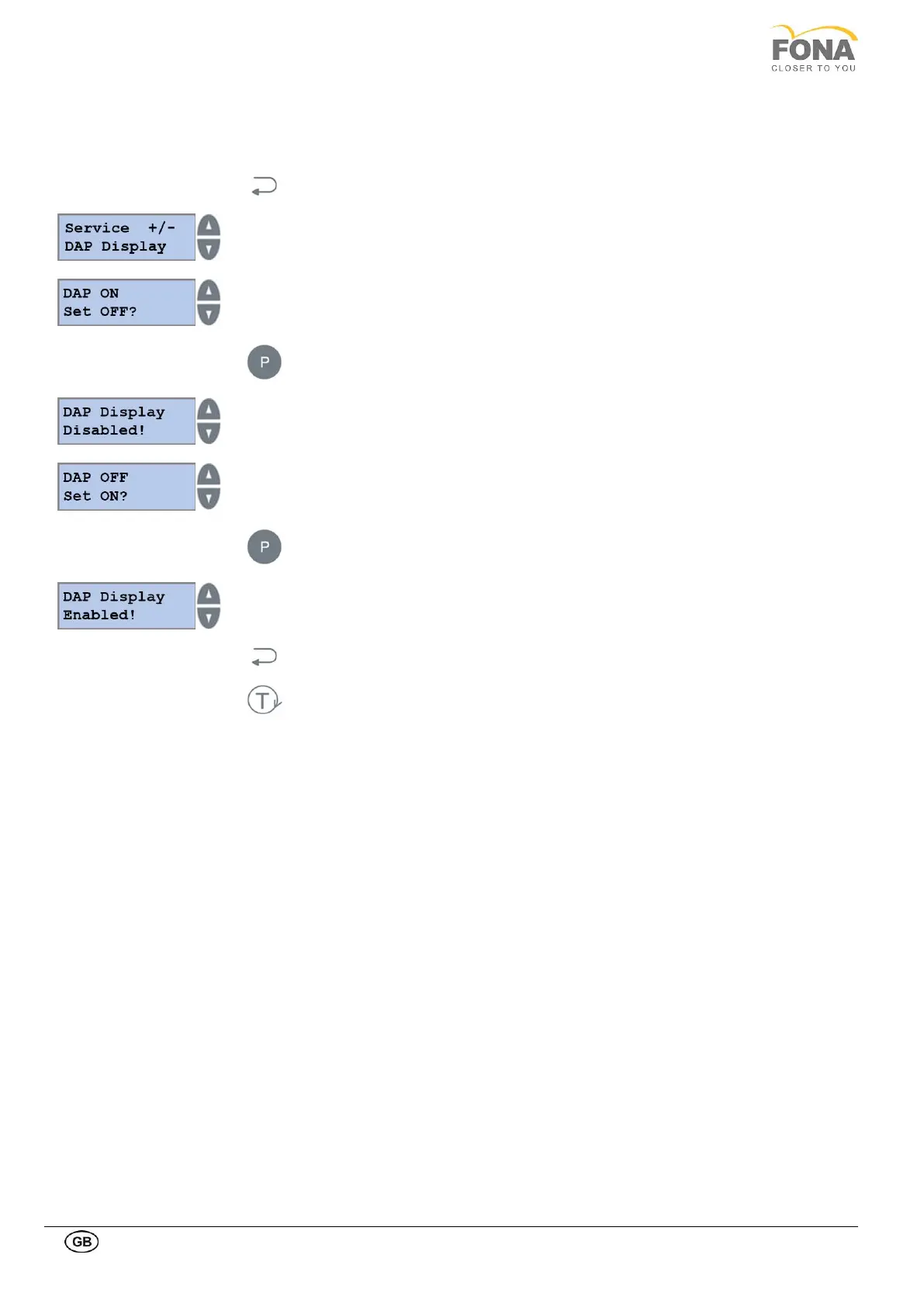
2.2.10. DAP setting
This function is intended to enable or disable the presentation of DAP values on display at the end of the exposure.
The DAP value is the absorbed dose per the irradiated area.
By keeping pressed the BACK key for 5 s the system enters Service Mode.
Service function can be selected using the INCREASE or DECREASE keys on the
RIGHT side of the display.
Scroll the menu until DAP Display is displayed.
The DAP presentation status is shown with request to change.
Keep pressed the PROGRAM to change status.
The confirmation message appears for few seconds, then the possibility to change is
offered
The DAP presentation status is shown with request to change.
Keep pressed the PROGRAM key to change status.
The confirmation message appears for few seconds, then the possibility to change is
offered.
Press THE BACK key to exit DAP Display.
Press THE TEST Mode key to exit SERVICE MODE.



 To Next Page