1.12.2. Taking a cephalometric radiograph
Move the sensor in cephalometric position.
Move the cephalostat in latero-lateral (LL) position.
Turn ON the system mains switch. Wait for initialization and do Reset.
Select 70 kV and 6,3 mA at control panel.
RETURN Arm Movement to START position, ready for exposure.
On PC side:
Start the OrisWin DG Suite software and click on Patients.
Select the Emergency patient and start image management.
Click on Panoramic module, which activates the virtual control pannel showing
the same parameters selected in the unit.
Bring the carriage to Start position, in order to have the unit ready for image
acquisition. In this position the lateral bars acquisition module are green.
Move to a safe position and expose till end of movement.
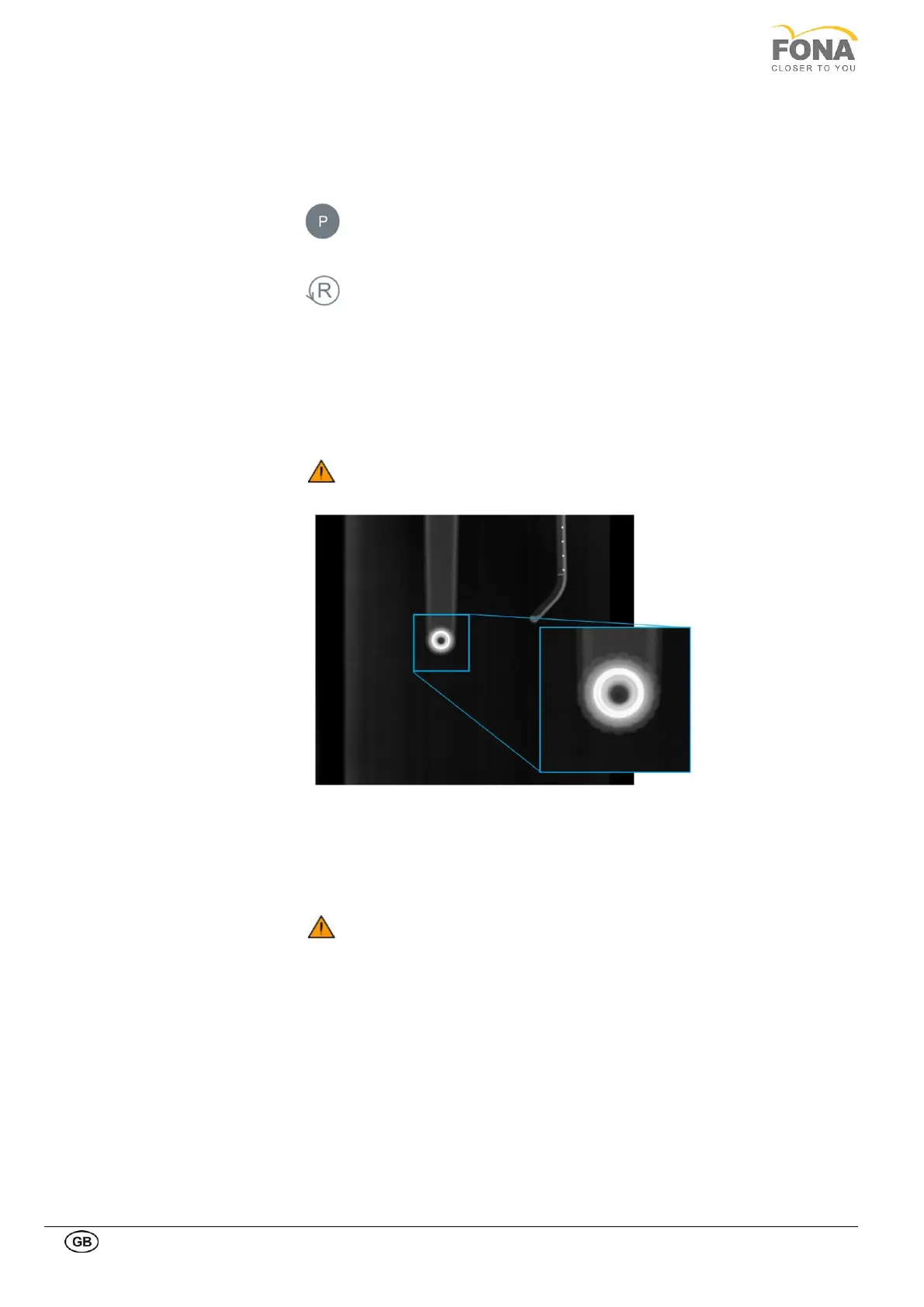
Check for concentricity of the
earplugs support rings
In the acquired image verify the concentricity of the earplugs (it should appear
only one white circle). If not, do the necessary corrections; refer to Service
manual.
Report any defect detected
In presence of defects which may constitute a safety hazard to the patient
as well as to the operator the user is not permitted to use the unit until
repairs are made!
1.12.3. Degassing procedure
The degassing procedure is recommended in case of x-ray tube head storage for more than two years. Please check
the manufactured date on the generator label, below the x-ray tube head cover.
The degassing procedure consists in five full panoramic adult expositions (program P1) by increasing the kV level from
61 to 73 kV and keeping fixed the mA at 4.0 mA (please refer to the User manual – Application Software). A real
patient is not needed for the procedure.



 To Next Page