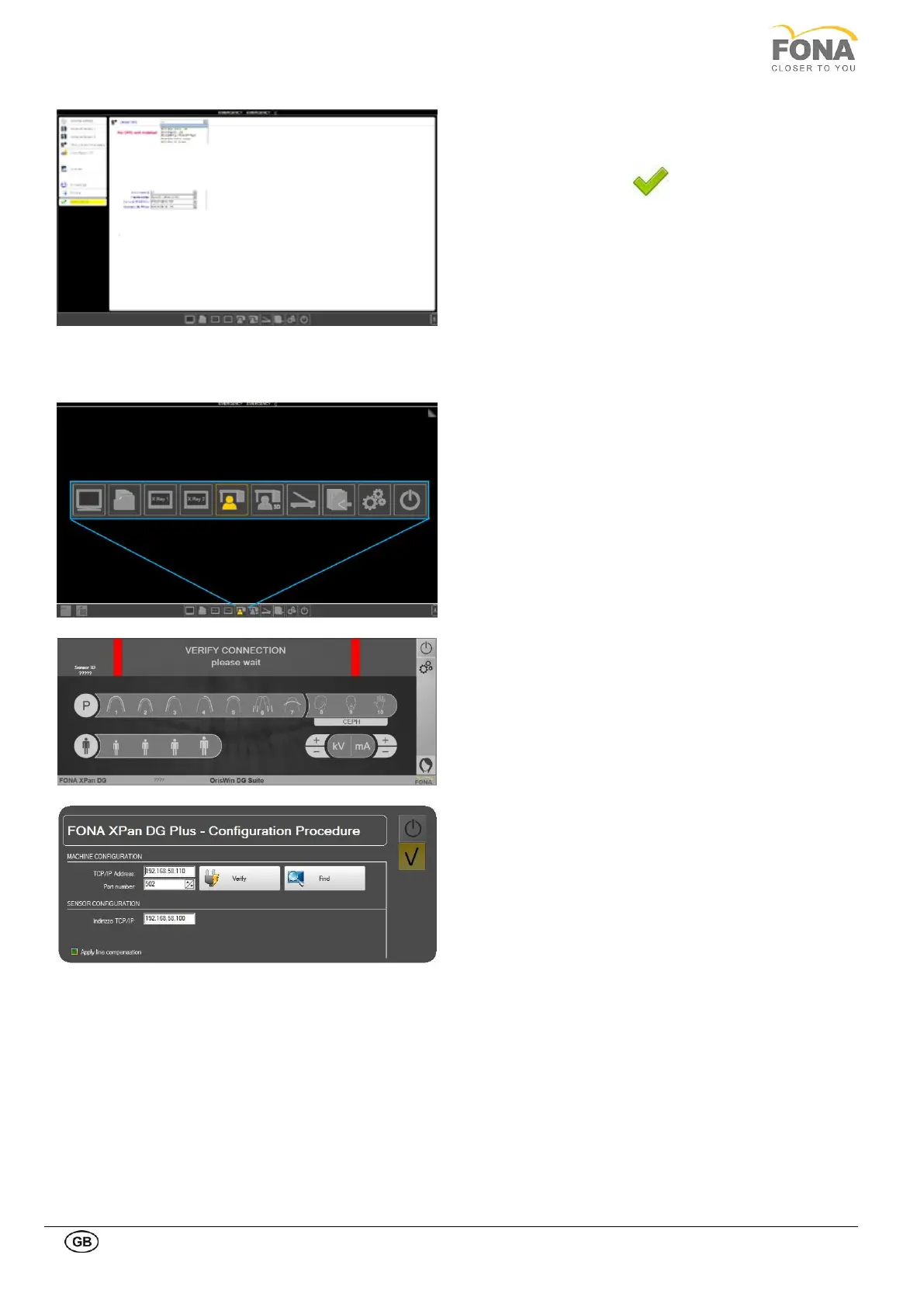
From the drop-down Dental OPG menu, select the
installed device.
Confirm by clicking on the Save options.
B Unit connection to the PC
• Connect the Ethernet cable from the unit to the
ethernet plug of USB Ethernet adapter (connected to
the PC).
• Click on Panoramic module from Image Acquisition
menu.
• The program enters acquisition module and shows the
virtual control panel, with the same values set on the
equipment.
• Select the option button.
• Insert the password 171171
• Verify that the TCP/IP address of the equipment is
192.168.58.110
• Click on the yellow button.
• If the unit is well connected to the PC the two lateral
bar become green or yellow.
• If the unit is not properly connected to the PC the
message “Connection Error” appears on the PC screen
and the two lateral bar are red. In this case, check that
the Ethernet cable is connected to the PC, or that the
IP addresses are set as described in §9.1
C Calibration files
Insert the CD containing the calibration files.Double-click on the file to install, confirming when you are asked if you
want to overwrite previous files.



 To Next Page