Tips for troubleshooting
177
Remove all cable connections On the back of the postage meter:
• Unplug the power cable from the power
connection of the postage meter.
• If necessary, remove the ethernet cable:
Press the spring on the plug and carefully
pull the plug out.
• If necessary, remove the CAN bus connec-
tion to the feeder: Unscrew and carefully
pull off the plug.
• If necessary: Remove USB cable.
The connections / interfaces of the
PostBase Fusion postage meter are
described in the figure on page 14.
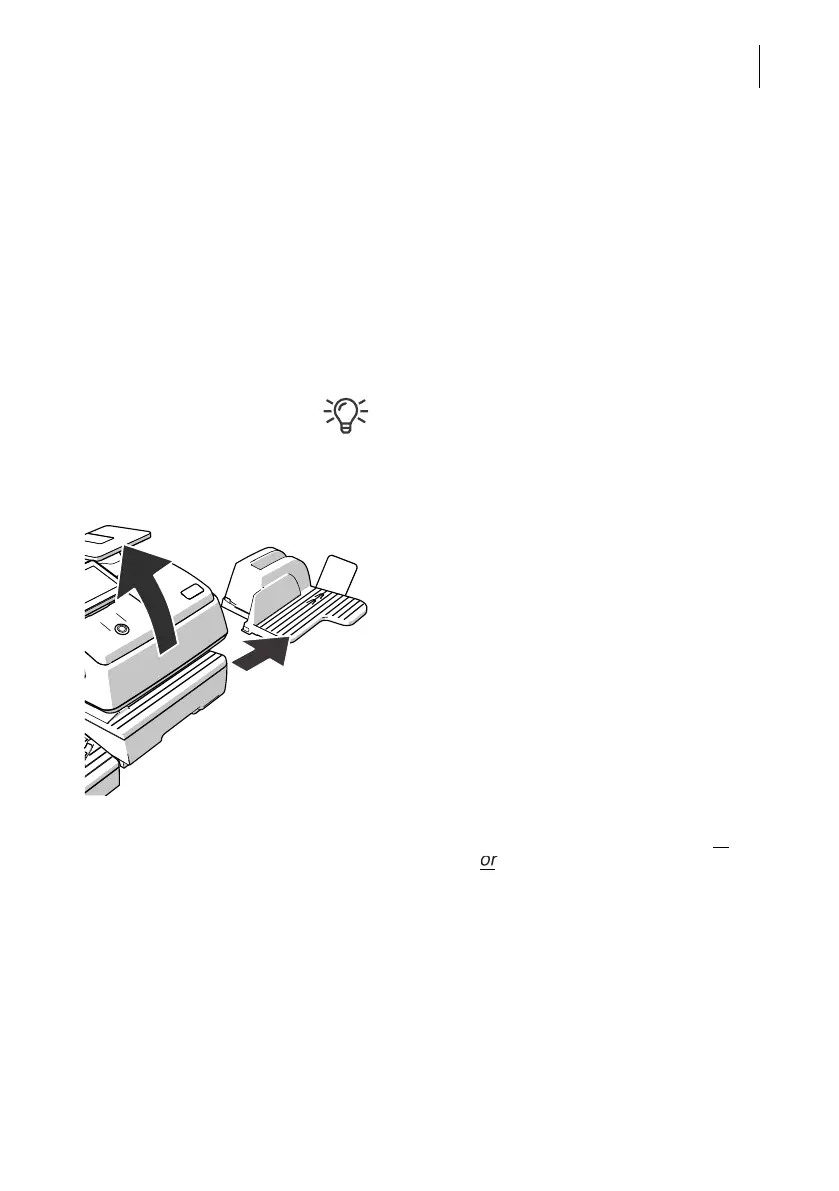
Remove letter catch tray • Lift the front of the postage meter about 2"
(5 cm).
• Move the letter catch tray away to the right.
• Put the postage meter back down.
Remove PostBase Fusion from feeder To feed mail pieces, the hand feed tray or
the sealer
the feeder are positioned to the
left of the postage meter.
The housings of the postage meter and the
feeding device in use are mechanically cou-
pled via catches (on the right side of the feed-
ing device) and slots (in the postage meter’s
housing).



 To Next Page