Tips for troubleshooting
179
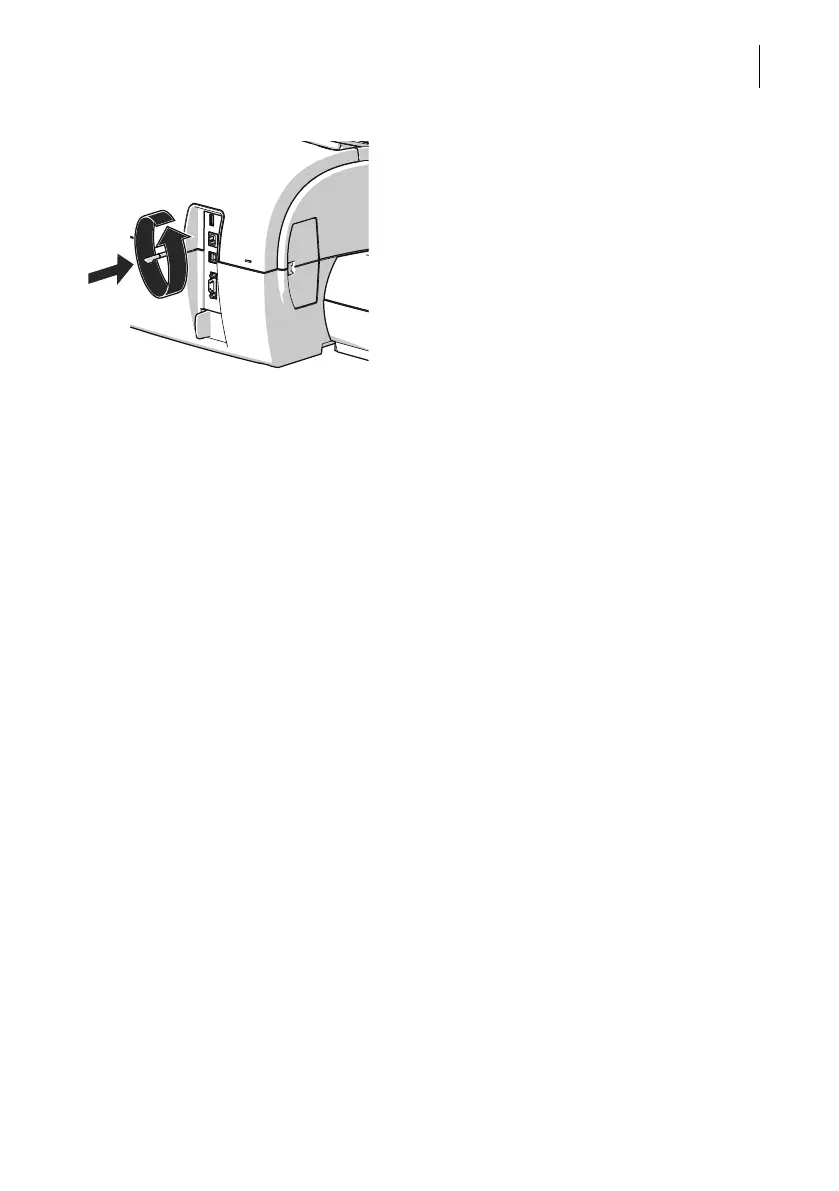
• Insert the stylus in the opening in the back
of the postage meter.
• Rotate the stylus counterclockwise to
move the ink cartridge to the exchange
position.
When the flap of the print system opens, the
ink cartridge has reached the exchange posi-
tion.
• You can remove the ink cartridge now as
usual (see page 135).


 To Next Page